# The JavaScript Runtime

What a JavaScript runtime is, and how the browser loads a page's HTML, CSS and JavaScript and runs the script.

Novice · JavaScript · Updated November 15, 2026

By Gregor Dzierzon

Java, C# and JavaScript each run inside a runtime: a program that reads your code and turns it into instructions the computer can carry out.

- Java has the JRE (Java Runtime Environment)
- C# has the .NET CLR (Common Language Runtime)
- Python uses the Python Runtime
- JavaScript runs in a JavaScript engine: one is built into every browser, and Node.js runs JavaScript outside the browser

JavaScript was developed to run in a browser. It was designed to give users a richer experience when interacting with web pages.

A web page has three distinct parts: HTML, CSS, and JavaScript.
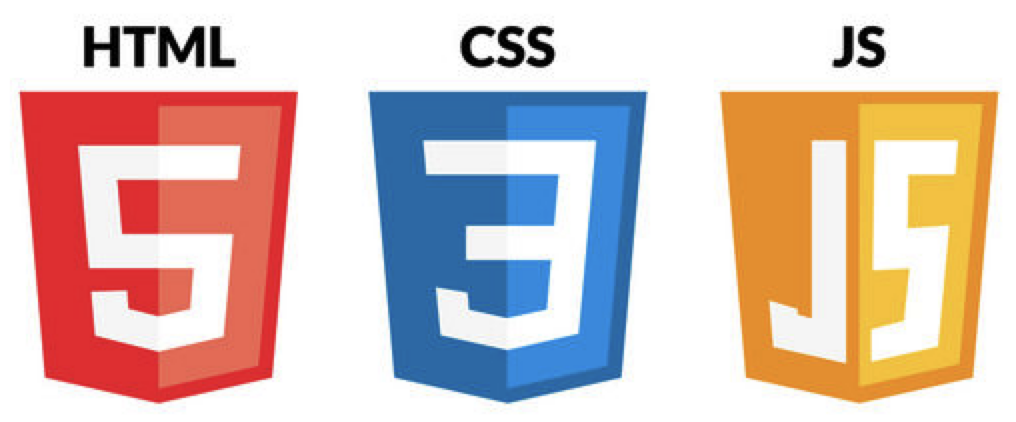
![A web page consists of HTML, CSS and JavaScript](https://fsdtrainingmedia.blob.core.windows.net/public/images/2026/09/b8af750b13914d54b98525a6b27b0638.png "A web page consists of HTML, CSS and JavaScript")

The HTML file links those parts together. This example HTML file could be named `index.html`:

```html
<!DOCTYPE html>
<html lang="en">
    <head>
        <meta charset="utf-8" />
        <title>Page Name</title>

        <link rel="stylesheet" href="css/main.css" />
        <script src="js/app.js" defer></script>
    </head>
    <body>
    </body>
</html>
```

When the browser receives the index.html file, its contents are loaded into memory. The browser parses the HTML file, locates the CSS and JavaScript dependencies, and loads the additional files into memory.

`defer` tells the browser to run the script after it has read the whole page, so the script can find every element. (Putting the `<script>` tag at the end of `<body>` does the same.)

![The developer tools sources tab shows three distinct files](https://fsdtrainingmedia.blob.core.windows.net/public/images/2026/09/f6207a1bb2d64044b4aafecc99fdb86f.png "The developer tools sources tab shows three distinct files")

The web browser is the container for a web application. Since a web page has three parts, the browser must manage three distinct responsibilities.

1. It parses the HTML file to define the structure of the web page - this is called the DOM (Document Object Model)
1. It ***paints*** the canvas of the page using CSS
1. It provides a robust runtime in which your JavaScript application can execute

In this chapter, we will focus on the JavaScript runtime to learn both how JavaScript is like the languages you know, such as Java or C#, and also how it differs. In other words, we will focus on the JavaScript language, its rules, and syntax.

Beginning in the next chapter, we will examine how to use JavaScript to interact with a page's HTML and CSS.

## Do it: link the snack stand's page to its CSS and JavaScript

The snack stand's menu website has three files. The HTML file is where the browser starts, so it has to tell the browser where the other two are:

```text
index.html
styles/
    stand.css
scripts/
    menu.js
```

- `index.html`: the page, which you write in the box.
- `styles/stand.css`: the page's CSS.
- `scripts/menu.js`: the page's JavaScript. It looks for elements on the page, so it must run after the browser has read the whole page.

**Your job:** finish `index.html`.

- In the `head`, give the page the title `Snack Stand Menu`, the words in the browser's tab.
- In the `head`, load the stylesheet `styles/stand.css`.
- In the `head`, load the script `scripts/menu.js`, set to run after the browser has read the whole page (`defer`).
- In the `body`, put one main heading, an `h1`, that says `Snack Stand Menu`.

Practiced live on the lesson page: write the HTML right there and check it.

## Key terms

- [JavaScript Runtime](https://www.ask-codey.com/glossary/javascript-runtime)

## Cheat sheets

- [The JavaScript Runtime](https://www.ask-codey.com/cheat-sheets/the-javascript-runtime-cheat-sheet)

Source: https://www.ask-codey.com/lessons/the-javascript-runtime
