What's new in C# 15: Labeled break and continue
When you find a free seat in a theater, you stop looking, not only in that row but everywhere. C# 15 finally lets your loops do the same.
By Gregor Dzierzon ·

What's new in C# 15
- The release: .NET 11, LTS and STS
- Union types
- Labeled
breakandcontinue- Closed hierarchies
- Collection expression arguments
- Extension indexers
- For library authors: static interface members on older runtimes, and memory safety
Labeled `break` and `continue`
Suppose you walk into a theater and you're looking for an empty seat. You start at the front row and check it seat by seat. If the row is full, you move to the next row and check that one seat by seat.
The moment you find an empty seat, you sit down. You're done searching, and not only in that row: you're done with the whole theater. Nobody keeps walking the rest of the rows once they have a seat.
That's an easy thing for a person to do, and until C# 15 it was surprisingly awkward for a program.
The search in code: a loop inside a loop
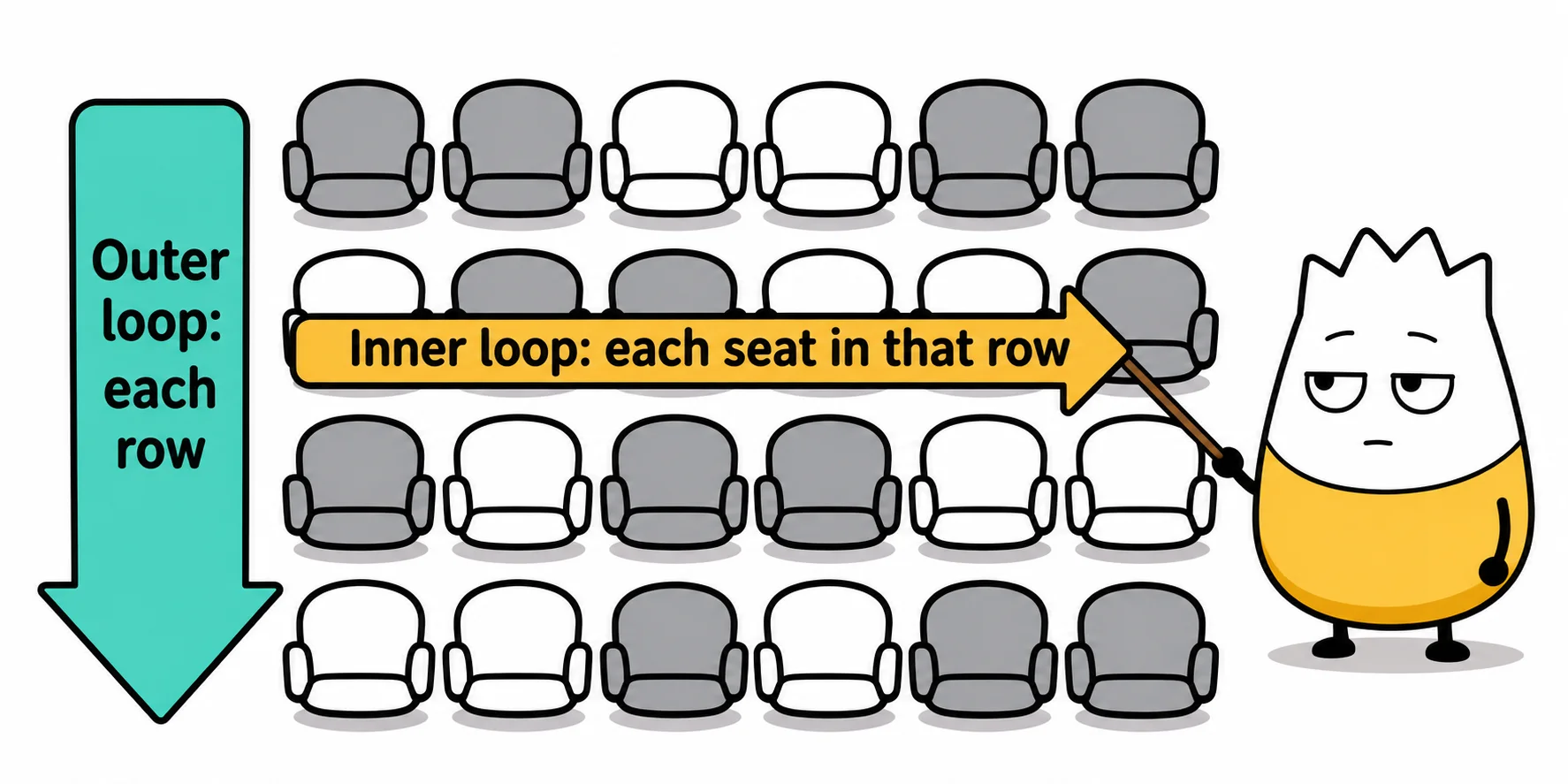
Checking row by row, and seat by seat in each row, is a loop inside a loop. The outer loop walks the rows; the inner loop walks the seats in the current row. Here isTaken[row, seat] is true when a seat is taken:
for (int row = 0; row < rowCount; row++)
{
for (int seat = 0; seat < seatsPerRow; seat++)
{
if (isTaken[row, seat]) continue;
Console.WriteLine(Two small words do the work here:
continuemeans "skip the rest of this pass and go on to the next one": this seat is taken, so check the next seat.breakmeans "leave this loop now": we found a seat, so stop.
Here's what it prints in a theater where row 1 is full and the first two seats of row 2 are taken:
Row 2, seat 3 is free.
Row 3, seat 2 is free.
Row 4, seat 2 is free.
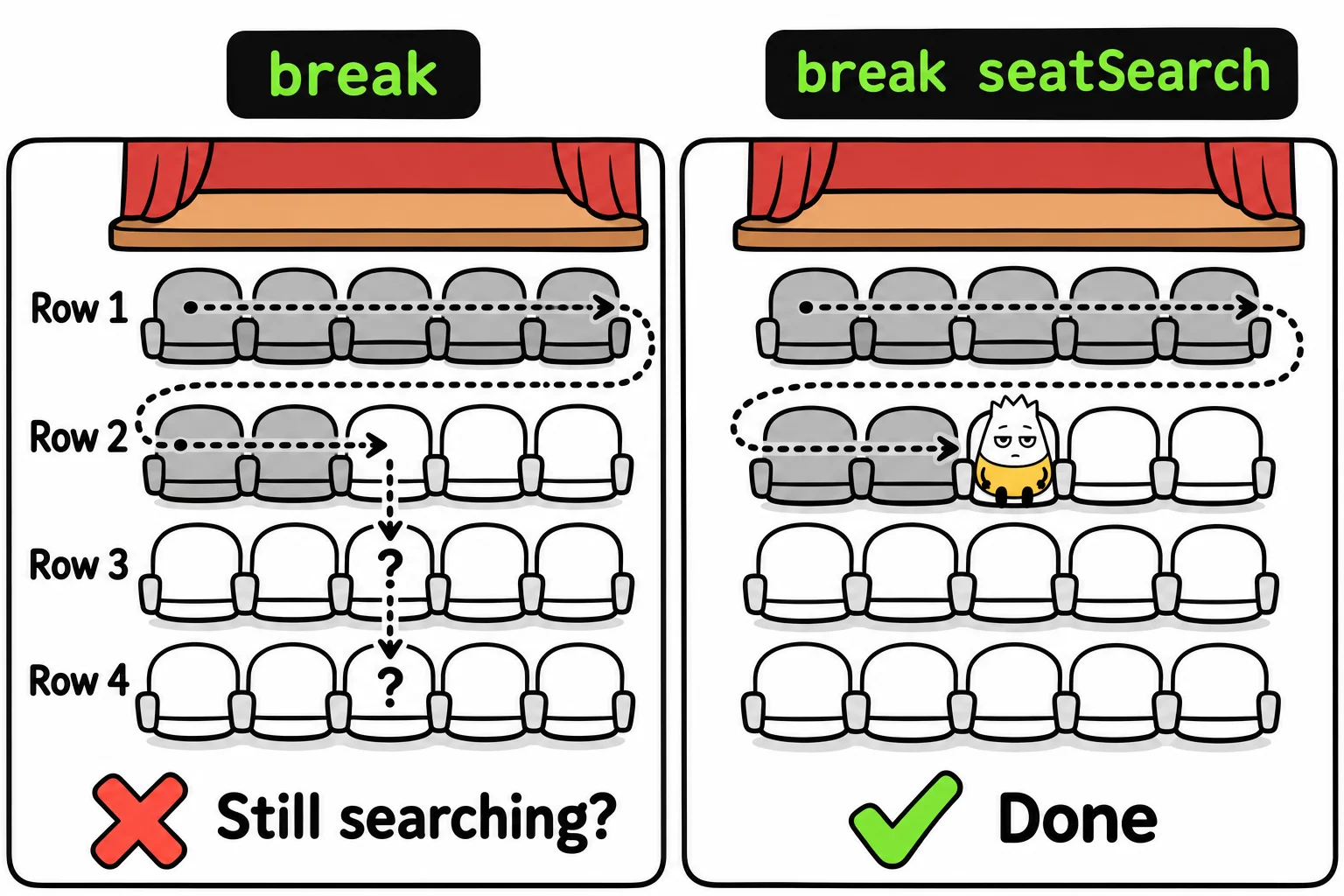
We wanted one seat and got three. The problem is that break only leaves the loop it's in, the inner one. It stops checking seats in row 2, and then the outer loop carries on to row 3, as if nothing happened. Our program sat down and then got up and kept walking.
The old fixes
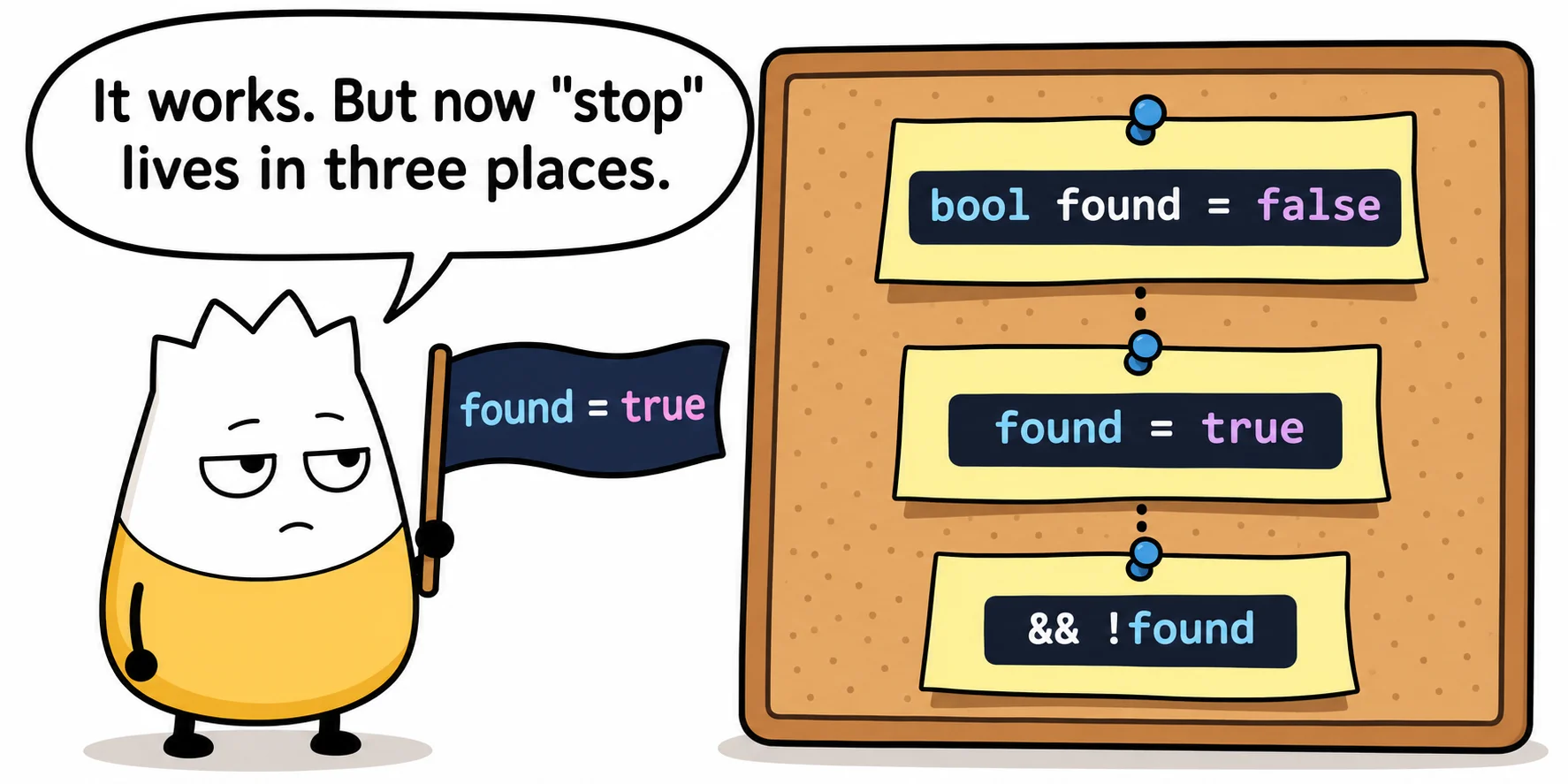
Until now, the common fix was a flag: a bool variable that remembers "I've found one", and that the outer loop checks every time around:
bool found = false;
for (int row = 0; row < rowCount && !found; row++)
{
for (int seat = 0; seat < seatsPerRow; seat++)
{
if (isTaken[row, seat]) continue;
Console.WriteLine(It works, but now "stop searching" lives in three places: the variable, the line that sets it, and the outer loop's condition. Forget any one of them and the bug comes back. Another fix is to move the search into its own method and use return to leave both loops at once. That's often a good choice, but it shouldn't be the only way to stop a search.
The C# 15 answer: name the loop you mean
C# 15 lets you give a loop a label, a name followed by a colon, and then say which loop break should leave:
seatSearch: for (int row = 0; row < rowCount; row++)
{
for (int seat = 0; seat < seatsPerRow; seat++)
{
if (isTaken[row, seat]) continue;
Console.WriteLine(Read break seatSearch; out loud as "stop the seat search." It leaves the inner loop and the outer loop, in one step. No flag, no extra condition, and the program prints exactly one seat:
Row 2, seat 3 is free.
continue with a label: skip the rest of this row
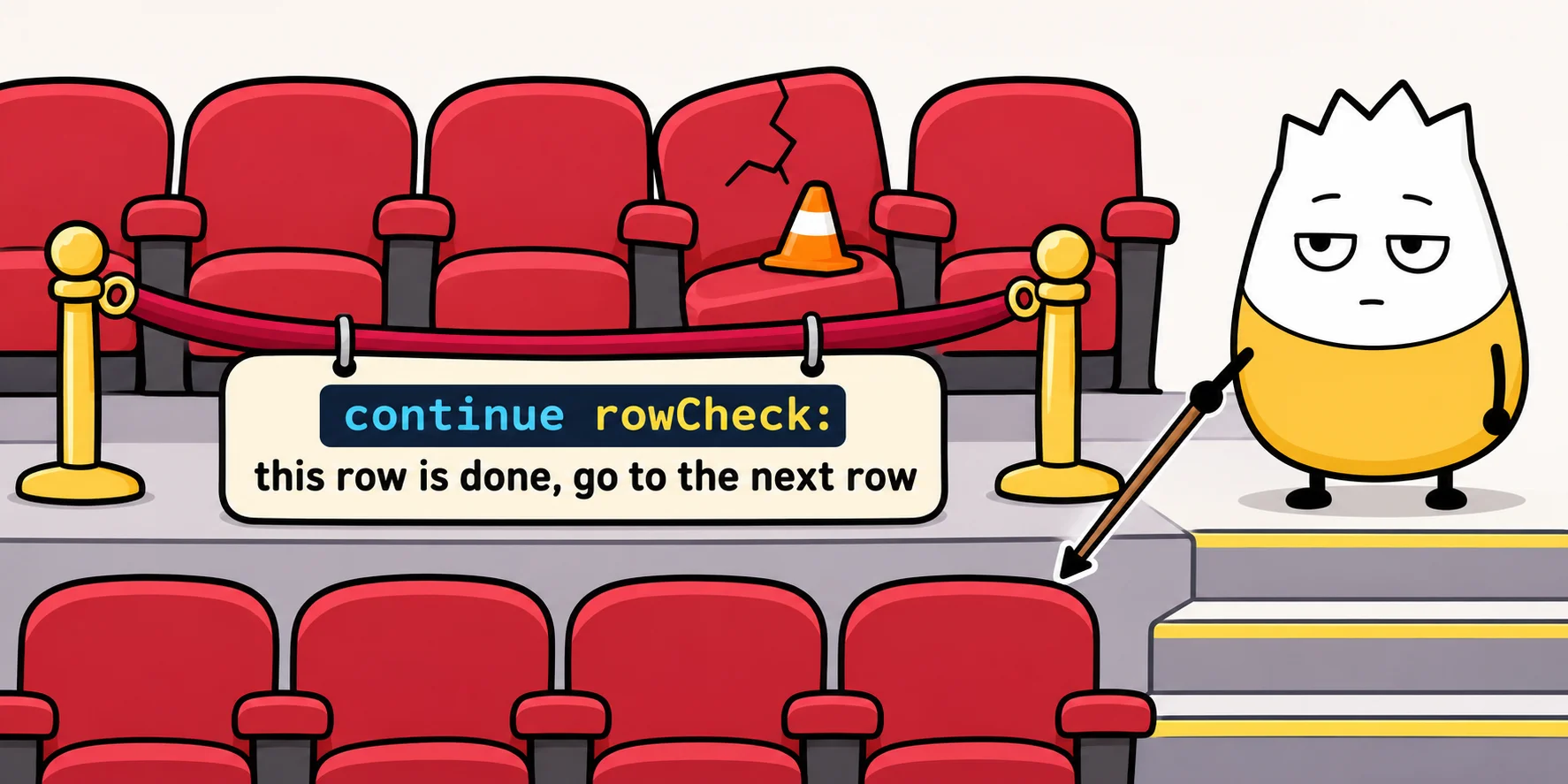
Labels work with continue too. A plain continue skips to the next pass of the loop it's in; continue with a label skips to the next pass of the loop you name.
Here's where that helps. Before the show, an usher checks every row. If a row has a broken seat, the whole row is roped off, and it must not be marked as ready:
rowCheck: for (int row = 0; row < rowCount; row++)
{
for (int seat = 0; seat < seatsPerRow; seat++)
{
if (isBroken[row, seat])
{
Console.WriteLine(Row 1 is ready.
Row 2 has a broken seat. Rope it off.
Row 3 is ready.
Row 4 is ready.
continue rowCheck; means "this row is done; go on to the next row." It skips the "is ready" line, which a plain break would not have done.
Good to know
- Without a label, nothing changes.
breakandcontinuework exactly as they always have. - Labels aren't new in C#. They've always worked with
goto. What's new is thatbreakandcontinuecan use them, which is far easier to read. - Name the label after the job, not the loop:
seatSearchandrowChecksay what you're stopping.outerdoesn't.
On one page: the labeled break and continue cheat sheet, to keep or to share.
Sources
- Microsoft, What's new in C# 15, Microsoft Learn: labeled
breakandcontinue, with the other C# 15 features. - Microsoft, Jump statements: break, continue, return and goto, Microsoft Learn: how
breakandcontinuework.
Tags: csharp, csharp-15, dotnet, whats-new