Dates and Times
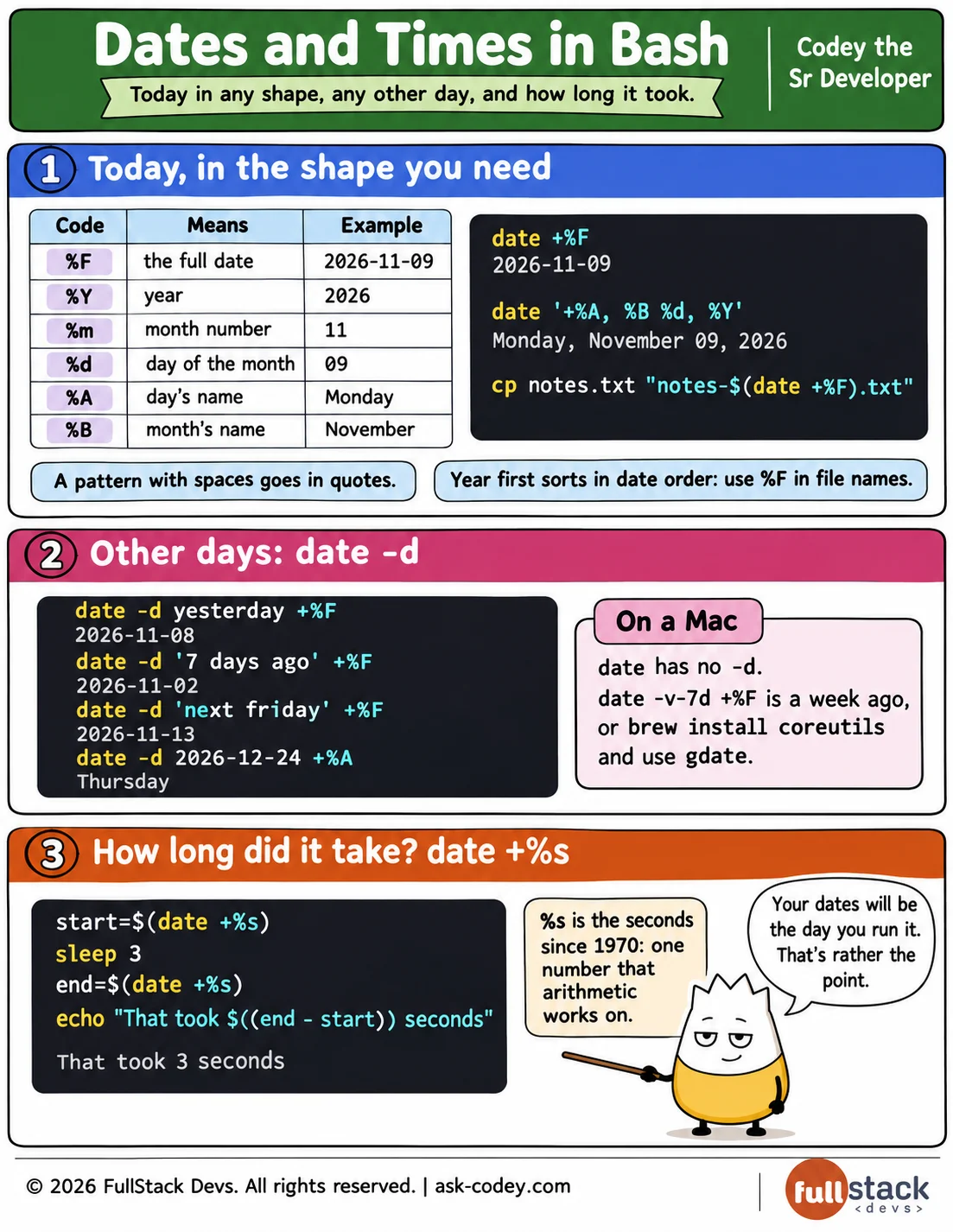
date followed by + and a pattern prints a date in the shape you need, such as date +%F for 2026-11-09; date -d works out other days, such as 7 days ago; date +%s counts seconds, for timing a job; and a Mac's date uses -v instead of -d.
Updated
- Category
- Bash
- Level
- Journeyman
- Tags
- command-substitution, date, linux, unix, unix-time