Setup: VS Code and Node.js
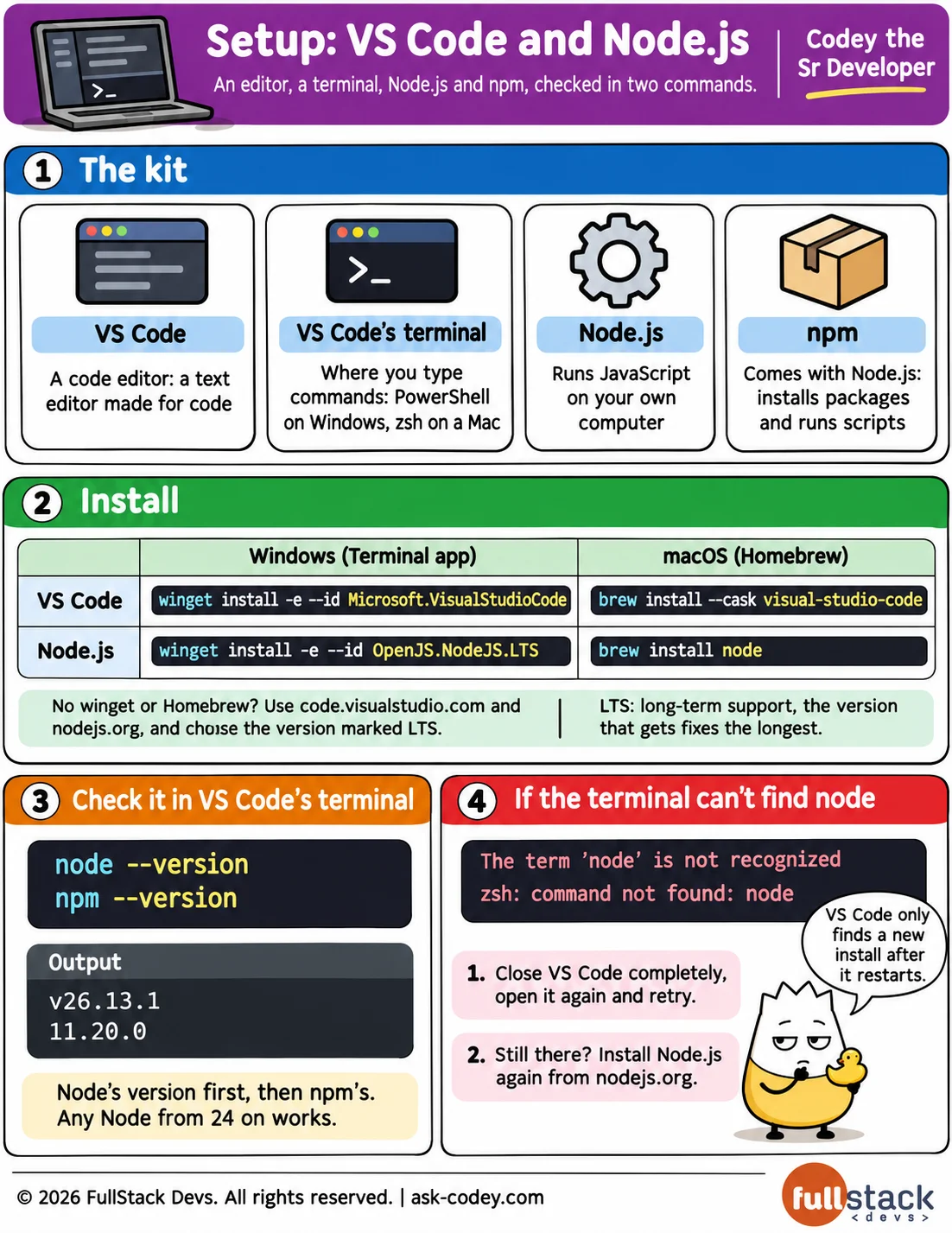
Install VS Code and the LTS version of Node.js on Windows or macOS, check node --version and npm --version in VS Code's terminal, and make the nodejs-course folder every example and exercise goes in.
Updated
- Category
- Node.js
- Level
- Novice
- Tags
- homebrew, JavaScript, lts, nodejs, npm (nodejs), Terminal, VS Code, winget