If
Run code only when a condition is true, with if, if-else and else if, and write conditions with C#'s comparison operators.
Novice · C# · Updated
After this lesson you can
- Choose between actions with if, else if and else
- Compare two values with C#'s comparison operators
Key takeaways
- A condition is a
bool. The comparison operators==,!=,>,<,>=and<=compare two values and givetrueorfalse. ==asks whether two values are equal; a single=puts a value into a variable.ifruns its block only when the condition istrue, andif-elseruns exactly one of its two blocks.- With
else if, C# runs the first block whose condition istrueand skips the rest, so put the most demanding condition first.
Every programming language lets you run code only when a condition is met. Making decisions is what programming logic is all about: if the cart is empty, show a message; if the password is wrong, ask again.
Conditions are true or false
A condition is an expression whose value is a bool: true or false. You build most conditions by comparing two values:
| Operator | Means | Example | Value |
|---|---|---|---|
== |
is equal to | 5 == 5 |
true |
!= |
is not equal to | 5 != 3 |
true |
> |
is greater than | 20 > 10 |
true |
< |
is less than | 20 < 10 |
false |
>= |
is greater than or equal to | 10 >= 10 |
true |
<= |
is less than or equal to | 9 <= 8 |
false |
Notice that "is equal to" is two equals signs. A single = puts a value into a variable; == asks whether two values are the same.
int availableCash = 20;
Console.WriteLine(availableCash > 10);
Console.WriteLine(availableCash == 15);
True
False
if
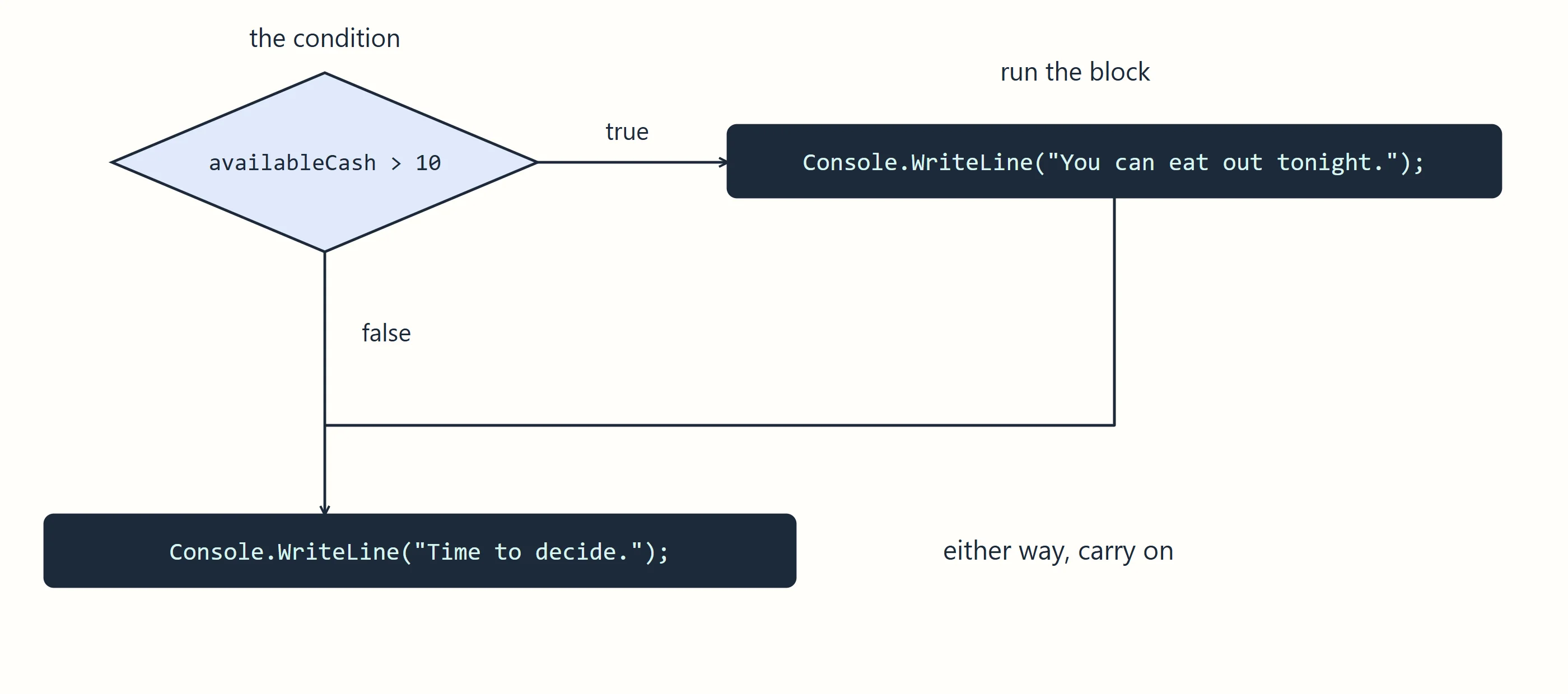
An if statement runs a block of code only when its condition is true. When it's false, the block is skipped.
int availableCash = 20;

if (availableCash > 10)
{
    Console.WriteLine("You can eat out tonight.");
}

Console.WriteLine("Time to decide.");
You can eat out tonight.
Time to decide.
The condition goes in parentheses, and the code to run goes in curly braces. The line after the if runs either way.
if-else
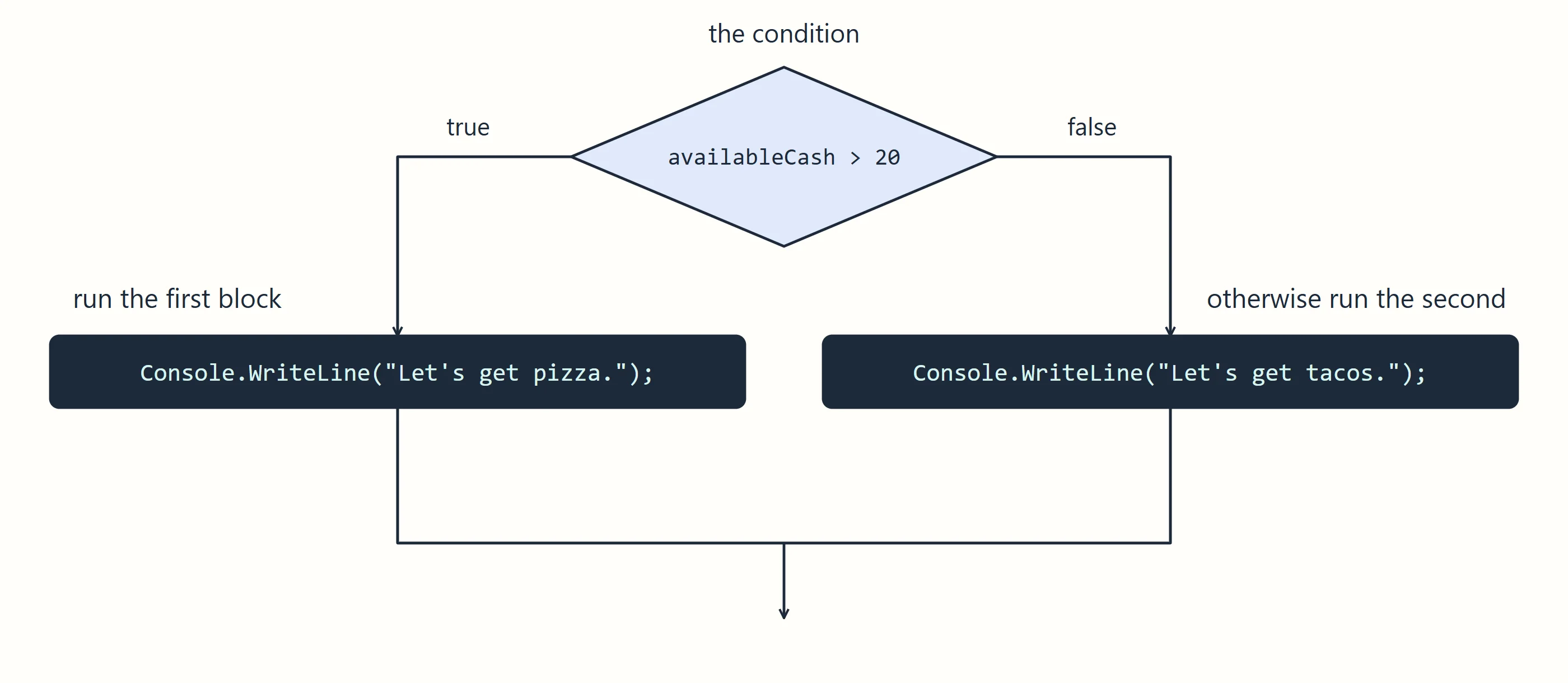
An if-else statement has two blocks, and exactly one of them runs.
int availableCash = 15;

if (availableCash > 20)
{
    Console.WriteLine("Let's get pizza.");
}
else
{
    Console.WriteLine("Let's get tacos.");
}
Let's get tacos.
else if
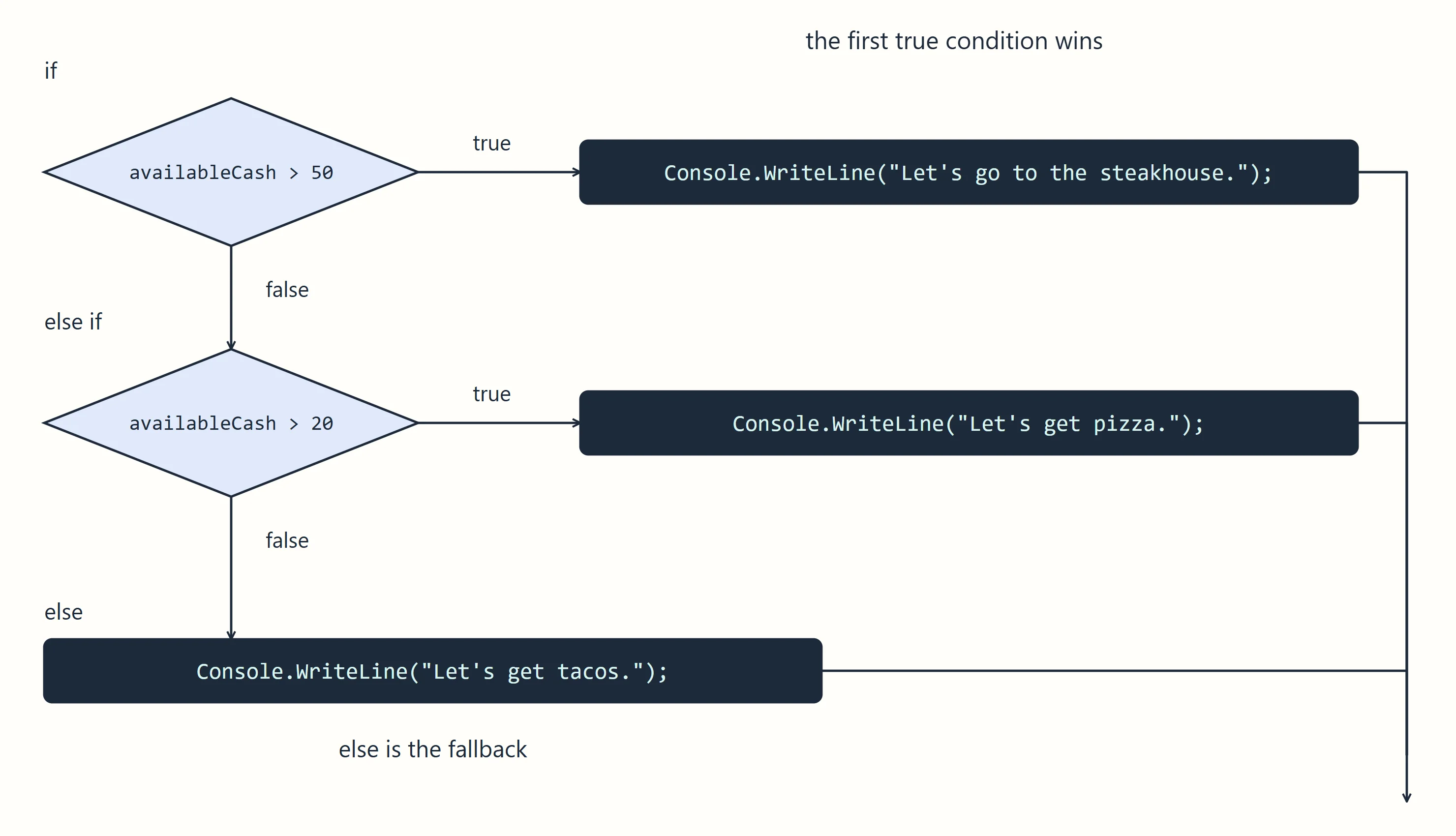
When there are more than two choices, add else if blocks between them. C# checks each condition from the top and runs the first block whose condition is true, then skips the rest. The else at the end runs only if none of them was true.
int availableCash = 35;

if (availableCash > 50)
{
    Console.WriteLine("Let's go to the steakhouse.");
}
else if (availableCash > 20)
{
    Console.WriteLine("Let's get pizza.");
}
else
{
    Console.WriteLine("Let's get tacos.");
}
Let's get pizza.
Order matters. With $60, both 60 > 50 and 60 > 20 are true, but only the first true branch runs: steakhouse. If > 20 came first, $60 would get pizza. Put the most demanding condition first.
if in a method
Conditions are often what a method decides. This one returns a different value for different inputs:
Console.WriteLine(GetShippingCost(45.00m));
Console.WriteLine(GetShippingCost(75.00m));

decimal GetShippingCost(decimal orderTotal)
{
    if (orderTotal >= 50)
    {
        return 0;
    }
    else
    {
        return 5.99m;
    }
}
5.99
0
Check yourself
2 questions to try on the lesson page.
So what
With if, else if and else, your program stops doing the same thing every time and starts reacting to its data, which is where most of the interesting work in programming happens.