Absolute
Absolute positioning takes an element out of the page's flow and places it relative to its nearest positioned ancestor, usually a parent with position relative.
Apprentice · CSS · Updated
After this lesson you can
- Place an element at a spot inside its parent with absolute positioning and a relatively positioned parent
Key takeaways
- Absolute positioning takes an element out of the page's flow, so the elements after it move up into its space.
- It's placed relative to its nearest ancestor whose position isn't static, usually a parent you've made relative.
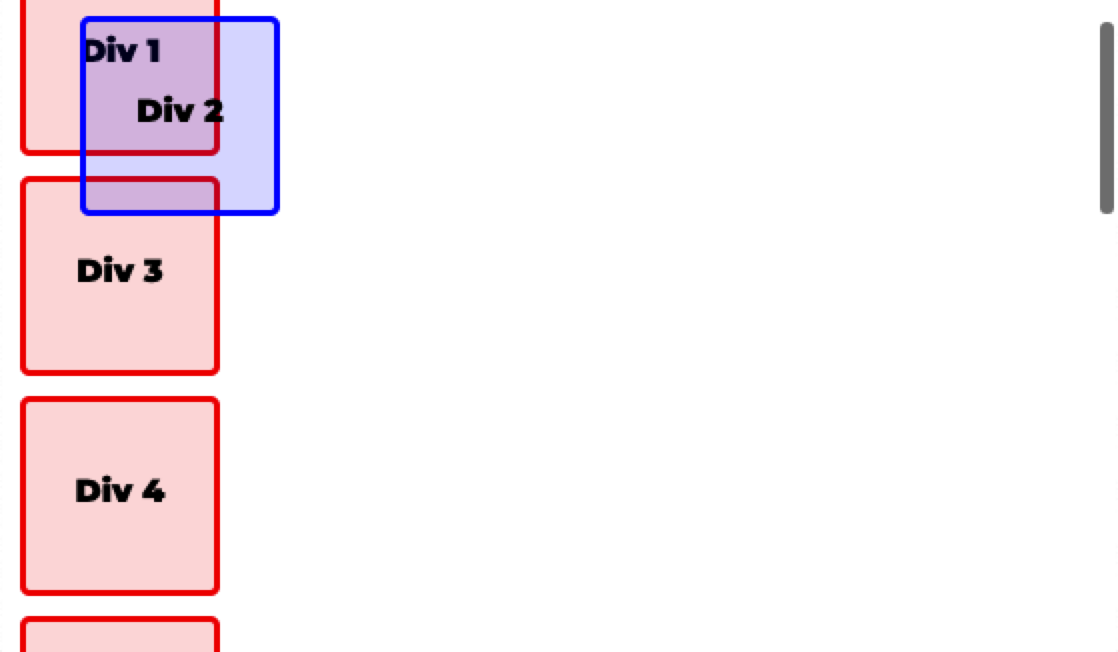
- With no positioned ancestor, it's placed relative to the page, and it scrolls with the page.
absolute position takes the element out of the page's flow (the space it would have used is no longer kept) and places it relative to its nearest ancestor that has a position other than static, usually a parent you've given position: relative. If there's no such ancestor, it's placed relative to the page.
.div-2 {
    position: absolute;
    left: 30px;
    top: 30px;
}
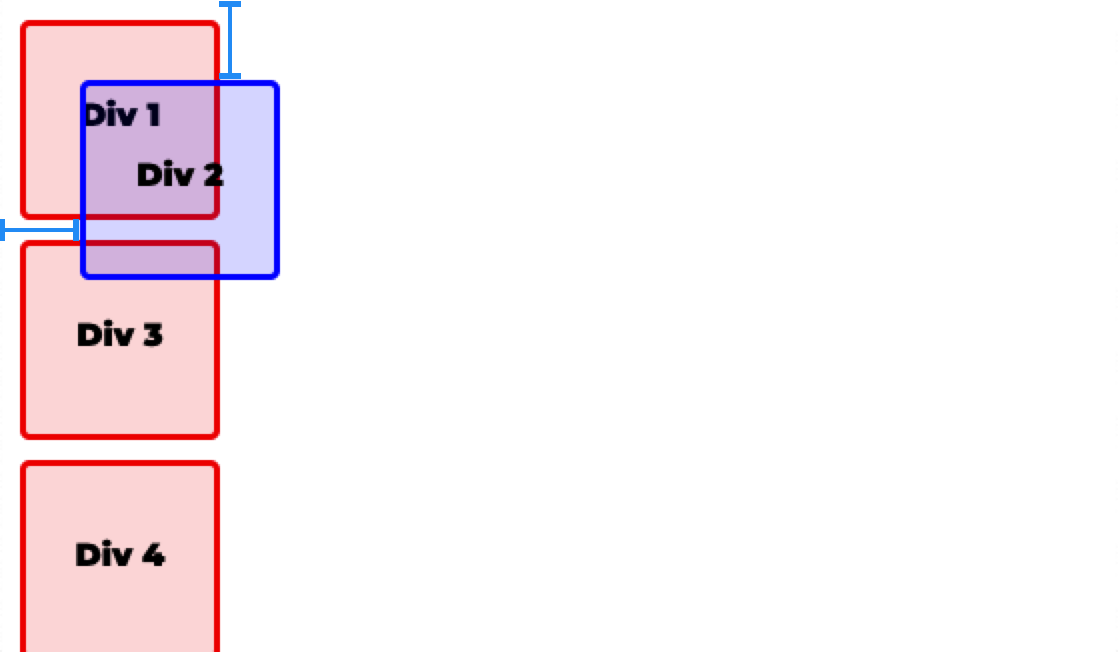
As the page is scrolled, all elements scroll together.
Inside a relative parent
Give the parent position: relative and it becomes the frame the absolute element is measured from.
.product-card {
    position: relative;
}

.sale-badge {
    position: absolute;
    top: 0;
    left: 0;
}
The sale badge now sits in the product card's top left corner, and it moves wherever the card goes.
Check yourself
2 questions to try on the lesson page.
So what
Sale badges on product cards, close buttons in a corner and labels over a picture are all absolute elements inside a relative parent.