Fixed
Fixed positioning places an element relative to the browser window, so it stays on screen while the page scrolls.
Apprentice · CSS · Updated
After this lesson you can
- Keep an element in the same spot on screen while the page scrolls with fixed positioning
Key takeaways
- Fixed positioning places an element relative to the browser window, measured from the window's top left corner.
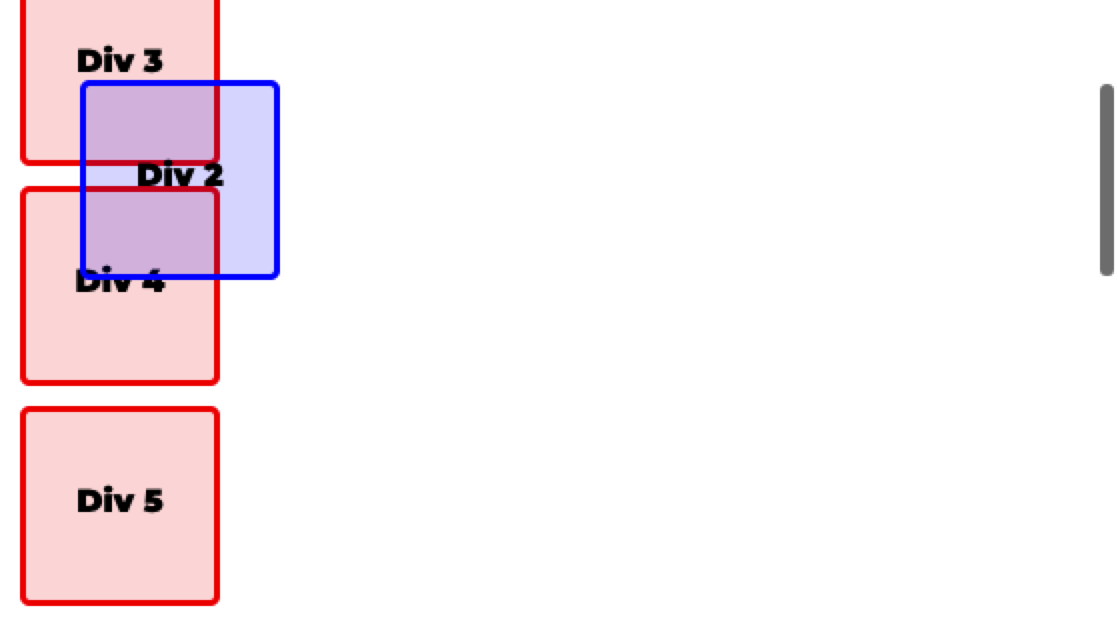
- A fixed element stays in the same spot on screen while the rest of the page scrolls.
- The space it would have used isn't kept, so the elements after it move up into that space.
fixed position places an element relative to the browser window (the viewport), measured from its top left corner, so it stays in the same spot on screen while the page scrolls. The space it would have used is not kept.
.div-2 {
    position: fixed;
    left: 30px;
    top: 30px;
}
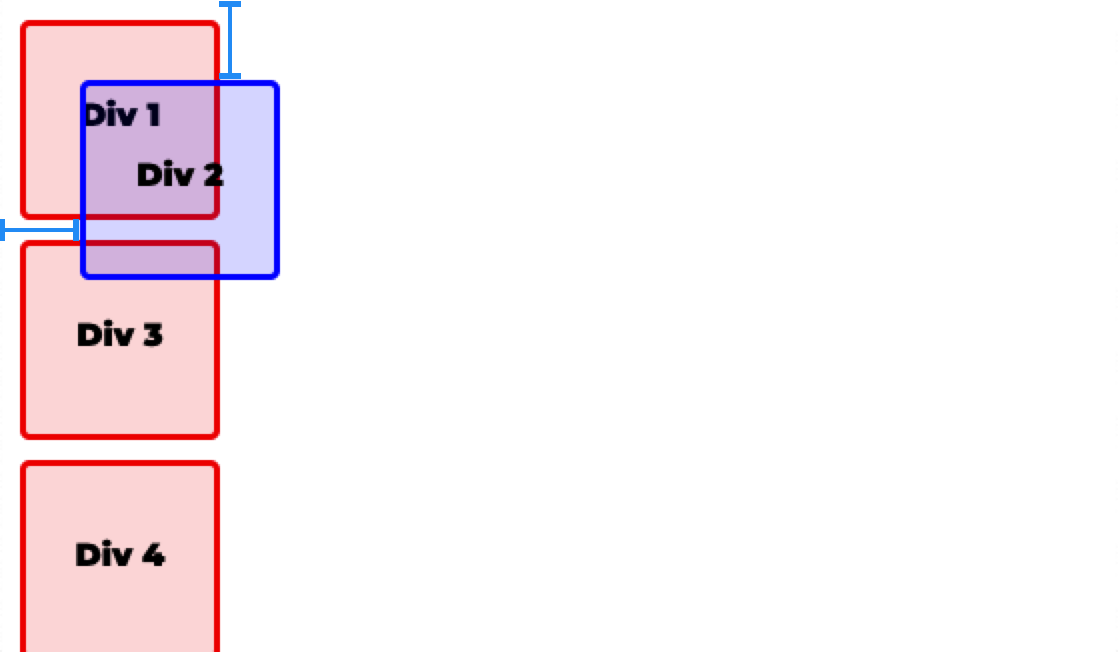
As the page is scrolled, fixed divs do not scroll.
Check yourself
2 questions to try on the lesson page.
So what
Chat buttons, cookie notices and navigation bars that never leave the screen are fixed elements.