Relative
Relative positioning moves an element away from its own normal place, and keeps the space it would have used.
Apprentice · CSS · Updated
After this lesson you can
- Shift an element from its normal place with relative positioning and top or left, keeping its space in the page
Key takeaways
- Relative positioning moves an element away from the place it would normally be.
- A top of 30px moves it 30px down from its normal place, and a left of 30px moves it 30px right.
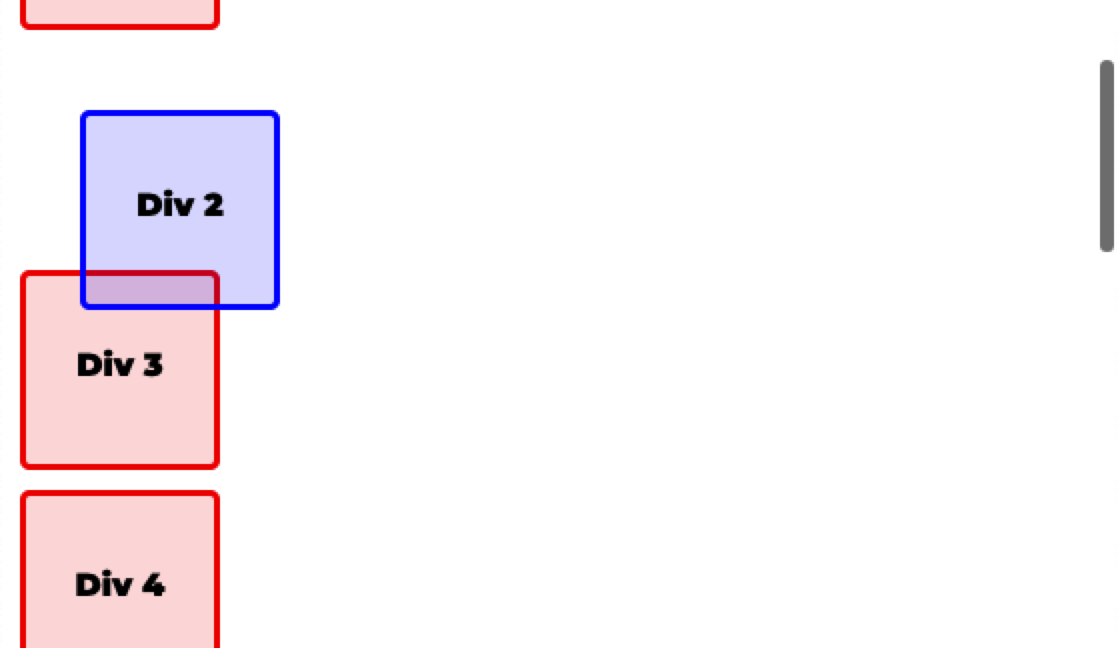
- The space it would have taken is kept, so nothing else moves, and it scrolls with the page.
relative position moves an element away from where it would normally be. top: 30px; left: 30px; shifts it 30px down and 30px right of its own normal place. The space it would have taken is still kept, so nothing else moves.
.div-2 {
    position: relative;
    left: 30px;
    top: 30px;
}
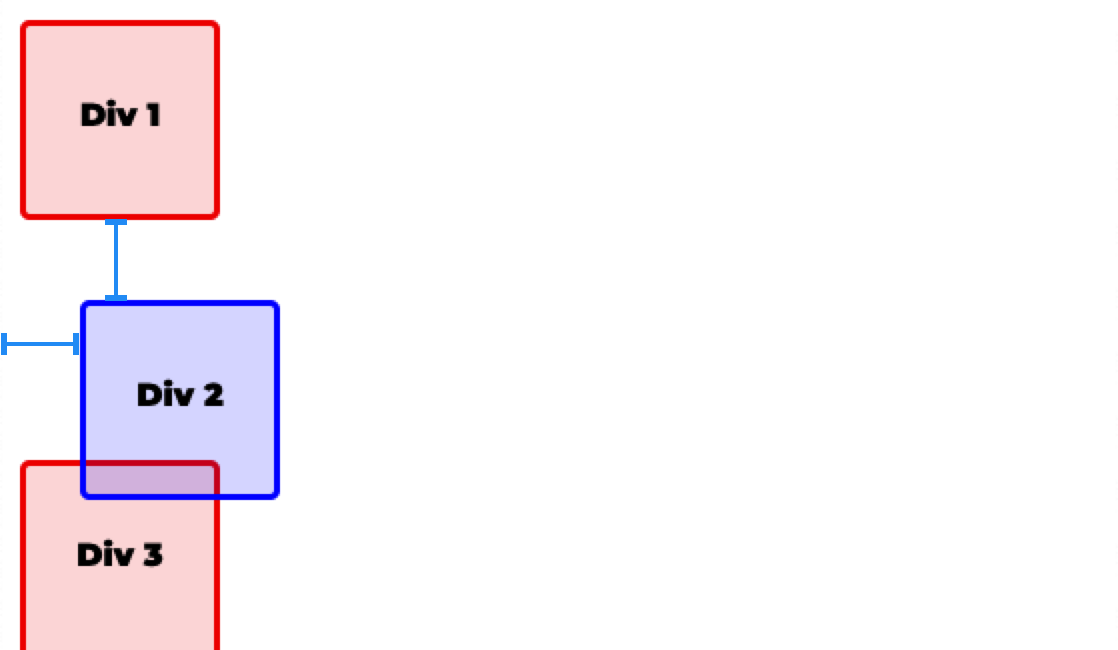
As the page is scrolled, all elements scroll together.
Check yourself
2 questions to try on the lesson page.
So what
Relative is the gentle nudge: it moves one element a little without disturbing anything around it, and the next lesson uses it to mark a parent for absolute positioning.