Sticky
A sticky element scrolls with the page until it reaches its top offset, then stays put until its parent scrolls away.
Apprentice · CSS · Updated
After this lesson you can
- Make an element scroll with the page, then stick at a top offset, with sticky positioning
- Choose static, relative, absolute, fixed or sticky positioning for an element in a described layout
Key takeaways
- A sticky element starts in its normal place and keeps its space in the page.
- It scrolls with the page until it's as far from the top of the window as its top value, then it stays there.
- It stays only while its parent is on screen. When the parent scrolls away, the sticky element goes with it.
- Static, relative, absolute, fixed and sticky each fit a different job, so choose by how the element should move.
A sticky element sits in the page like a normal (relative) element until you scroll it to its top offset; then it stays put at that spot while the rest scrolls past, until its parent element scrolls out of view.
.div-2 {
    position: sticky;
    left: 30px;
    top: 30px;
}
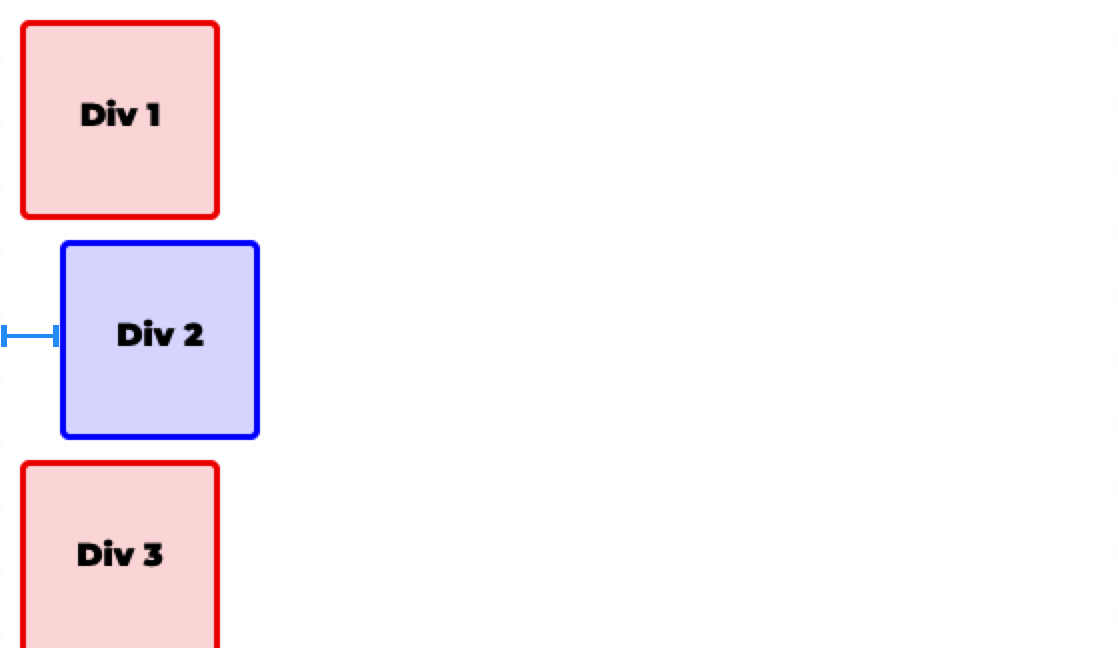
The left: 30px keeps it at least 30px from the window's left edge, which is why it sits a little to the right of the other divs.
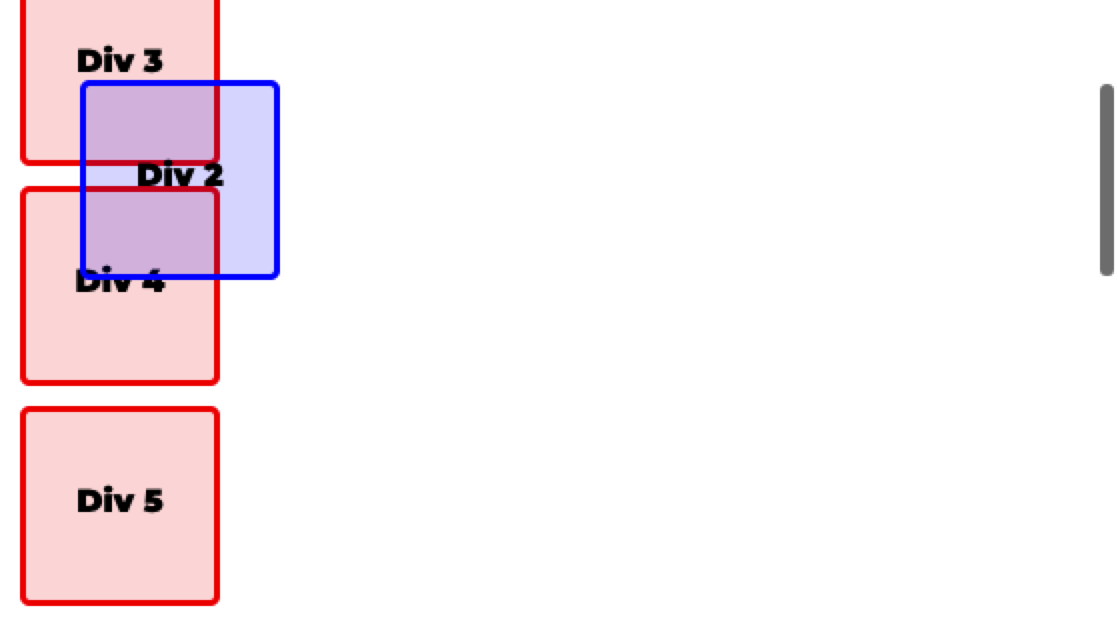
As the page is scrolled, the sticky div scrolls with the page until it's 30px from the top of the window, its top value. Once it gets there, it no longer scrolls with the page.
Choosing a position value
To pick a value, ask two things: should the element keep its space in the page, and should it move when the page scrolls?
| Value | Keeps its space? | Scrolls with the page? | Measured from |
|---|---|---|---|
static |
Yes | Yes | Nothing: top and left are ignored |
relative |
Yes | Yes | Its own normal place |
absolute |
No | Yes | Its nearest positioned ancestor, or the page |
fixed |
No | No, it stays on screen | The browser window |
sticky |
Yes | Until it reaches its top offset, then it stays while its parent is on screen |
Its normal place, then the window's edge once it sticks |
Check yourself
2 questions to try on the lesson page.
So what
Sticky gives you table headers and menus that stay in reach exactly while their section is on screen, with no JavaScript.