What You Can Build with CSS
CSS is what turns a plain page of words into a site people enjoy using, and this course takes you from your first rule to seven projects you can put online and show off.
Novice · CSS · Web Development · Updated
After this lesson you can
- Tell which changes to a page are HTML (the content) and which are CSS (the look)
- Recognize what CSS can change on a page, from colors and fonts to layout, screen size and motion
Key takeaways
- HTML says what is on a page. CSS decides how it looks, from colors and fonts to spacing, layout and motion.
- The same HTML can look like a plain document or a finished site. The only difference is the CSS.
- People use CSS to build band sites, menus that fit a phone, game screens, dashboards, dark mode and animation.
- In this course you build six module projects and a final site, each one separate and each one yours to share.
Every website you used today was styled with CSS: your bank's login page, the menu you ordered lunch from, the tour dates on a band's site. When a class assignment says "now style your page", when a friend's bakery needs a menu people can read on a phone, or when you want a portfolio that looks like you mean it, CSS is the tool. By the end of this course you will have built seven projects with it, each one online at a link you can send.
The same words, two ways
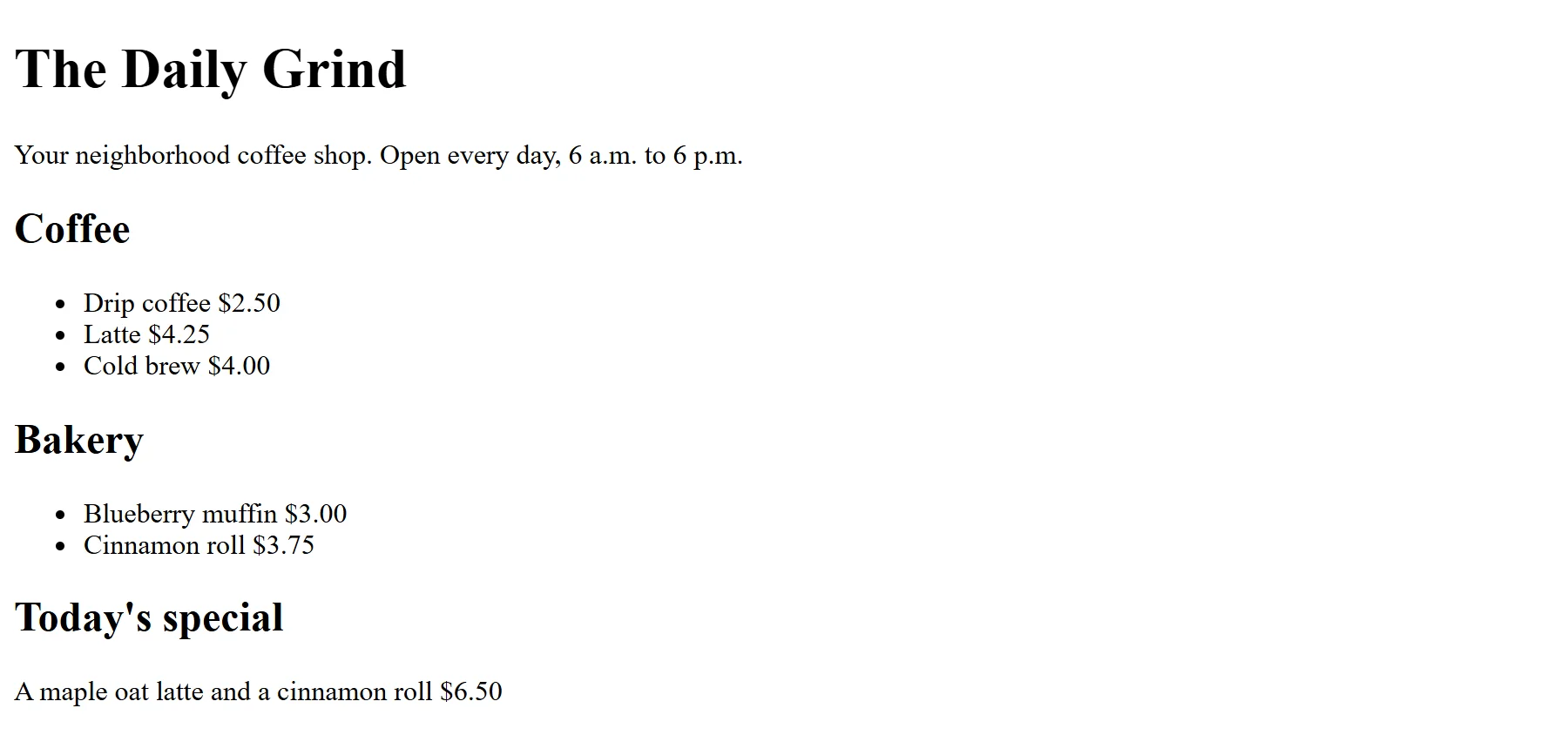
Here is part of the menu page for The Daily Grind, a neighborhood coffee shop you will style throughout this chapter. It's written in HTML, the language that says what is on a page: a heading here, a list there, a price inside the list.
<h1>The Daily Grind</h1>
<h2>Coffee</h2>
<ul>
  <li>Latte <span class="price">$4.25</span></li>
  <li>Cold brew <span class="price">$4.00</span></li>
</ul>
<div class="special">
  <h2>Today's special</h2>
  <p>A maple oat latte and a cinnamon roll <span class="price">$6.50</span></p>
</div>
You don't need to read HTML yet: the next chapter, The HTML You Need, teaches it, and the whole page comes with the lesson Setup: VS Code, a Browser and Node.js. With no styling at all, a browser shows this in black Times-style text on white, with bullet points beside the drinks and each price right after its name. That plain look is the browser's default styles: what every browser uses when a page doesn't say otherwise.
The same page, with CSS
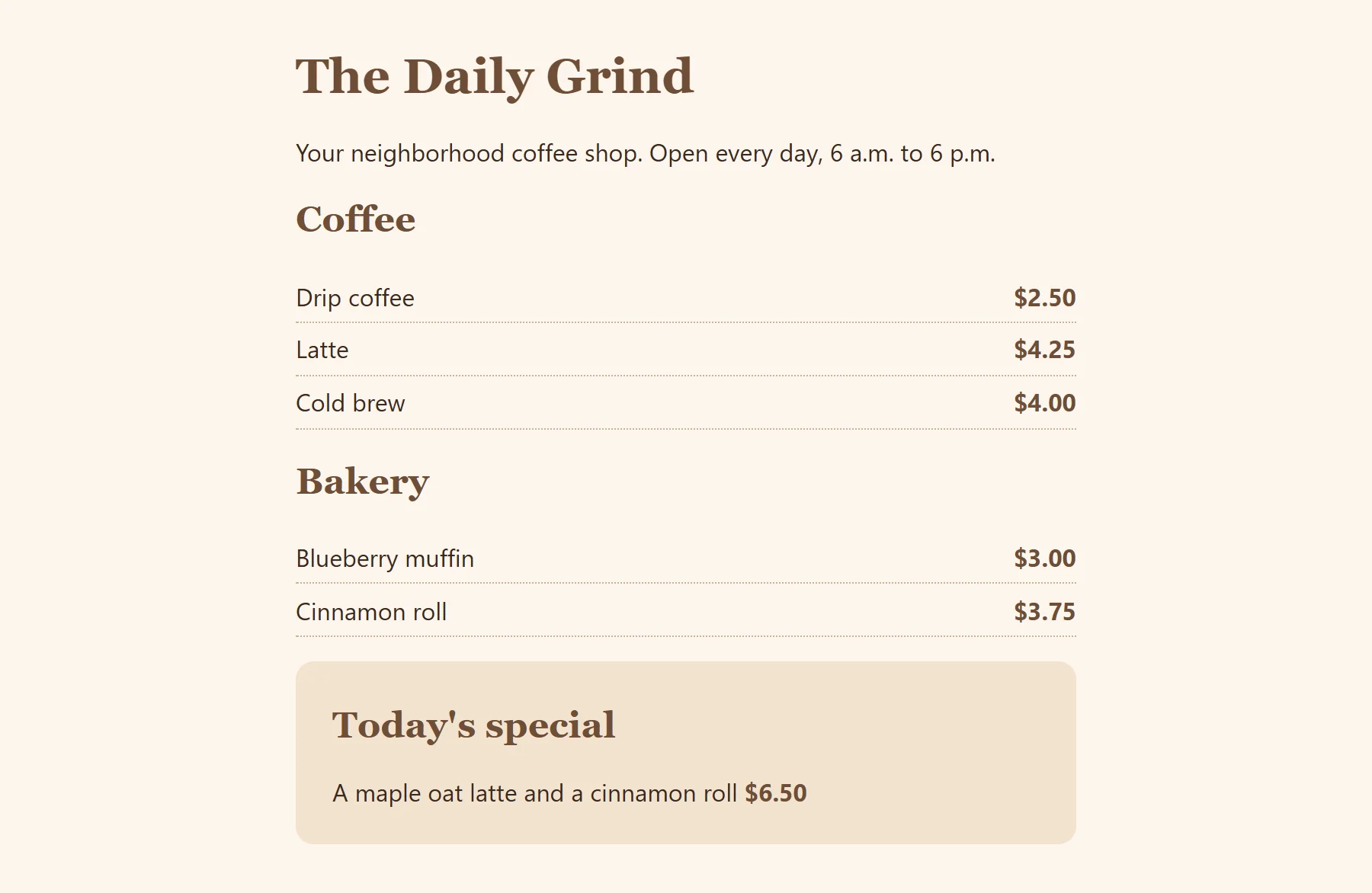
Now the same HTML, untouched, with a stylesheet: a file of CSS that tells the browser how the page should look.
body {
  max-width: 32rem;
  margin: 2rem auto;
  padding: 0 1rem;
  background-color: #fdf6ec;
  color: #3b2a20;
  font-family: system-ui, sans-serif;
}
h1, h2 { font-family: Georgia, serif; color: #6f4e37; }
ul { list-style: none; padding: 0; }
li { display: flex; justify-content: space-between; padding: 0.4rem 0; border-bottom: 1px dotted #c8b29a; }
.price { font-weight: bold; color: #6f4e37; }
.special { background-color: #f3e3cf; padding: 0.5rem 1.5rem; border-radius: 0.75rem; }
The page turns a warm cream. The text sits in a neat column in the middle, the headings are coffee brown in Georgia (a font with small strokes at the ends of its letters, called a serif font), the bullets are gone, every drink's price lines up on the right in bold, with a dotted line under each row, and Today's special sits in its own latte-colored box with rounded corners. Same words, same HTML: only the CSS changed. Right now this looks like a wall of symbols, and that's fine. By the end of Module 1 you'll write most of it yourself, and by the end of the course every line.
CSS stands for Cascading Style Sheets. Think of a house: HTML is the frame and the rooms, and CSS is the paint, the furniture and the lighting. You can repaint every room without moving a single wall.
What people build with CSS
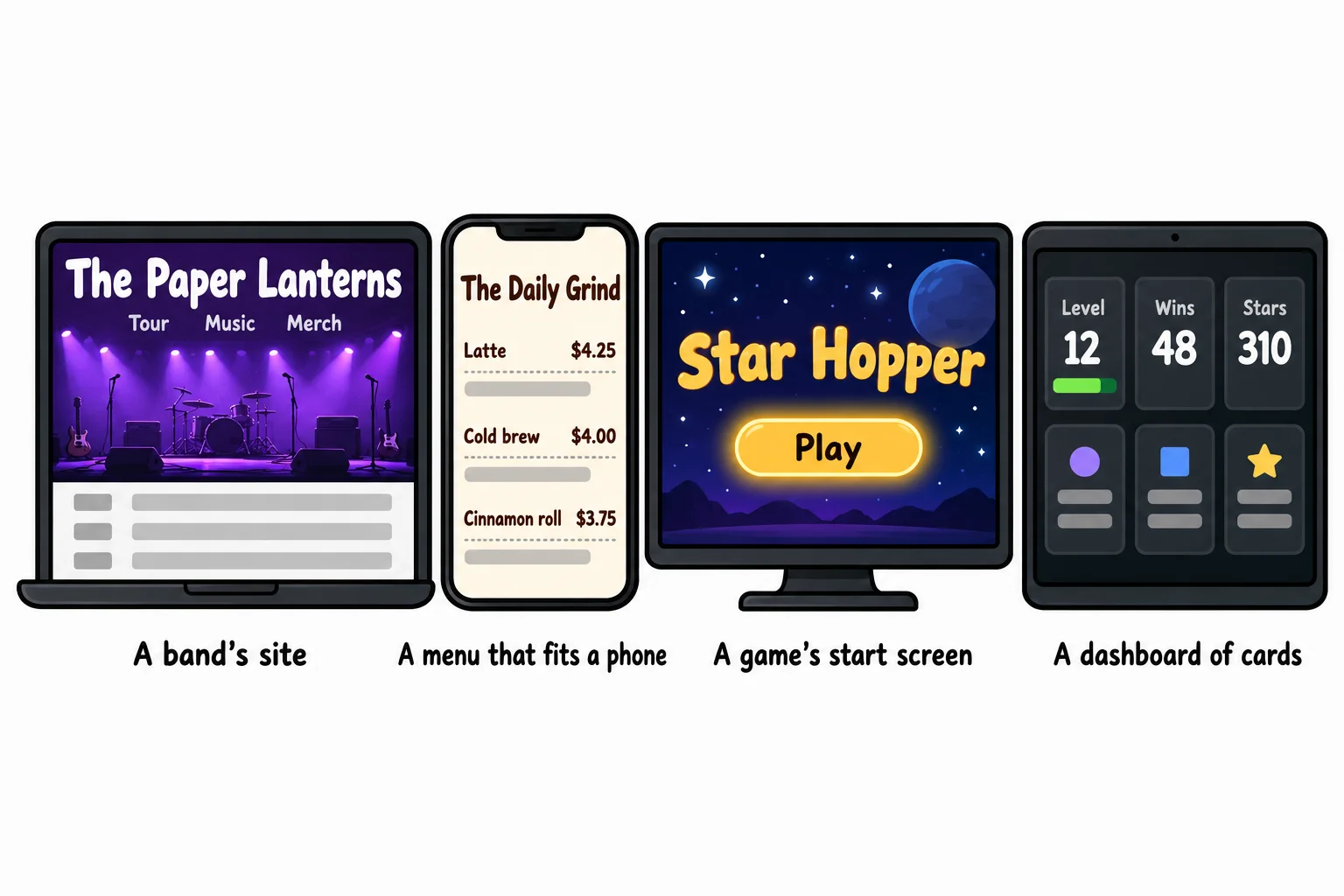
Once you can style a menu, the same skills reach much further. Here are things people build with CSS every day, and where this course teaches each one:
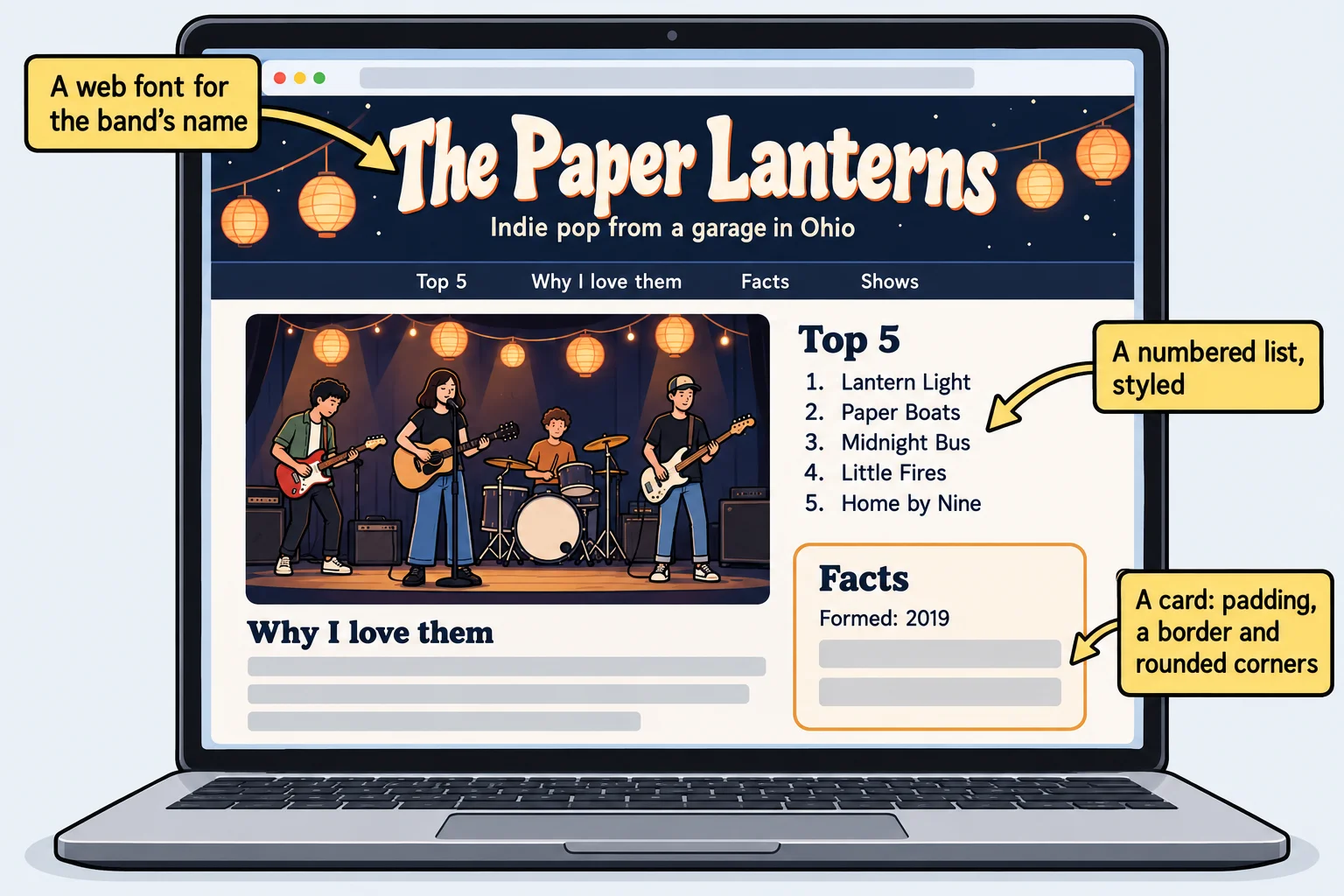
- A band's site with the band's own colors, fonts and photos, the way their posters look (Module 1).
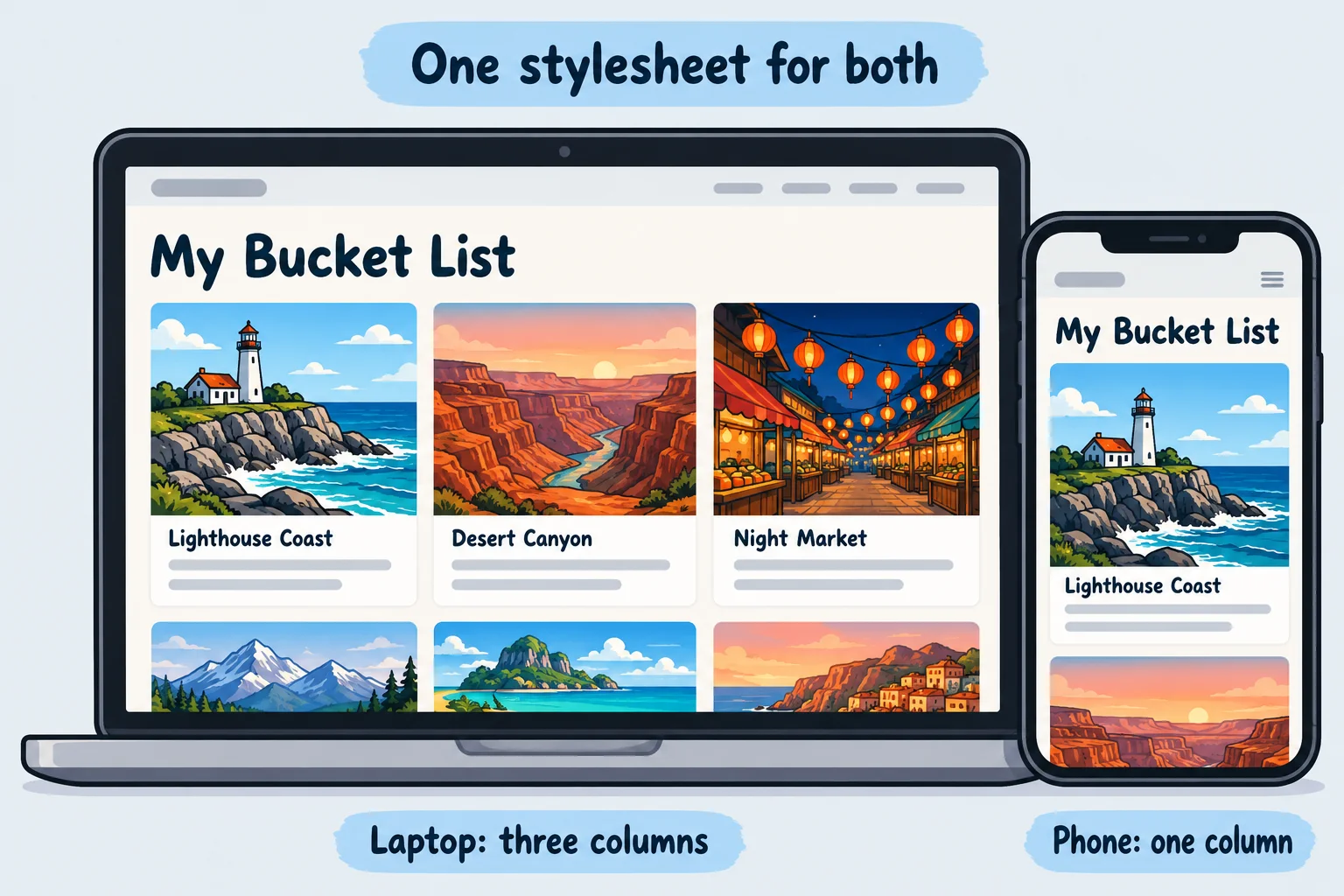
- A menu that fits a phone. On a wide screen the dishes sit in three columns; on a phone they stack into one, with buttons big enough for a thumb. A page that adapts to any screen is called responsive design (Module 4).
- A game's start screen with a glowing Play button that pulses gently, and a title that slides in (Module 5).
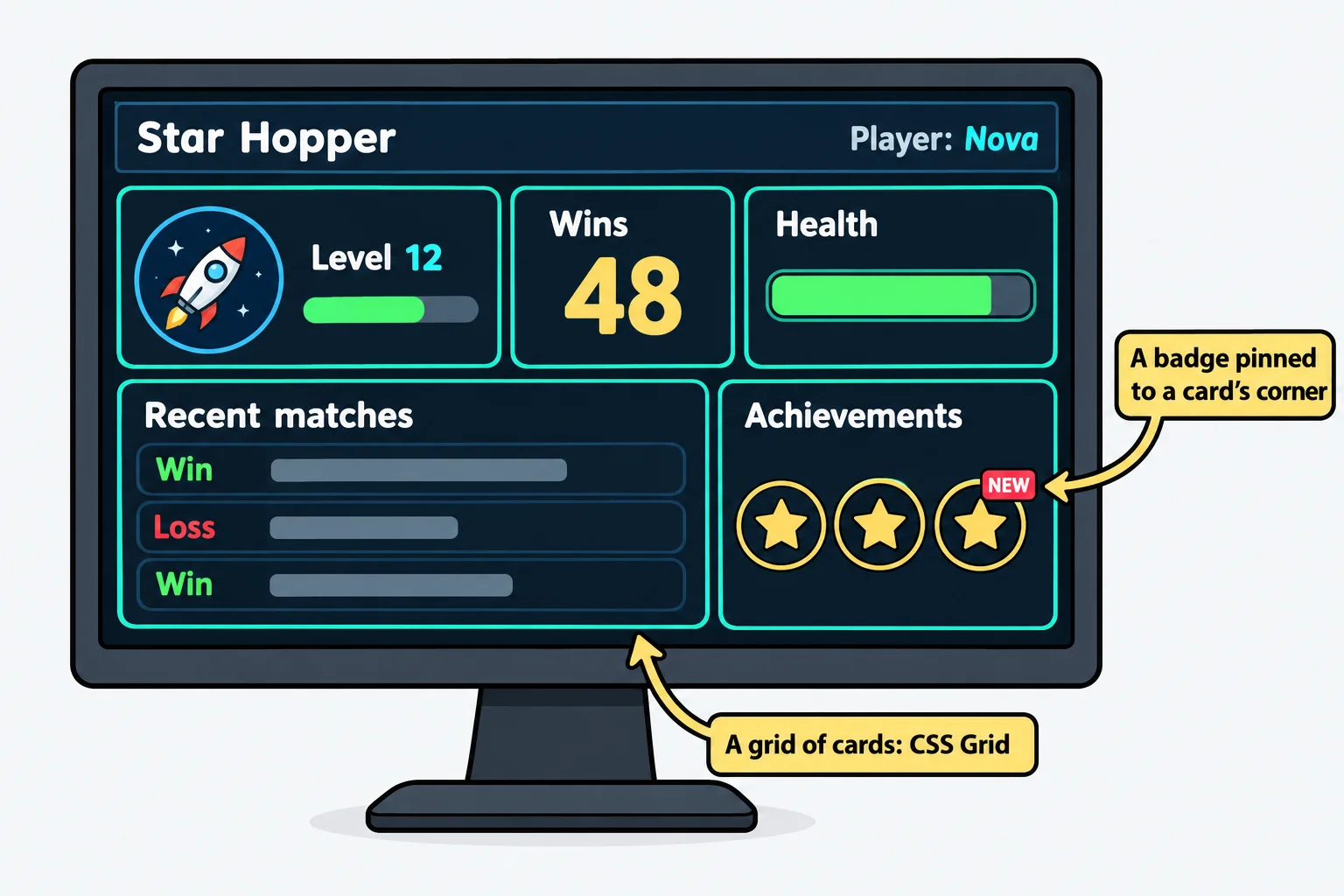
- A dashboard of cards laid out in a grid, like the stats screen in a video game or a fitness app (Module 3).
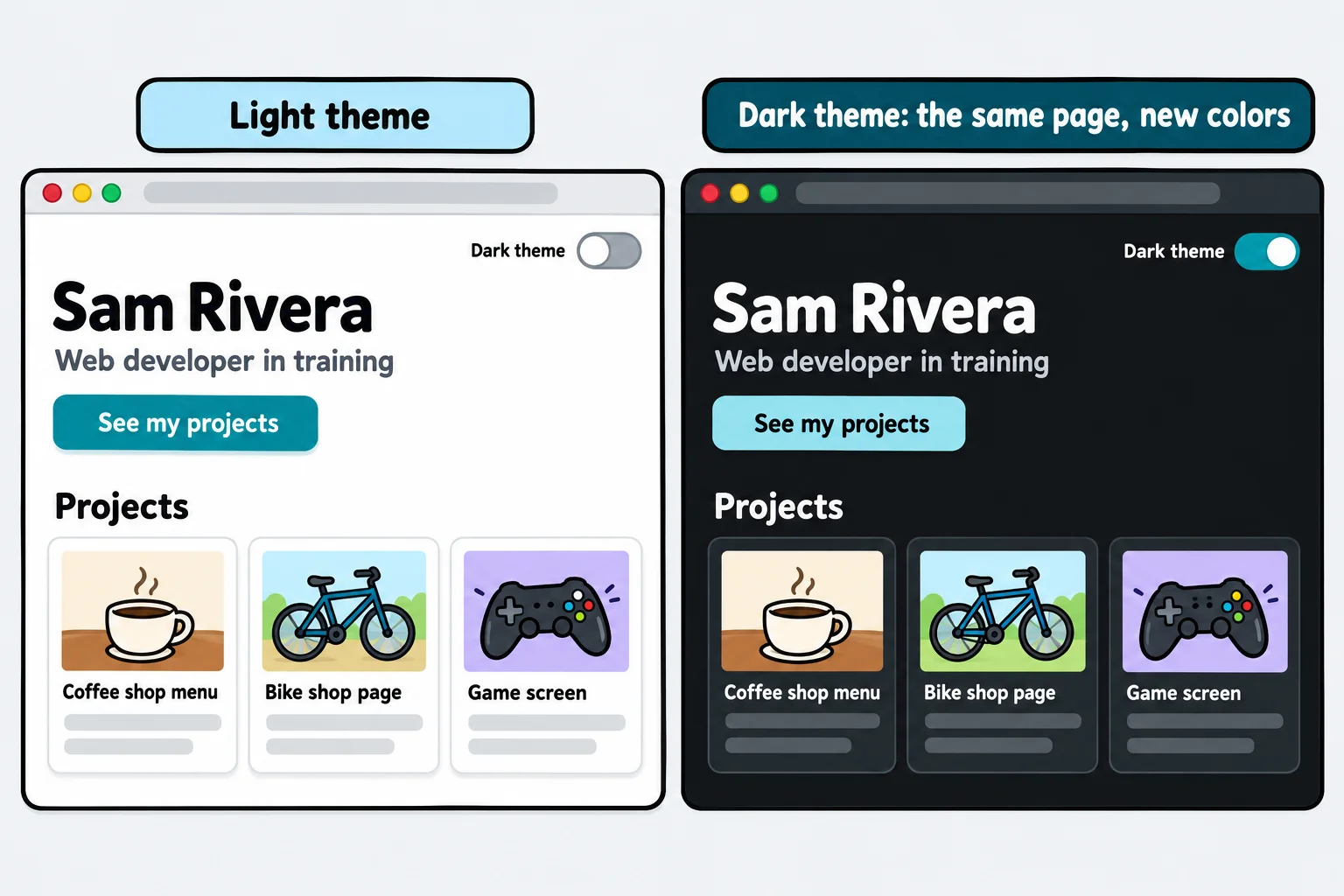
- Dark mode: the same site in light or dark colors, following the setting on the visitor's phone (Module 5).
- Animation that helps people: a menu that slides open, a card that lifts when you point at it, all of it toned down for people who turn motion off (Module 5).
None of these need anything but HTML and CSS: no JavaScript (the programming language that makes pages react to clicks and typing), and no paid tools.
The projects you'll build
Every module ends with a project of its own, and the course ends with a complete site. Each one has its own starter files: none of them needs an earlier project, or anything from another course.
| Module | The project | What you can show someone |
|---|---|---|
| 1. Your First Styled Page | A fan page for your favorite band | A page about something you love, online at a link you can send |
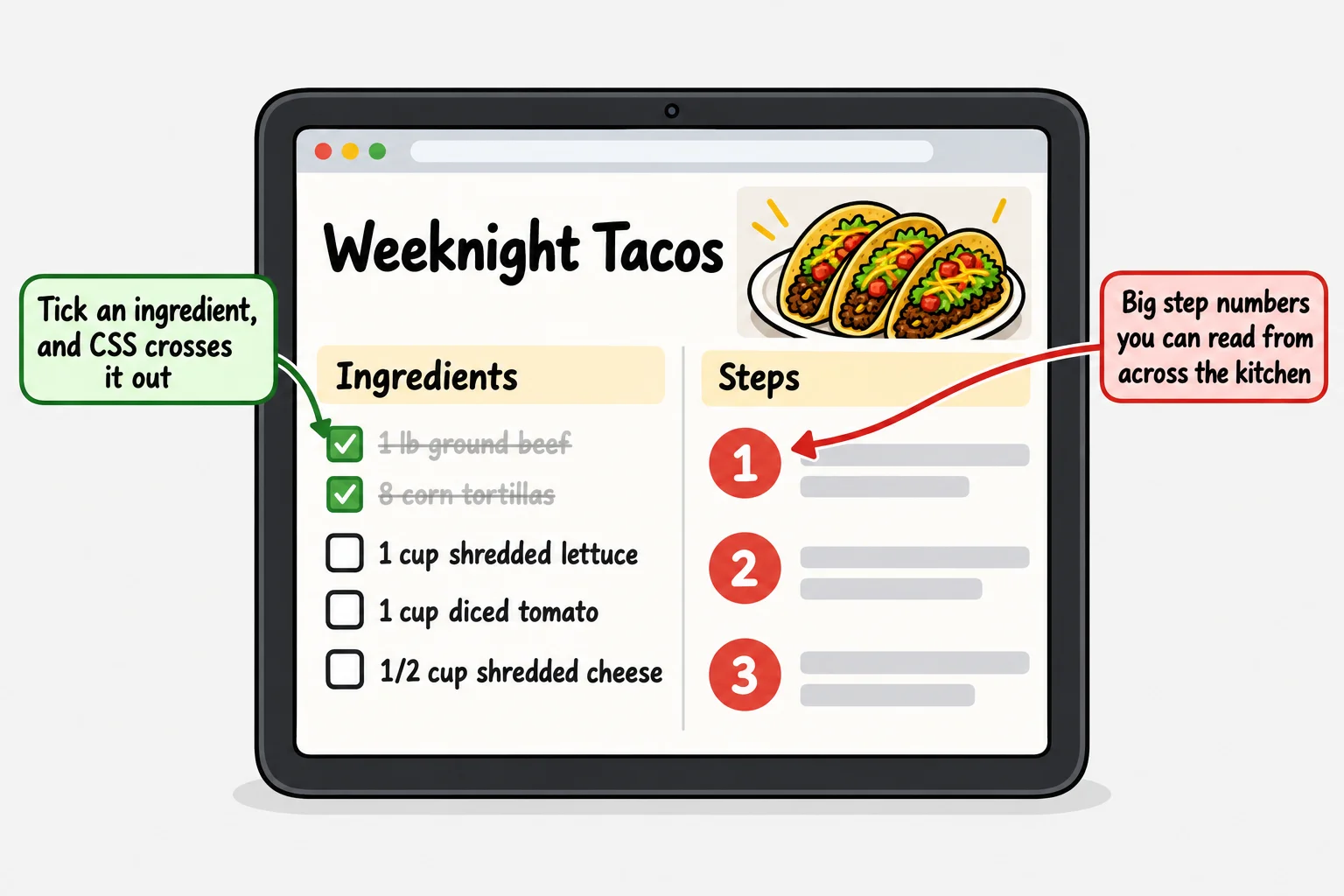
| 2. The Cascade and Selectors | A recipe site with a built-in checklist | Ingredients that cross themselves out when you tick them, with no JavaScript |
| 3. Layout | A video game stats dashboard | A dashboard that looks like a real game's |
| 4. Responsive Design | Your travel bucket list | A site that works on your own phone |
| 5. Design with CSS | Your portfolio, in light and dark | A portfolio that switches between light and dark |
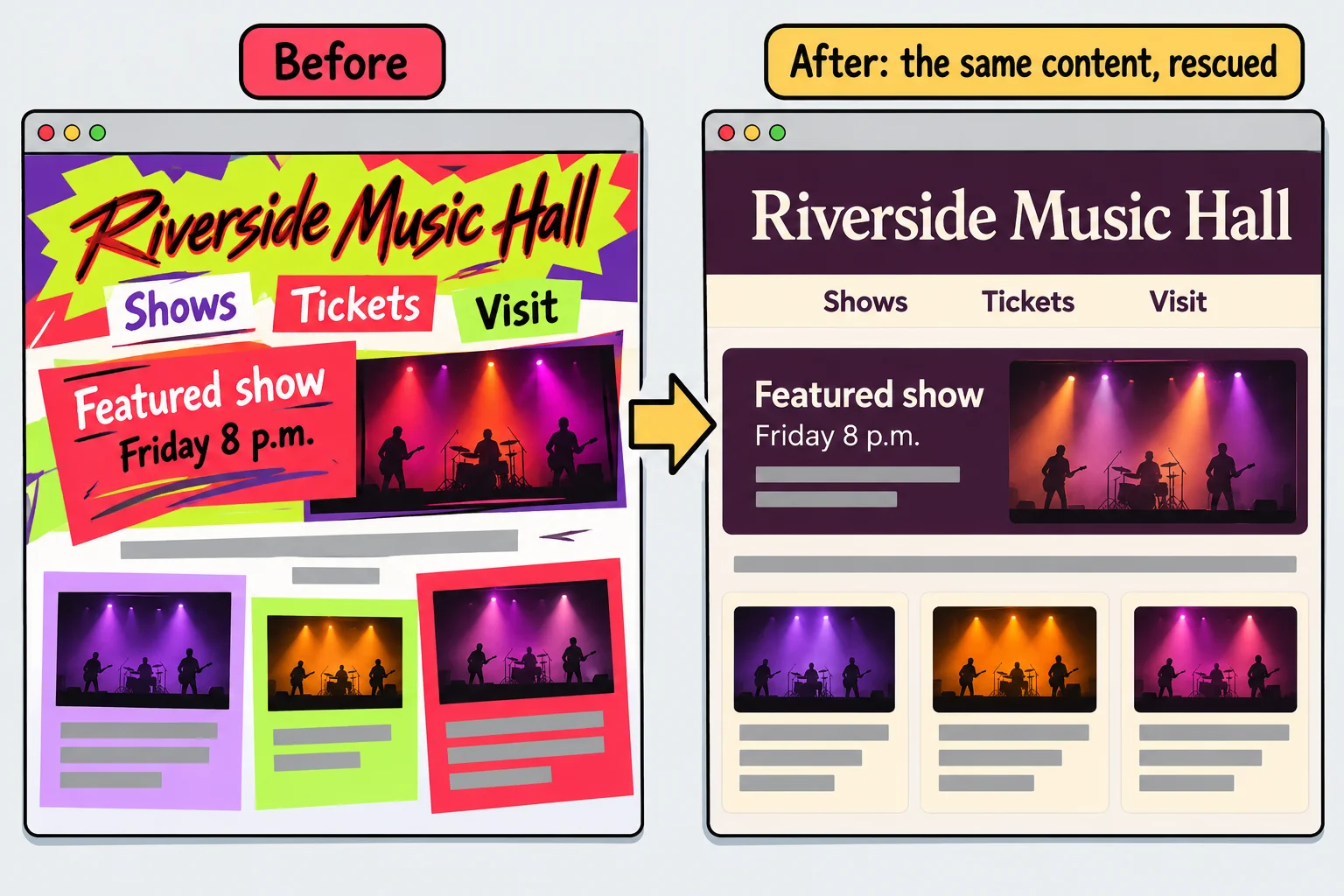
| 6. CSS at Scale | The makeover: rescue the Riverside Music Hall's website | A before-and-after of a messy site you cleaned up |
| Final capstone | A complete site for a small business | A whole site for a business, designed by you |
Where this course starts
You don't need to know anything about building web pages to start here. Chapter 2, The HTML You Need, teaches all the HTML this course uses, and every lesson after that hands you the HTML it styles, so you spend your time on CSS. If you'd like to go further with HTML first, the HTML in Depth course is a good companion, but it's optional: this course stands on its own.
By the end, you'll be able to style a page from scratch, explain why one rule wins over another, lay out any page with flexbox and grid (the two ways CSS arranges things into rows and columns), make it work from a phone to a wide screen, give it a light and a dark theme, add motion that helps, and open anyone's stylesheet and find your way around it.
Try it. Open a website you use every day. Look at one part of it, a button, a menu or a card, and ask: what would it look like with no CSS at all? Plain black text, blue underlined links, everything stacked down the left. Every difference you can see is CSS.
Check yourself
2 questions to try on the lesson page.
So what
HTML gives a page its words, and CSS gives it a look people want to use. Every project in this course starts from that one idea, and each one ends at a link you can proudly send to someone.