You Already Use Patterns
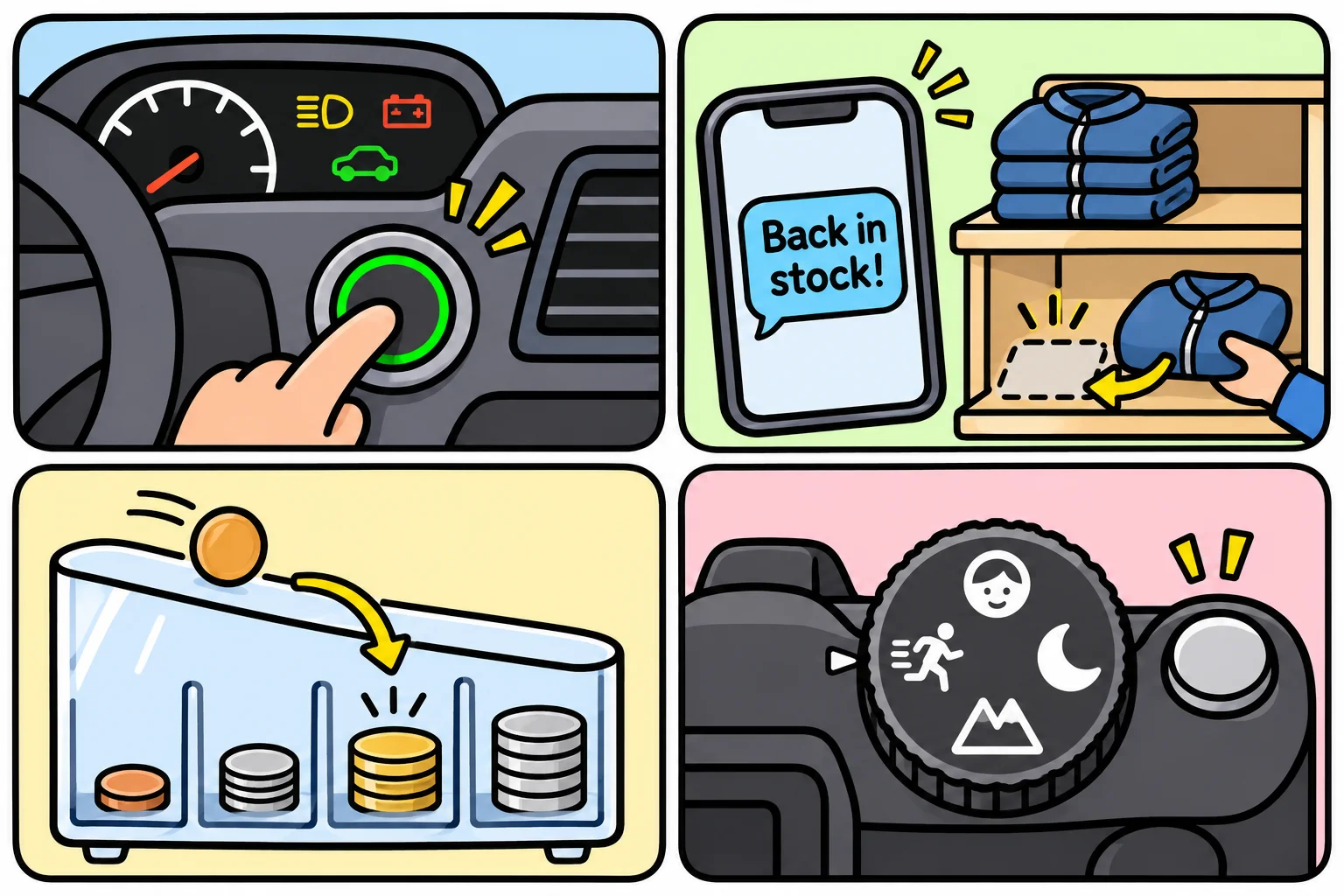
Four everyday things, a car's start button, a back-in-stock text, a coin sorter and a camera's shooting modes, each solve a problem that software has too, and the fixes they use are four of the design patterns this course teaches.
Novice · OOP · Software Development · Updated
After this lesson you can
- Say which problem each of four everyday patterns solves: one front for many parts, telling who signed up, passing along, swappable modes
- Spot an everyday pattern's shape in a software problem you haven't seen before
Key takeaways
- A design pattern starts as a problem that keeps coming back, and a fix that keeps working for it.
- A car's start button puts one simple front on many parts that must work together in the right order.
- A back-in-stock list tells whoever signed up, without the shop needing to know who they are.
- A coin sorter passes each coin along until a slot fits it; a camera's modes swap how one button's job is done.
- Software meets the same four problems, and the course teaches each fix when an app needs it.
Sooner or later, in a code review or a team meeting, someone will say "put a facade in front of it" or "make the kitchen screen an observer", and everyone will nod. The words sound like something you were supposed to learn somewhere. Here's the good news: you already know the ideas behind them. You use them every week, outside software, because they solve problems that turn up everywhere. This lesson shows four of them, and the problem each one solves. The names come along as signposts; each pattern gets its own lesson later, when one of the course's apps needs it.
One button for many parts
Starting a car takes a dozen parts: the battery has to be checked, the fuel pump started, the starter motor turned, the engine's computer woken up and the dashboard lit, in the right order, every time. The driver presses one button. Behind it, the car does all of it.
The problem it solves: many parts must be used together, in the right order, and the person using them shouldn't have to know them all. Without the button, every driver would need the steps memorized, and one wrong order would leave the car dead.
Software has the same problem. When Sunrise Bakery's customer taps "check out", the app has to take the payment, update the stock, print the receipt and tell the kitchen, in that order. Teams put one simple front on those parts, and it's called a Facade. You'll build one in Pass 1.
Tell whoever signed up
A shop runs out of a popular jacket. Instead of asking customers to phone every day, it offers a sign-up: "text me when it's back in stock". When the jackets arrive, the shop sends one message to everyone on the list. The shop doesn't know who they are or why they want it, and it doesn't need to: anyone can sign up, and anyone can leave.
The problem it solves: one thing changes, and a list of others need to hear about it, a list that grows and shrinks without the first thing changing.
In software: a new order at the bakery has to reach the kitchen screen and the customer's phone, and next month the delivery driver's app too. Teams let the order keep a list of listeners and tell each one. It's called an Observer, and it's in Pass 1 too.
Pass it along until one fits
A coin sorter has a ramp with slots along it, the smallest slot first. Each coin rolls down the ramp. At each slot, either the coin fits and drops in, or it rolls on to the next. Nobody decides in advance where a coin goes; each slot only answers "is this mine?"
The problem it solves: something needs handling by whichever one of several handlers fits it, and you want to add or reorder handlers without changing the others. A new kind of coin is one more slot on the ramp.
In software: when someone tells the HomeBase hub to unlock the front door by voice, the command passes a line of checks. Is it after 10 p.m.? Is someone home? Is this person allowed to unlock doors? Any check can stop it, or pass it on. This one is called Chain of Responsibility, and it's in Pass 3.
One button, many modes
A camera has one shutter button and a mode dial: portrait, sports, night. Press the button in sports mode and the camera takes the picture fast, to freeze the action; in night mode it takes it slowly, to catch more light. The button never changes. Turning the dial changes how its job is done.
The problem it solves: the same job needs doing in different ways, and the way keeps changing, so it should be swappable without rebuilding the thing that uses it.
In software: the bakery has a new deal every week, 10% off cupcakes this week and buy-two-get-one next week. Checkout should apply this week's deal without being rewritten every Monday. Teams make the deal swappable, and it's called a Strategy. You'll pass a deal in as a function in Pass 1, and build Strategy as a class in Pass 2.
What the four have in common
| Everyday thing | The problem it solves | Its name | Where you'll build it |
|---|---|---|---|
| A car's start button | Many parts, used together in the right order | Facade | Pass 1 |
| Back-in-stock texts | Tell a changing list of others when something happens | Observer | Pass 1 |
| A coin sorter | Hand something to whichever handler fits | Chain of Responsibility | Pass 3 |
| A camera's modes | Swap how a job is done | Strategy | Pass 1 and Pass 2 |
None of these was invented to be a pattern. Car makers, shops and camera designers kept meeting the same problems, and kept landing on the same fixes. Software teams did the same, and in time they wrote their fixes down and named them. That's all a design pattern is: a problem that keeps coming back, and a fix that keeps working for it.
You don't need to remember the names yet. What's worth keeping is the habit: when you meet a problem, ask whether you've seen its shape before, in code or anywhere else.
Check yourself
2 questions to try on the lesson page.
So what
The patterns in this course aren't strange inventions: they're the same fixes you already trust in a car, a shop and a camera, and the course teaches each one when an app runs into its problem.