How the Layers Work Together
Follow one pizza order from a tap on the screen, through the API and the database and back again, to see how the front end, the back end and the database work as one app.
Novice · Web Development · Updated
After this lesson you can
- Put the steps of a request in order, from the front end to the database and back
- Name the layer a problem is most likely in, from what the user sees
Key takeaways
- One tap travels through every layer. The front end sends a request, the back end checks it and asks the database, and the answer comes back the same way.
- The front end and the back end talk over HTTP. The front end sends a request, and the back end sends back a response, often with JSON in it.
- Only the back end talks to the database. The front end never reaches the data directly, which keeps it safe.
- When something goes wrong, a full-stack developer can follow the request through each layer to find where it broke.
The last three lessons looked at each layer on its own. Real apps never work that way: every tap that does something important travels through all three layers and back, usually in less than a second. Knowing that journey is what makes someone a full-stack developer, and it's the first thing you'll use when something breaks: where did the order get lost?
One order, start to finish
Here's what happens at Build-It Pizzeria when Maria presses Order:
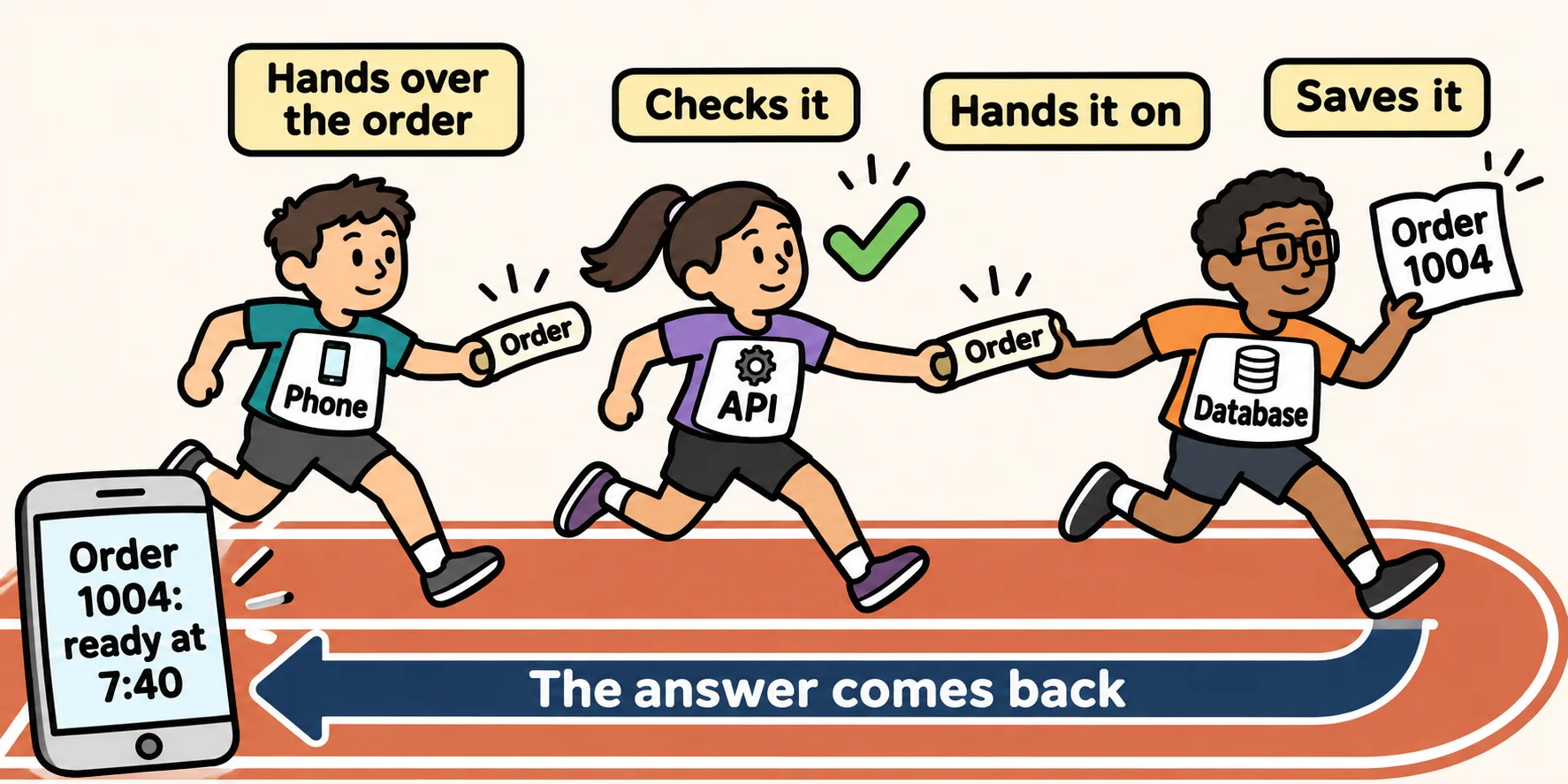
- Front end. The order screen gathers her choices (large, thin crust, mushrooms, green peppers) and sends them to the pizzeria's API.
- Back end. The API receives them, checks the rules (a large, a thin crust, mushrooms and green peppers are all on the menu) and works out the real price: $15.00.
- Database. The back end saves the order in the orders table and gets back its new order number, 1004.
- Back end. It charges Maria's card, and works out the ready time from the number of pizzas already in the oven.
- Front end. The answer reaches her phone, and the screen shows Order 1004: ready at 7:40.
Each step is a hand-off from one layer to the next, like a relay race. The order is the baton. Whoever drops it, the race is lost, so every layer has to do its part.
Requests and responses
The front end and the back end talk using HTTP, the same language your browser uses to load every web page. The conversation always has two halves:
- a request: the front end asks for something ("place this order");
- a response: the back end answers ("done, it's order 1004", or "sorry, we're closed").
The request and the response often carry their data as JSON, the plain-text format you saw in The Back End. Maria's order goes to the API looking like this:
{ "size": "large", "crust": "thin", "toppings": ["mushrooms", "green peppers"] }
and comes back with the answer:
{ "orderId": 1004, "price": 15.00, "readyAt": "19:40" }
Notice that the request has no price in it. The front end asks; the back end decides.
Who talks to whom
There's one rule about the journey that matters a lot: the front end never talks to the database directly. It always goes through the back end.
Front end  <-- HTTP -->  Back end  <-- SQL -->  Database
(the phone)              (the server)           (the data)
Think of a bank. You talk to the teller (the back end), and the teller goes into the vault (the database). You don't get a key to the vault, however friendly you are. Because every request goes through the back end, the rules are checked every single time, and nobody can read or change data they shouldn't.
Finding where a problem is
Because each layer has its own job, the symptom usually tells you where to look:
| What the user sees | Where to look first | Why |
|---|---|---|
| The button looks wrong, or nothing happens when it's tapped | Front end | Drawing the screen and reacting to taps is the front end's job |
| An error message, or the wrong price after pressing Order | Back end | The rules and the price are decided on the server |
| An order that was placed is missing the next day | Database | Remembering is the database's job |
A front-end, back-end or database developer can fix their own layer. A full-stack developer can follow the order through all three and find the layer that dropped it, then fix it there.
Around the code: Git, tests and the cloud
Three more things keep a real app running, and this course teaches all of them:
- Git and GitHub save every version of the code, so a mistake can be undone and a team can work on the same app without overwriting each other.
- Tests are small programs that check your code still does what it should, every time you change it.
- The cloud is where the app lives online. A cloud such as Azure rents you servers and databases by the hour, so your app can be reached by anyone, anywhere, without you owning a single computer in a data center.
Try it. Open any website, press F12 to open the browser's developer tools, choose the Network tab and reload the page. Every line that appears is one request your browser sent and one response it got back. A busy page sends dozens: you're watching the front end talk to the back end.
Check yourself
2 questions to try on the lesson page.
So what
An app is one conversation between its layers, and following that conversation is how a full-stack developer builds new features and finds what's broken.