The Front End
The front end is the part of an app people see and touch, built with HTML, CSS and JavaScript and, in this course, Angular, and a front-end developer makes it clear, fast and enjoyable on every screen.
Novice · Web Development · Updated
After this lesson you can
- Describe what the front end of an app does and where it runs
- Tell what HTML, CSS and JavaScript each do on a page
Key takeaways
- The front end is everything the user sees and touches, and it runs on the user's own device, in the browser.
- HTML says what is on the page, CSS decides how it looks, and JavaScript makes it react to what the user does.
- A framework such as Angular helps build whole apps out of reusable pieces called components.
- A front-end developer makes an app clear, quick and pleasant to use, on a phone and on a wide screen, for everyone.
Every time you decide an app is "easy to use" or "confusing", you're judging its front end. The front end is the only part of an app most people ever see, so it's often where they decide whether they like it. If you enjoy making things look good and feel right, this is the layer where you'll see your work the moment you save it.
What the front end is
The front end is everything the user sees and touches: the pages, buttons, menus, forms, pictures and animations. Developers also call the screens of an app its user interface, or UI. In a web app, the front end runs inside the web browser (Chrome, Edge, Safari, Firefox) on the user's own phone, tablet or computer.
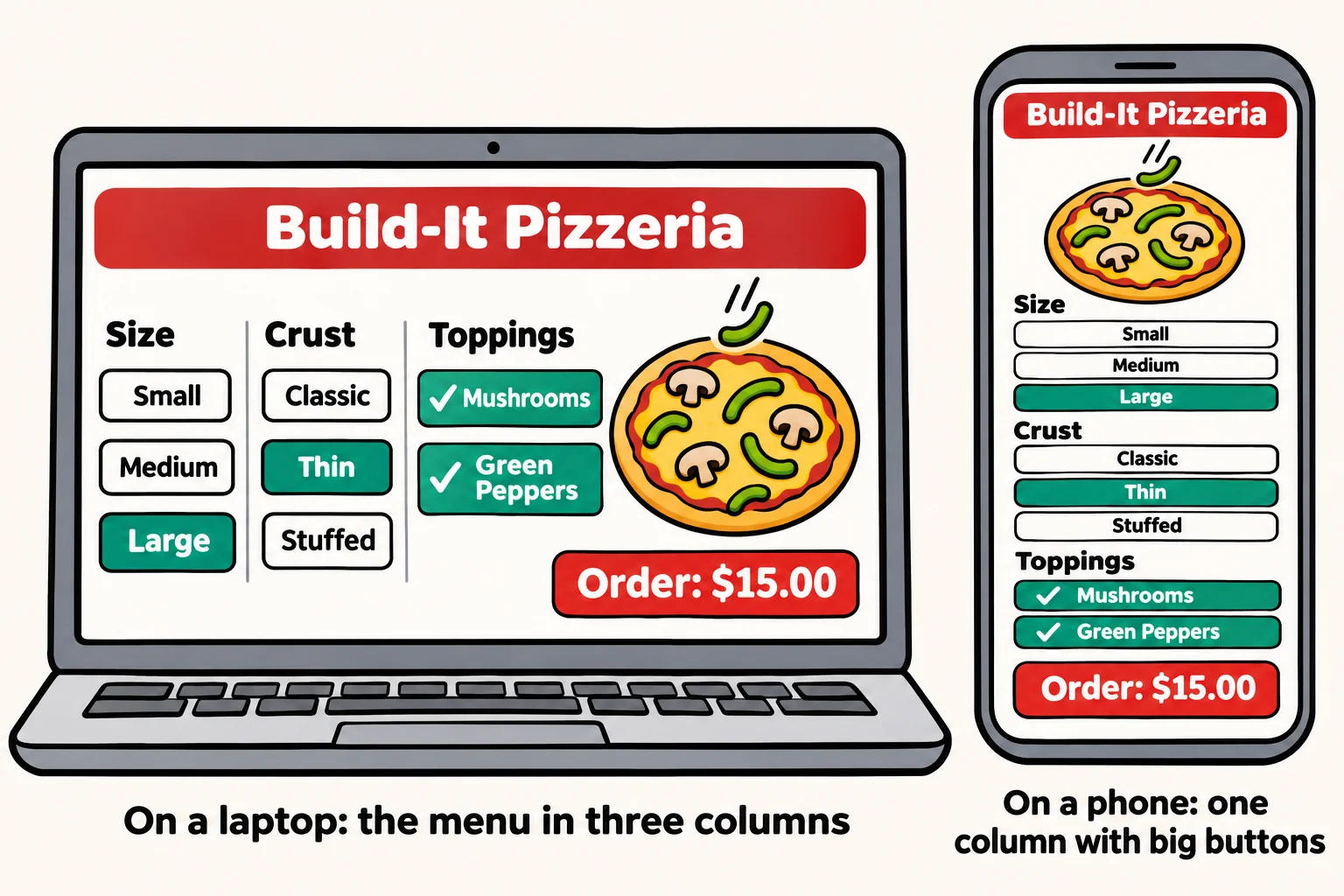
Back at Build-It Pizzeria, the front end is the order screen: the size buttons, the list of toppings, the picture of your pizza that fills up as you choose, and the price that changes with every tap. None of that needs the server until you press Order.
Three languages, three jobs
Every web front end is built from three languages, each with its own job. Think of a car:
- HTML is the body and the seats: it says what's on the page. A heading, a list of toppings, an Order button.
- CSS is the paint and the trim: it says how it looks. Colors, fonts, spacing, and how the page rearranges itself on a phone.
- JavaScript is the engine and the controls: it makes the page do things. When you tap a topping, JavaScript adds its price and redraws the total.
Here's the pizzeria's Order button in HTML. You don't need to read it yet; HTML and CSS in Module 1 teaches it:
<button class="order">Order: $15.00</button>
On its own, that's a plain gray button. CSS turns it into a big red button with rounded corners. JavaScript changes the price on it every time a topping is added.
Frameworks: building whole apps
A small page can be written in plain HTML, CSS and JavaScript. A whole app, with dozens of screens, sign-in, a shopping cart and live updates, is much easier to build with a front-end framework. In this course that's Angular. Angular lets you build the app out of components: small, reusable pieces such as a topping picker, a price box or a cart, each with its own HTML, CSS and code. You build each piece once and use it wherever you need it.
What a front end can do
The front end is where an app comes alive. With the skills in this course, a front end can:
- React instantly: the price, the picture of the pizza and the cart all update the moment you tap, with no waiting for a page to load.
- Fit any screen: three columns of menu on a laptop, one column with big thumb-sized buttons on a phone.
- Help people get it right: a form that says "that email is missing an @" before you press Send.
- Work for everyone: a page that a screen reader can read aloud and that works with only a keyboard, so people with low vision or who can't use a mouse can order too.
- Show live data: a tracker that moves your pizza from In the oven to Out for delivery while you watch.
What a front-end developer does
A front-end developer turns a design into screens that work. On a typical day they might build a new page, make an old one work on phones, fix a button that does nothing in one browser, or speed up a page that loads slowly. They work closely with designers, who decide how things should look, and with back-end developers, who provide the data the screens show. The front end you build in this course starts in Module 1 with HTML, CSS and Bootstrap, adds JavaScript in Module 3, and becomes a full Angular app in Module 4.
Try it. Open a site you use every day on your phone, then on a computer. Write down three things that change between the two: the menu, the number of columns, the size of the buttons. Each difference is a decision a front-end developer made.
Check yourself
2 questions to try on the lesson page.
So what
The front end is what people remember about an app, and it's the layer where you'll see your code come to life on the screen.
Key terms
- Front End
- User Interface
- Web browser
- Angular