# Ordered and Unordered Lists
HTML has two everyday lists, an unordered list for items whose order doesn't matter and an ordered list for steps and rankings, with each item in its own list item.
Novice · HTML · Updated October 31, 2026
## After this lesson you can
- Choose an ordered or an unordered list by whether the order of the items matters
- Write a list with ul or ol and li, and nest a list inside a list item
- Number an ordered list with start and reversed
## Key takeaways
- Use `
`, an unordered list, when the order doesn't change the meaning, such as a shopping list or a menu of links.
- Use ``, an ordered list, when the order matters, such as recipe steps or a top 10. The browser numbers the items for you.
- Every item goes in its own `
`, and a list holds only `
` elements directly inside it.
- To nest a list, put the whole inner list inside one of the outer list's `
` elements, before its closing tag.
- On an ``, `start` picks the first number and `reversed` makes the list count down.
You use lists all the time without thinking about it: a shopping list on the fridge, the steps on a box of pancake mix, a top-10 countdown on the radio. Web pages are full of them too. A store's menu of links, the steps to reset a password and the leaderboard on a game site are all lists. Whenever you build a page, for a class assignment, a club or a job, you'll write a list in it almost every time.
HTML has two everyday kinds of list, and choosing between them comes down to one question: **does the order matter?**
This chapter builds pages for **Galaxy Blasters**, a made-up retro arcade with a space-shooter game, a prize counter and a snack bar. By the end of the chapter you'll have built its high-score board.
## Does the order matter?
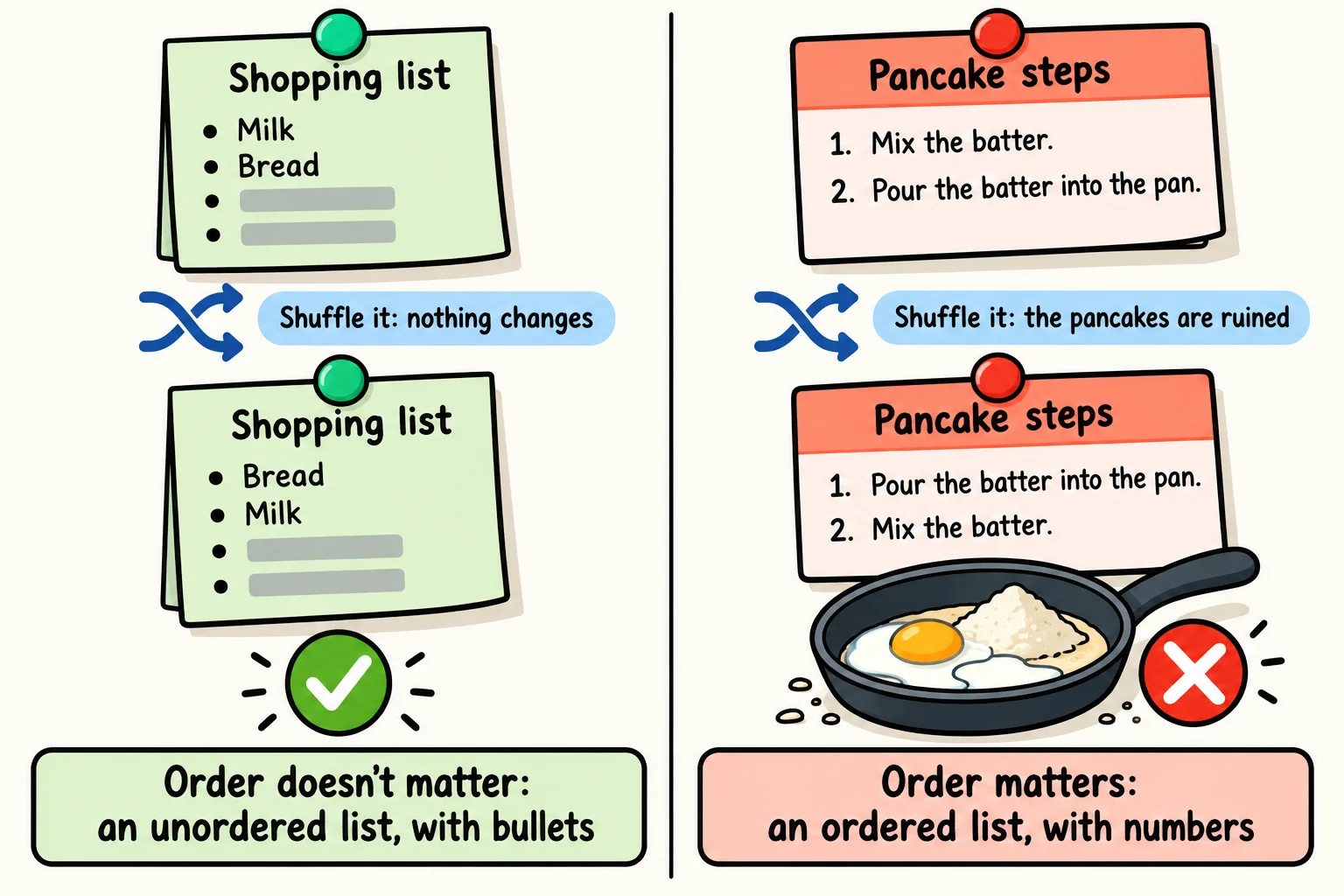
Think about a shopping list. You can grab the milk before the bread or after it, and it's still the same list. Now think about a pancake recipe. If you pour the batter into the pan before you mix it, breakfast goes wrong. The order of the steps is part of what they mean.
HTML has a list for each case:
- An **unordered list** is a list whose order doesn't change its meaning: a shopping list, the games an arcade has, the toppings on a pizza. Browsers show a bullet (a small dot) beside each item.
- An **ordered list** is a list whose order is part of its meaning: steps, directions, a ranking. Browsers number the items: 1, 2, 3.
Word processors call these a *bulleted list* and a *numbered list*. Those names describe how they look; HTML's names describe what they mean, and the meaning is what you choose by.
## Unordered lists: ul and li
An unordered list is written with `
`, read "U L", short for *unordered list*. Each item inside it is a **list item**, written `
` and read "L I":
```html
Games on the floor
Galaxy Blasters
Turbo Kart Rally
Neon Air Hockey
Mega Claw
```
The `
` element wraps the whole list, and each `
` holds one item. The browser shows the four games one under another, each with a bullet.
Notice where the heading is: outside the list, above it. Inside a `
`, the only elements allowed directly are `
` elements. A heading, a paragraph or a bare line of text goes outside the list, or inside one of its `
` elements. An `
` can hold other elements, such as `` around a word that's important; the `
` itself holds only `
` elements.
That rule matters most for people who use a **screen reader**: a program that reads the page aloud, used by people who are blind or can't see the screen well. When a screen reader reaches a list, it says something like "list, 4 items", so the listener knows how long the list is and can skip past it. A list with stray text inside it gets announced with the wrong count, or not as a list at all.
**Try it.** In VS Code, make a new file named `arcade-lists.html` in your practice folder. Type `!` and press **Tab** to get the page skeleton, then add the list above inside ``. Open the page with Live Server, and add a fifth game of your own.
## Ordered lists: ol
An ordered list is written with ``, read "O L", short for *ordered list*. Its items are `
` elements too:
```html
How to play Galaxy Blasters
Drop a token in the slot.
Press the green Start button.
Steer your ship with the joystick.
Press Fire to blast the asteroids.
```
You don't type the numbers. The browser numbers the items 1 to 4, in the order they appear in the code. Move a step up or down in the code, and the numbers follow. If you typed "1." yourself, you'd have to renumber every step by hand each time. The same rule holds as for `
`: only `
` elements go directly inside an ``.
## Lists inside lists
Sometimes an item has items of its own, like a school outline with points under each heading. Putting one element inside another is called **nesting**, and a list inside a list is a *nested list*. The inner list goes **inside** an `
` of the outer list, before that item's closing `
`:
```html
Prize counter
Under 100 tickets
Alien sticker
Bouncy ball
100 tickets or more
Glow-in-the-dark yo-yo
Rocket keychain
```
The outer list has two items, and each one holds a list of two prizes. Indenting the inner list shows the nesting at a glance; the browser indents it on the page too, and gives its items a different bullet. You can mix the two kinds as well: an `` of steps can have a `
` of tips inside one of its steps.
**Try it.** Add the prize counter to `arcade-lists.html`. Then add a third group, "500 tickets or more", with a prize you'd want to win.
## Lists of links: a site's menu
Look at the menu across the top of almost any website: Home, Games, Parties, Contact. It's a list of links, and the order doesn't change what the links mean, so it's a `