Equality and Truthy Values
JavaScript has a loose == that converts types before comparing and a strict === that doesn't, and it treats every value as truthy or falsy in a condition, so you learn which to use and where 0 and empty text trip people up.
Apprentice · JavaScript · Updated
After this lesson you can
- Compare values with === and !==, and predict what == does when the types differ
- Tell truthy values from falsy ones and predict which branch of an if runs
Key takeaways
- === (strictly equal) is true only when the values and their types match. == (loosely equal) converts the types first, which gives surprises such as 0 == "" being true.
- Use === and !== for your comparisons. When the types differ, convert one value yourself first, for example with Number().
- Six values are falsy (they act like false in a condition): false, 0, "", null, undefined and NaN. Every other value is truthy, even "0", "false" and an empty array.
- if (value) is a quick way to ask "is there anything here?", but it treats 0 and "" as nothing, even when they're real answers.
A runner at the Riverside 5K types her bib number into the check-in form: 7. The sheet says runner 7 is Maria Lopez. Is she checked in? That depends on how your code asks "are these equal?", because everything typed into a form arrives as text, and "7" the text isn't 7 the number. The same goes for "did they fill in their name?" and "did they pick a shirt size?". You'll write checks like these in every form, search box and game you build, and this lesson shows the two places where JavaScript surprises people: its two kinds of equal, and the values it treats as "nothing".
Two ways to ask "are these equal?"
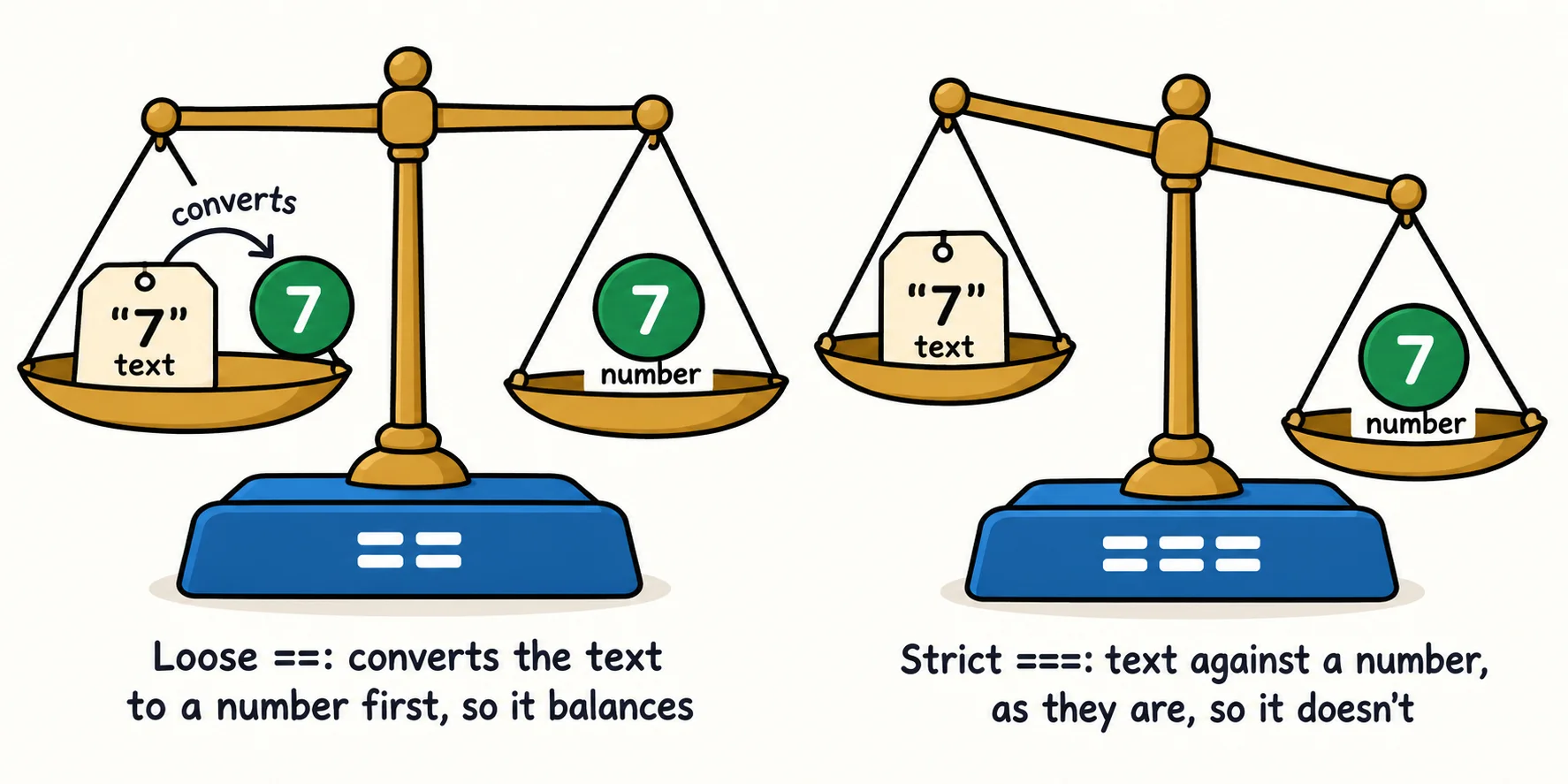
Picture two price tags: one says 7 in handwriting, the other is a 7 printed by a register. A relaxed shop assistant says "same price". A strict one says "same number, but one is handwritten, so not the same thing". JavaScript has both:
===is read "triple equals" or "strictly equal". It'strueonly when the values match and their types match. You met it in Booleans and Comparisons.==is read "double equals" or "loosely equal". When the types differ, it first converts one value to the other's type, then compares.
const bibFromForm = "7";
const bibOnSheet = 7;

console.log(bibFromForm == bibOnSheet);
console.log(bibFromForm === bibOnSheet);
console.log(Number(bibFromForm) === bibOnSheet);
true
false
true
The last line is the honest way to do it: you convert the text to a number yourself, with Number() from Types and Converting Between Them, then compare strictly. Anyone reading the code can see exactly what happens.
Why == surprises people
The conversion == does is called type coercion: JavaScript coerces (forces) a value into another type without being asked. Its rules are long, and some results look wrong even to people who know them:
console.log(0 == "");
console.log("0" == false);
console.log(" " == 0);
console.log(null == undefined);
console.log(null == false);
true
true
true
true
false
An empty name box equal to a score of 0? A space equal to 0? That's coercion at work, and it's how bugs slip through a check that looks right. The not-equal pair works the same way: !== (read "not strictly equal") compares strictly, and != (read "not equal") converts first. So the rule most teams follow is short: use === and !==. You'll still see == in older code, and now you know to read it carefully.
Truthy and falsy
An if asks a yes-or-no question, and it expects true or false. Give it any other value and JavaScript decides whether that value counts as true. Think of a volunteer at the check-in table glancing at a form: "is anything written here?"
A value that counts as false is falsy. There are six you need to know:
| Falsy value | What it is |
|---|---|
false |
the boolean false |
0 |
the number zero |
"" |
an empty string, with nothing between the quotes |
null |
"deliberately empty" (next lesson) |
undefined |
"nothing was ever put here" (next lesson) |
NaN |
"not a number", the result of a calculation that failed |
Every other value is truthy: it counts as true. That includes some that look false. Boolean(value) shows you how a value counts:
console.log(Boolean(""));
console.log(Boolean("0"));
console.log(Boolean(" "));
console.log(Boolean("false"));
console.log(Boolean([]));
console.log(Boolean(NaN));
false
true
true
true
true
false
"0" and "false" are strings with characters in them, so they're truthy; so is a string holding one space, and so is an empty array. (Two rare numbers are falsy too, -0 and 0n, but you won't meet them often.)
if (value): a quick "is anything here?"
Because of truthy and falsy, you can put a value straight into an if. It reads like a question: if there's a name, greet them; otherwise ask for one.
const nameFromForm = "";

if (nameFromForm) {
  console.log(`Welcome, ${nameFromForm}!`);
} else {
  console.log("Please enter your name.");
}
Please enter your name.
Try "Maria" instead of "", and the welcome prints. The ! you met in Combining Conditions with And, Or and Not (read "not") flips it: if (!nameFromForm) means "if there's no name".
Try it. Make a file named truthy.js that loops over [0, "", "0", "Maria", null, [], NaN, 42] with for...of and prints each value and Boolean(value) on one line. Guess each answer before you run node truthy.js.
When falsy bites: 0 and "" are real answers
The shortcut has a trap. Some runners bring guests to cheer, and the form asks how many. Priya typed 0. Look what a quick truthy check does with her honest answer:
const guests = 0;

if (guests) {
  console.log(`Guest passes: ${guests}`);
} else {
  console.log("Guests: not answered yet");
}

if (guests !== undefined) {
  console.log(`Guest passes: ${guests}`);
}
Guests: not answered yet
Guest passes: 0
0 is falsy, so the first check thinks Priya never answered. When 0 or "" is a real answer, ask exactly what you mean, as the second check does: was a value given at all? The next lesson, Missing Values: null, undefined, ?. and ??, gives you a tidier tool for exactly this.
Check yourself
2 questions to try on the lesson page.
So what
Most "it works on my machine but not with real data" bugs in a form come from a loose comparison or a 0 treated as nothing. Compare with ===, and use if (value) only when 0 and empty text really mean "nothing here".
Key terms
- Strict Equality (===)
- Loose Equality (==)
- Type Coercion
- Truthy
- Falsy
- NaN