OUTER JOIN
How LEFT, RIGHT and FULL outer joins keep unmatched rows from one or both tables, and how to get a full join in MySQL, which has no FULL OUTER JOIN.
Journeyman · SQL · MySQL · Updated
With outer joins, you have the ability to return all of the rows from a table, even if there are no related rows in the table being joined.
When joining two tables, the first table in the query is referred to as the LEFT table and the second is referred to as the RIGHT table.
SELECT *
FROM person LEFT OUTER JOIN task
    ON person.person_id = task.person_id;
In this example, the person table is the LEFT table because it was listed first: it is to the left of the task table in the query.
`LEFT OUTER JOIN`
A LEFT OUTER JOIN returns all of the rows from the LEFT table, even if there are no related rows in the RIGHT table.
SELECT *
FROM person
LEFT OUTER JOIN task
    ON person.person_id = task.person_id
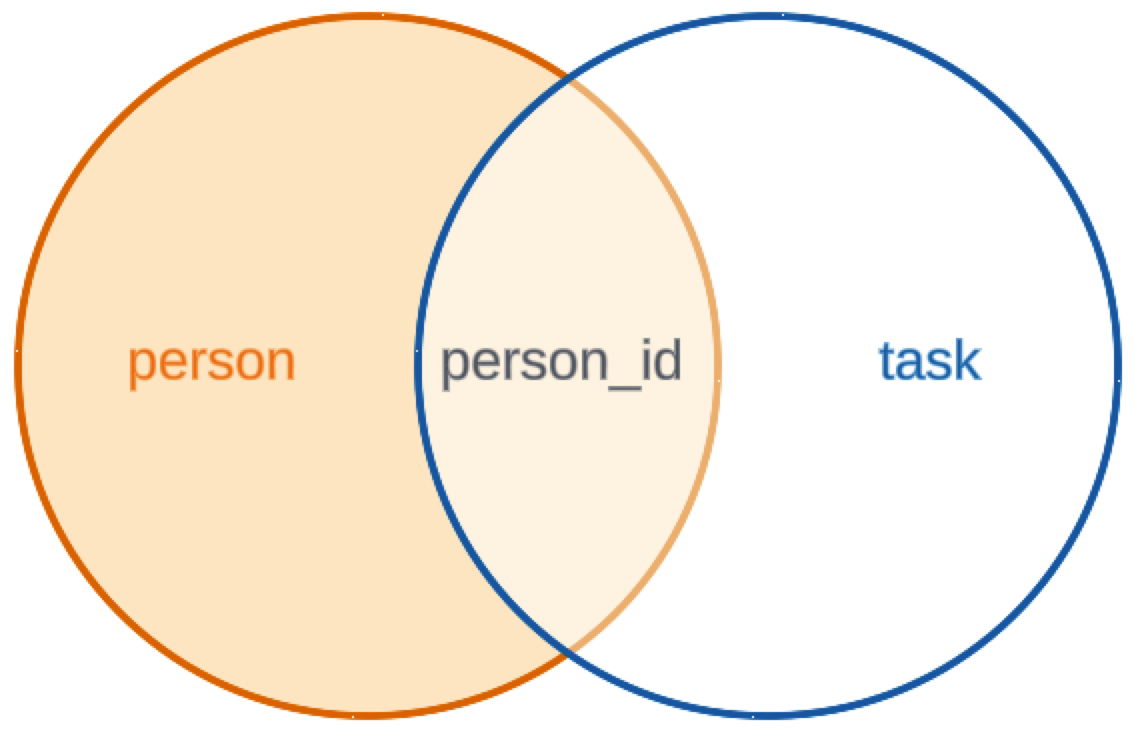
Notice that the result of this query includes Katrina, but mopping and change oil are still omitted.

`RIGHT OUTER JOIN`
A RIGHT OUTER JOIN returns all the rows from the RIGHT table, even if there are no related rows in the LEFT table.
SELECT *
FROM person
RIGHT OUTER JOIN task
    ON person.person_id = task.person_id
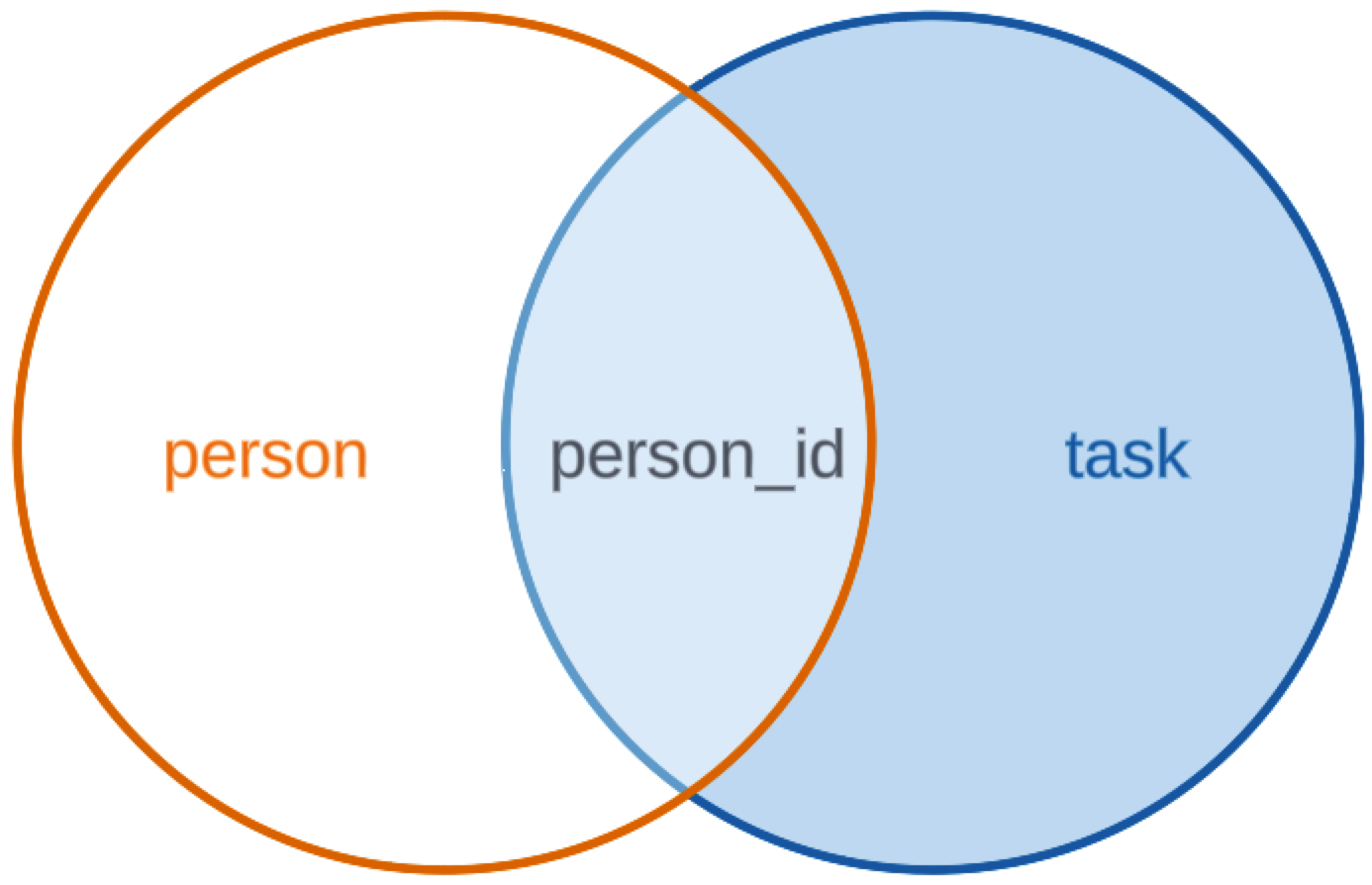
Notice that the result of this query includes mopping and change oil, but Katrina is omitted.
`FULL OUTER JOIN`
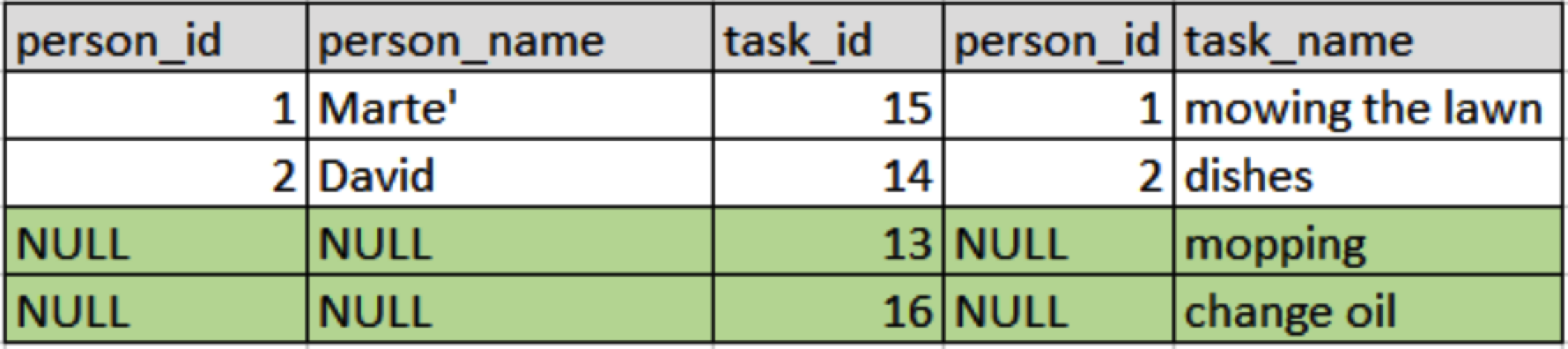
A FULL OUTER JOIN returns all of the rows from both tables, even when a row has no match in the other table. Many databases write it like this (MySQL doesn't; see below):
-- not in MySQL: this is the syntax SQL Server and PostgreSQL use
SELECT *
FROM person
FULL OUTER JOIN task
    ON person.person_id = task.person_id
MySQL does not support the FULL OUTER JOIN syntax, but you can get the same result: run a LEFT JOIN and a RIGHT JOIN, then merge them with UNION, which drops the rows that appear in both.
SELECT *
FROM person
LEFT OUTER JOIN task
    ON person.person_id = task.person_id

UNION

SELECT *
FROM person
RIGHT OUTER JOIN task
    ON person.person_id = task.person_id;
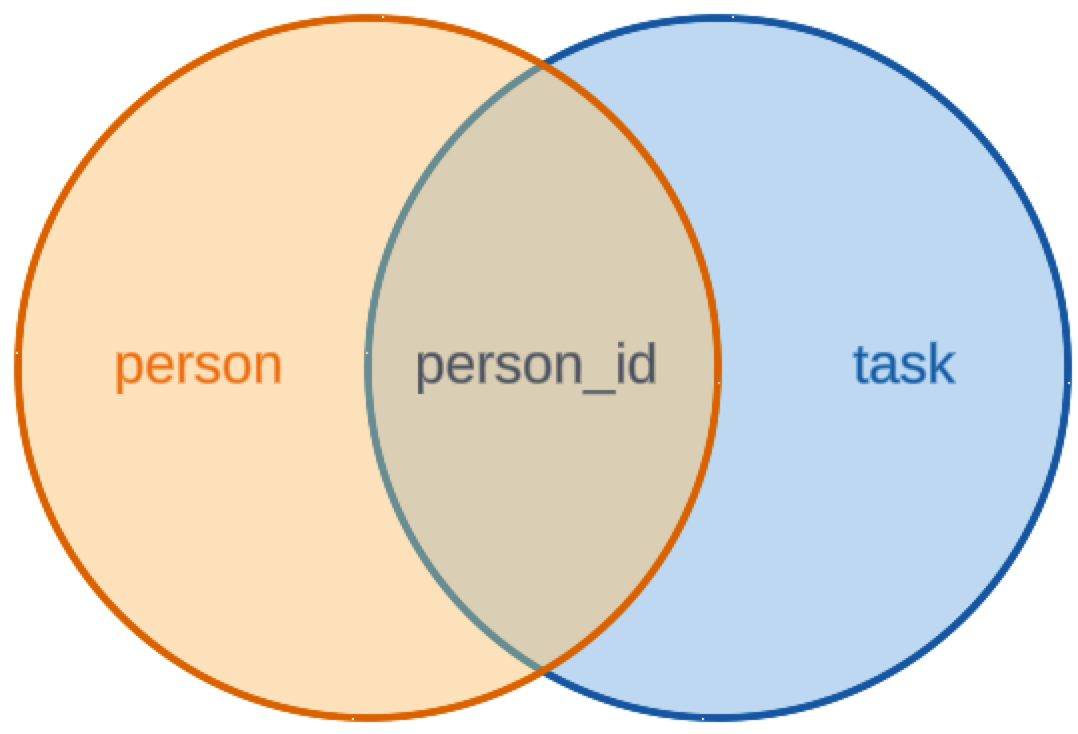
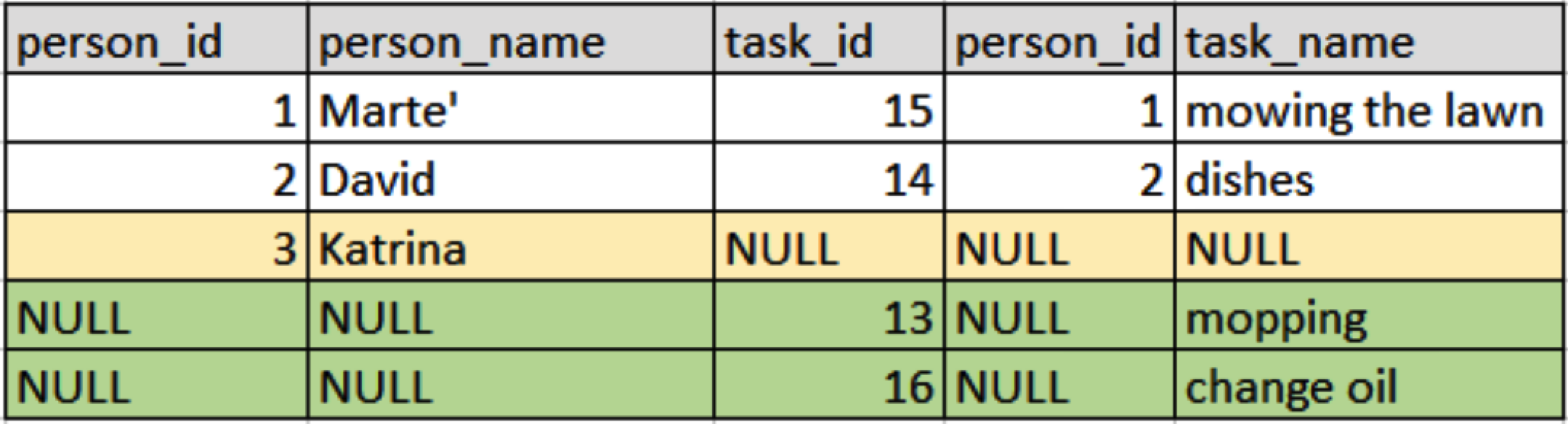
Notice that the result of this query includes Katrina, as well as mopping and change oil.
Do it: find the products nobody has ordered
The store wants to know which products have never been ordered, so it can decide whether to keep them.
Two tables hold what that needs:
products: each product'sproduct_idandproduct_name.order_details: one row per order line, with itsorder_id, theproduct_idit sold, and thequantity.
They hold these rows (the Tables tab shows the SQL that makes them):
| product_id | product_name |
|---|---|
| 1 | Chai |
| 2 | Chang |
| 3 | Aniseed Syrup |
| 4 | Chef Anton's Cajun Seasoning |
| 5 | Chef Anton's Gumbo Mix |
| 6 | Grandma's Boysenberry Spread |
| order_id | product_id | quantity |
|---|---|---|
| 10248 | 2 | 10 |
| 10249 | 1 | 9 |
| 10250 | 4 | 15 |
| 10251 | 2 | 6 |
| 10252 | 1 | 40 |
The starter's inner join lists the products that have been ordered, one row per order line, so Chai and Chang each come twice. A product that was never ordered has no line to pair with, so the inner join leaves it out. Those are the ones the store wants.
For example, Aniseed Syrup is product 3. No row in order_details has product_id 3, so a left join gives Aniseed Syrup one row with NULL in every order_details column. That NULL is how you know it was never ordered.
Your query should give exactly these rows, in this order:
| product_id | product_name |
|---|---|
| 3 | Aniseed Syrup |
| 5 | Chef Anton's Gumbo Mix |
| 6 | Grandma's Boysenberry Spread |
Your job: change the starter's query so it lists the products that have never been ordered.
- Show two columns,
product_idandproduct_name, in that order, fromproducts. - Keep every product, matched or not, with a
LEFT OUTER JOINfromproductstoorder_details. - Keep only the rows where no order line matched.
- Sort the rows by
product_name, A to Z.
Practiced live on the lesson page: write the SQL right there and check it.