While Loop
Repeat a block of code for as long as a condition stays true with C#'s while loop, and make sure the loop can end.
Novice · C# · Updated
After this lesson you can
- Repeat code while a condition is true with a while loop
Key takeaways
- A
whileloop checks its condition before each iteration and runs its block only while the condition istrue. - Use
whilewhen you can't know in advance how many iterations it will take, such as the weeks of saving needed to reach a goal. - Something inside the loop must make the condition
false, or it's an infinite loop. Ctrl+C stops it. Console.ReadLine()waits for the user to type a line and returns it as astring?.
A loop runs the same block of code again and again. Loops are often used to work through every element of an array, but they do much more: count down, keep asking a question until the answer is right, add up savings week by week.
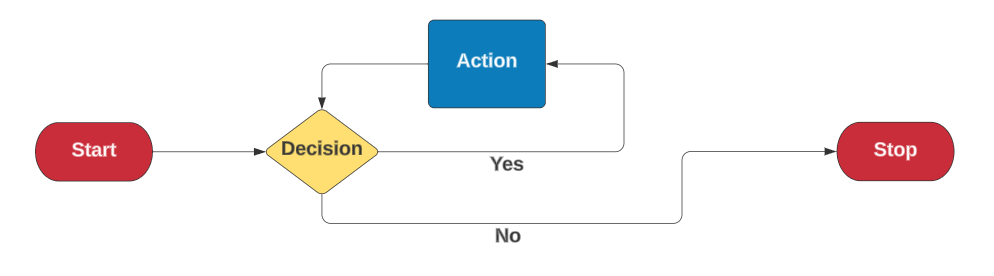
C# has four kinds of loop: while, do-while, for and foreach. This lesson is about the first.
The while loop
A while loop checks a condition. If it's true, it runs the block, then goes back and checks again. When the condition is false, the loop ends and the program carries on after it.
int countdown = 3;

while (countdown > 0)
{
    Console.WriteLine(countdown);
    countdown--;
}

Console.WriteLine("Liftoff!");
3
2
1
Liftoff!
Each pass through the block is called an iteration. Here there are three: with countdown at 3, 2 and 1. When it reaches 0, countdown > 0 is false and the loop ends.
When you don't know how many times
while fits best when you can't know in advance how many iterations it'll take. How many weeks of saving $25 does it take to reach $180?
decimal savings = 0;
decimal weeklyDeposit = 25m;
decimal goal = 180m;
int weeks = 0;
while (savings < goal)
{
savings += weeklyDeposit;
weeks++;
}
Console.WriteLine("Weeks needed: " + weeks);
Console.WriteLine("Savings: Weeks needed: 8
Savings: $200
Asking until the answer is right
Console.ReadLine() waits for the user to type a line and press Enter, and returns what they typed as a string. A while loop can keep asking:
Console.Write("Do you want to play? (yes/no) ");
string? answer = Console.ReadLine();

while (answer == "yes")
{
    Console.WriteLine("Playing...");
    Console.Write("Play again? (yes/no) ");
    answer = Console.ReadLine();
}

Console.WriteLine("Thanks for playing.");
Console.Writeprints without starting a new line, so the answer is typed on the same line as the question.string?is astringthat might benull: no text at all.ReadLinereturnsnullwhen there's nothing left to read, and the?says that's allowed. You'll learn more about it later; for now, usestring?for whatReadLinereturns.
Save it as play.cs, run it with dotnet run play.cs, and answer a few times. It keeps playing for as long as you type yes.
Make sure it can end
Something inside the loop must eventually make the condition false. If nothing does, the loop never ends: an infinite loop.
int countdown = 3;

while (countdown > 0)
{
    Console.WriteLine(countdown);
    // forgot countdown--; so countdown is 3 forever
}
This prints 3 forever. If your program seems frozen and its output keeps scrolling, press Ctrl+C in the terminal to stop it, then look for the line that should change the condition.
Check yourself
2 questions to try on the lesson page.
So what
A while loop repeats until something changes. Ask yourself two questions every time you write one: what keeps it going, and what makes it stop?