Waiting for the Database: async, await and try/catch
A database takes a moment to answer, so code that asks it gets a promise instead of the answer, and this lesson shows how await waits for the answer inside an async function, how try and catch handle a database that fails, and what happens when an await is missing.
Apprentice · JavaScript · Updated
After this lesson you can
- Wait for a database's answer with await inside an async function
- Handle a failed database call with try and catch, and spot a missing await
Key takeaways
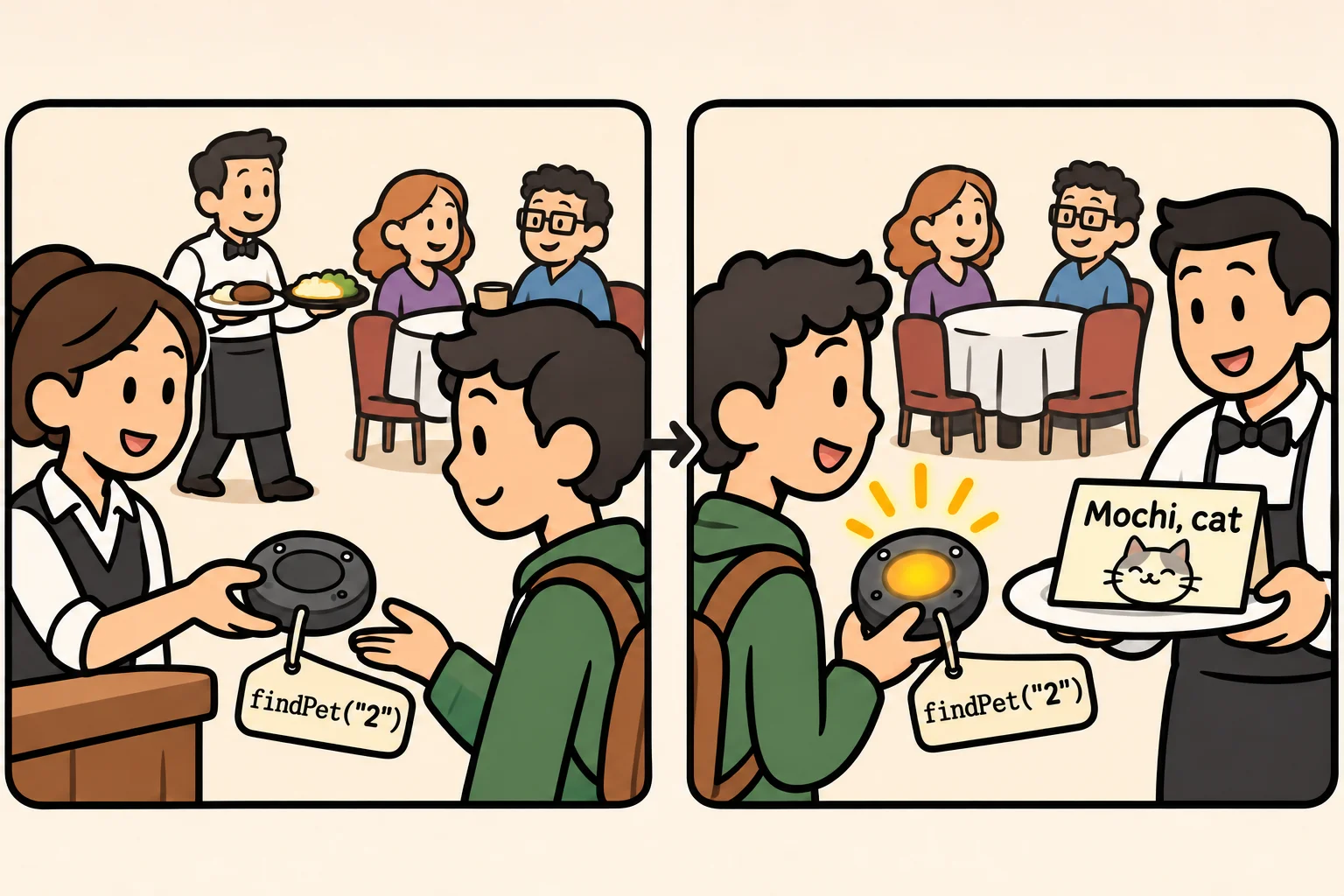
- A database call answers later, so it gives back a promise right away, like a restaurant pager that buzzes when your table is ready.
- await waits for a promise and gives back its answer. It works inside an async function, and at the top level of a module.
- An async function always gives back a promise, so whoever calls it awaits it too.
- try runs code that might fail, and catch runs only when it does, with the error, so the app can answer calmly instead of crashing.
- A missing await leaves you holding the promise, so a field such as pet.name is undefined.
Every time the pet API asks MongoDB for something, the answer takes a moment to arrive: a few milliseconds on your own computer, longer from a database in the cloud. Code has to wait for it without freezing the whole app, and it has to cope when the answer never comes. You'll see the words async, await, try and catch in every route of the starter, and in every line of database code you write after it.
The examples use a pretend database call, findPet, which waits a tenth of a second and then gives back Mochi the cat, the way a real one would.
Asking without waiting
Here's a first try. findPet stands in for the database: wait(100) makes it take a tenth of a second, and the rest of its inside is explained below. The program asks for pet 2 and prints the answer:
import { setTimeout as wait } from "node:timers/promises";

async function findPet(id) {
  await wait(100);
  return { id: id, name: "Mochi", species: "cat" };
}

const pet = findPet("2");
console.log(pet);
console.log(`Meet ${pet.name}!`);
Promise { <pending> }
Meet undefined!
No Mochi. findPet didn't hand back the pet: the pet doesn't exist yet. It handed back a promise.
A promise is a pager
At a busy restaurant, the host doesn't make you stand at the counter until a table is free. You get a pager, and it buzzes when your table is ready. Meanwhile, the host serves other people.
A promise is that pager: an object that stands for an answer still on its way. Promise { <pending> } means "not ready yet". When the answer arrives, the promise is fulfilled and holds the pet; if the database fails, it is rejected and holds the error. Node keeps serving other requests while it waits, which is how one small API answers many people at once.
await: wait for the answer
await (read "a-wait") is standing by with the pager: it pauses until the promise is ready, then gives back what's inside. Put it in front of the call:
import { setTimeout as wait } from "node:timers/promises";

async function findPet(id) {
  await wait(100);
  return { id: id, name: "Mochi", species: "cat" };
}

const pet = await findPet("2");
console.log(pet);
console.log(`Meet ${pet.name}!`);
{ id: '2', name: 'Mochi', species: 'cat' }
Meet Mochi!
await works in two places: at the top level of a module, as here, and inside a function marked async. In any other function, Node refuses to start, with SyntaxError: await is only valid in async functions and the top level bodies of modules.
An async function always gives back a promise, even when it returns plain text, so whoever calls it awaits it too. That's how findPet itself works: it awaits a short wait, then returns the pet. The API's routes work the same way:
import { setTimeout as wait } from "node:timers/promises";

async function findPet(id) {
  await wait(100);
  return { id: id, name: "Mochi", species: "cat" };
}

async function greeting(id) {
  const pet = await findPet(id);
  return `Meet ${pet.name}!`;
}

console.log("Asking the database...");
const text = await greeting("2");
console.log(text);
Asking the database...
Meet Mochi!
try and catch: when the database says no
Sometimes the pager never buzzes: MongoDB isn't running, or the network drops. The promise is rejected, and await turns that into an error, which stops the program unless something catches it. That's the job of try and catch: try { } holds the code that might fail, and catch (error) { } runs only when it does, with the error in hand. Here findPet fails the way the real driver does when MongoDB isn't running:
import { setTimeout as wait } from "node:timers/promises";

async function findPet(id) {
  await wait(100);
  throw new Error("connect ECONNREFUSED 127.0.0.1:27017");
}

try {
  const pet = await findPet("2");
  console.log(`Meet ${pet.name}!`);
} catch (error) {
  console.log(`Couldn't load pet 2: ${error.message}`);
}
console.log("The app is still running.");
Couldn't load pet 2: connect ECONNREFUSED 127.0.0.1:27017
The app is still running.
throw is how code reports an error, and error.message is its text. Without try and catch, Node prints the error and stops, and the last line never runs.
The missing await
The first try above is the most common mistake with databases, and it doesn't stop the program: it quietly gives the wrong answer. Leave out await, and you hold the pager instead of the pet, so pet.name is undefined. When a value you expected from the database shows up as undefined, or an API answers {} where a pet should be, look first for the call without an await.
Do it: greet a visitor by pet
The center's website greets visitors with the pet they asked for. Finish petGreeting, which asks the pretend database for one pet and returns the greeting.
The starter gives you findPet(id), ready to use. It waits a moment, like a real database, then gives back the pet with that id, or null when no pet has it. While databaseIsDown is true, it fails with an error instead. The pretend database holds two pets: "1" is Biscuit the dog and "2" is Mochi the cat.
The input, id, is a pet's id as text, such as "2". For "2", await petGreeting("2") gives exactly Meet Mochi!.
Your job: finish the async function petGreeting(id).
- Await
findPet(id). - When it gives back a pet, return
"Meet <its name>!", such as"Meet Mochi!". - When it gives back
null, return"There's no pet <id>.", such as"There's no pet 99.". - When it fails with an error, return
"Sorry, we can't load pet <id> right now.", such as"Sorry, we can't load pet 2 right now.". Usetryandcatch.
Practiced live on the lesson page: write the JavaScript right there and check it.
Check yourself
2 questions to try on the lesson page.
So what
A database answers later, so every call to it gives back a promise: await waits for the answer, async marks the functions that wait, and try and catch turn a failure into a calm answer. Those four words are in every route of the pet API, and in all the database code ahead.