The MVC Pattern in ASP.NET Core
MVC splits a web app into models that carry data, views that turn it into HTML, and controllers that answer requests. Follow one request through all three.
Apprentice · ASP.NET Core · Web Development · Updated
After this lesson you can
- Explain what the model, the view and the controller each do
- Follow a request through an MVC app, from the address to the HTML
Key takeaways
- The model carries the data, the view turns it into HTML, and the controller receives the request, gets the model and picks the view.
- The controller never writes HTML, and the view never writes SQL or fetches data itself.
- For
/Products/Details/7, the route picksProductsController'sDetailsaction, the DAO builds aProduct, andreturn View(product);hands it to Razor. - Keeping the three parts apart makes each one small, easy to find, and free to change on its own.
MVC (Model-View-Controller) is a design pattern: a well-tried way to organize code. It splits a web app into three kinds of class, each with one job, so that the code that finds data, the code that shows it and the code that decides what to do never get tangled together.
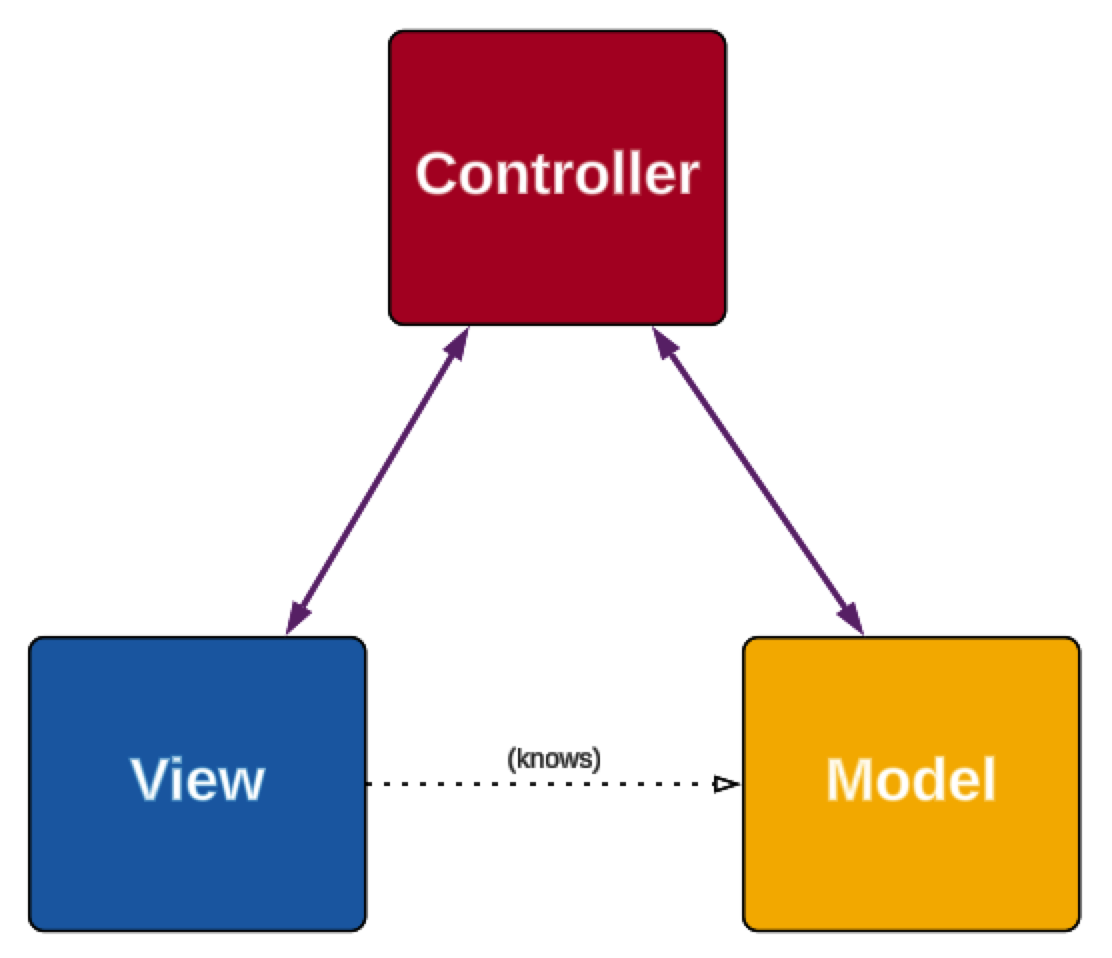
| Part | Its job | In NorthwindWeb |
|---|---|---|
| Model | Carries the data | Product, the class you wrote for the ADO.NET chapter |
| View | Turns a model into HTML for the user, and holds the forms that collect input | Views/Products/Details.cshtml |
| Controller | Receives the request, gets the model, and picks the view | ProductsController |
The arrows matter too. The controller knows both the model and the view. The view knows the model, because it shows it, but never fetches data itself. The model knows neither: it's just data.
One request, start to finish
Here's what happens when a browser asks NorthwindWeb for /Products/Details/7:
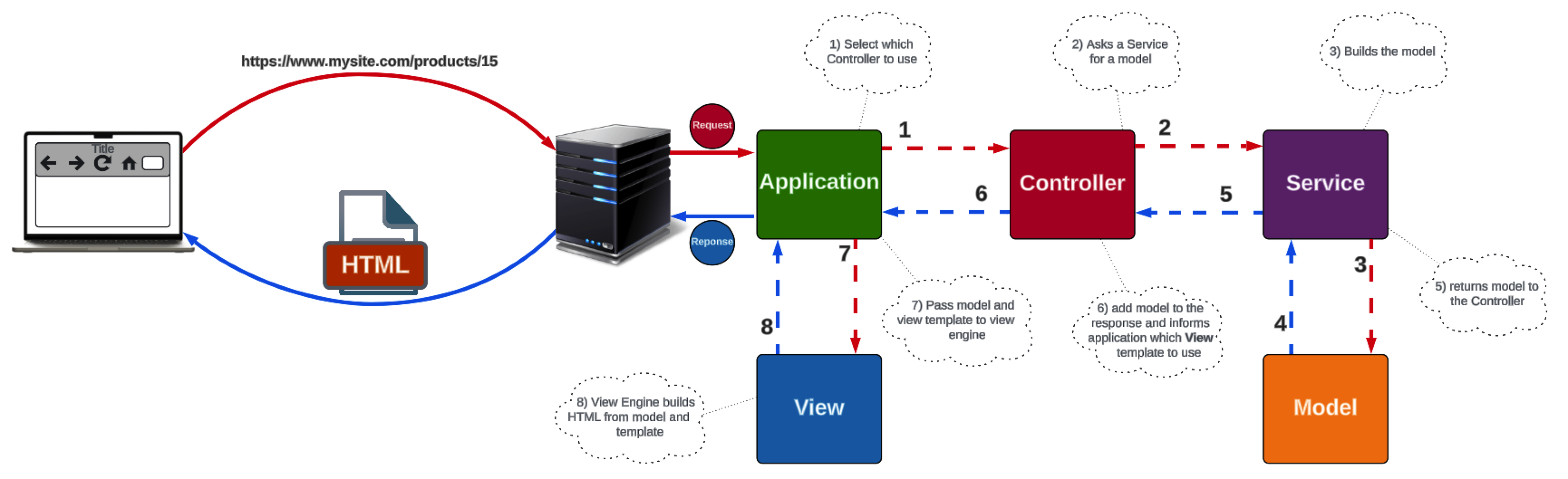
- ASP.NET Core receives the request and uses the route to pick the controller and action:
ProductsController, itsDetailsaction, withid7. - The controller asks for the data. The picture calls the class it asks a service; in this course it's your DAO for now:
productDao.GetById(7). - The DAO queries SQL Server and builds the model: a
Productobject. - The model carries the data: Uncle Bob's Organic Dried Pears, $30.00.
- The DAO returns the model to the controller.
- The controller returns the model and says which view to use:
return View(product);. - ASP.NET Core hands the model and the view to the Razor view engine.
- Razor runs the view and builds the HTML, and ASP.NET Core sends it back to the browser.
The controller never writes HTML, and the view never writes SQL. That's the point.
Why split it up
- Each part is small, and easy to find. A wrong price is in the DAO; a wrong heading is in the view.
- Parts can change on their own. Redesign a page without touching a query, or move to another database without touching a page.
- Parts can be reused. The same
Productmodel and DAO serve the list page, the details page and the search page, and later a Web API too.
Check yourself
2 questions to try on the lesson page.
So what
Every page you build in ASP.NET Core MVC follows these eight steps. When something goes wrong, ask which step it belongs to, and you'll know which file to open.
Key terms
- Model-View-Controller (MVC)
- Design Pattern
- Model
- View
- Controller