Parsing Dates with to_datetime
Dates read from a file are text that sorts and compares wrongly, so pd.to_datetime turns them into real dates, format= says how they were written instead of letting pandas guess, '03/04/2026' is March 4 or April 3 depending on dayfirst, errors='coerce' turns a date that can't exist into NaT for you to list, and parse_dates= does it while loading.
Apprentice · Python · Updated
After this lesson you can
- Turn text into dates with pd.to_datetime and a format such as '%m/%d/%Y', and explain why '03/04/2026' is ambiguous
- Parse dates with errors='coerce' and list the ones that became NaT, and parse dates while loading with parse_dates
Key takeaways
- A date read from a CSV file is text, so it sorts and compares character by character, not by time.
- pd.to_datetime() turns text into dates, and format= says exactly how they were written, such as "%m/%d/%Y" for 07/23/2007.
- The text 03/04/2026 is March 4 to pandas, which reads the month first, and April 3 with dayfirst=True. Only knowing where the file came from settles it.
- With errors="coerce", a date that can't be read becomes NaT, read "not a time", so count the missing dates before and after and list the new ones.
- parse_dates= in read_csv turns the columns you name into dates while the file loads.
Order dates, birthdays, sign-up times, due dates: almost every file has a date in it, and you'll want to sort by it, compare it or count by month. A file stores dates as text, though, and text doesn't know that August comes after July. This lesson turns that text into real dates, and catches the ones that can't be.
The example is the Hillcrest 5K Fun Run's registrations, registrations.csv: 450 runners who typed their own sign-up form, including a birth_date typed as month/day/year, such as 07/23/2007, and the registered_at time the form was sent, such as 2026-08-03 07:40. The race is on Saturday, October 3, 2026. The runners and the race are our own made-up data.
Dates stored as text
The race director asks who the oldest runner is. The earliest birth date should answer it:
import pandas as pd

reg = pd.read_csv("registrations.csv")
print("first birth date:", reg["birth_date"].min())
print("last birth date:", reg["birth_date"].max())
first birth date: 01/02/1970
last birth date: 13/05/1988
Neither answer is about time. birth_date is text (a str column), and text is compared character by character, the way a dictionary is sorted. 01/02/1970 comes first because it starts with 0, and 13/05/1988 comes last because it starts with 13, even though there is no thirteenth month. To compare dates, the text has to become dates.
pd.to_datetime and format
pd.to_datetime() turns text into dates. Given no other help, it guesses the layout from the first value:
pd.to_datetime(reg["birth_date"])
ValueError: time data "13/05/1988" doesn't match format "%m/%d/%Y". You might want to try:
pandas guessed month/day/year from the first runner's 07/23/2007, then stopped at a runner who typed 13/05/1988 (the message goes on with suggestions). The guess, "%m/%d/%Y", is written in format codes, which describe a layout one piece at a time:
%m, read "percent m": the month as two digits,07.%d: the day as two digits,23.%Y: the year as four digits,2007.%Hand%M: the hour (00 to 23) and the minute, for times such as18:45.
The slashes and spaces between them stand for themselves. Writing format="%m/%d/%Y" yourself says what you know about the file instead of letting pandas guess.
errors="coerce" and NaT
With 450 runners, you want the conversion to finish and then look at every date it couldn't read. errors="coerce" does that, as it does for pd.to_numeric: each date that can't be read becomes NaT, read "not a time", pandas' missing value for dates.
born = pd.to_datetime(reg["birth_date"], format="%m/%d/%Y", errors="coerce")
born.head(3)
0   2007-07-23
1   2005-01-29
2   2006-04-30
Name: birth_date, dtype: datetime64[us]
The column is now datetime64, pandas' date-and-time type, shown year-month-day. (The [us] says it's precise to the microsecond; older pandas shows [ns], nanoseconds.) Count before and after, and list the new gaps:
print("missing before:", reg["birth_date"].isna().sum())
print("missing after:", born.isna().sum())
missing before: 15
missing after: 17
reg["birth_date"][born.isna()].value_counts()
birth_date
13/05/1988    1
02/30/1991    1
Name: count, dtype: int64
Fifteen runners left the date blank, and two typed one that can't be month/day/year: February has no 30th day, and there is no month 13. The second one is probably May 13, typed day first. The race can email both runners; until then, both stay missing. Now the questions work, because dates compare by time:
print("oldest runner born:", born.min().date())
print("youngest runner born:", born.max().date())
print("under 18 on race day:", (born > pd.Timestamp("2008-10-03")).sum())
oldest runner born: 1956-10-28
youngest runner born: 2017-09-10
under 18 on race day: 62
pd.Timestamp("2008-10-03") is one date and time, to compare against: anyone born after October 3, 2008 is under 18 on race day, so 62 runners need a parent's signature.
The 03/04 problem: dayfirst
13/05/1988 gave itself away, because 13 can't be a month. 03/04/2026 can't be caught at all: in the United States it's March 4, and in most other countries it's April 3. With no format, pandas reads the month first; dayfirst=True reads the day first:
print(pd.to_datetime("03/04/2026"))
print(pd.to_datetime("03/04/2026", dayfirst=True))
2026-03-04 00:00:00
2026-04-03 00:00:00
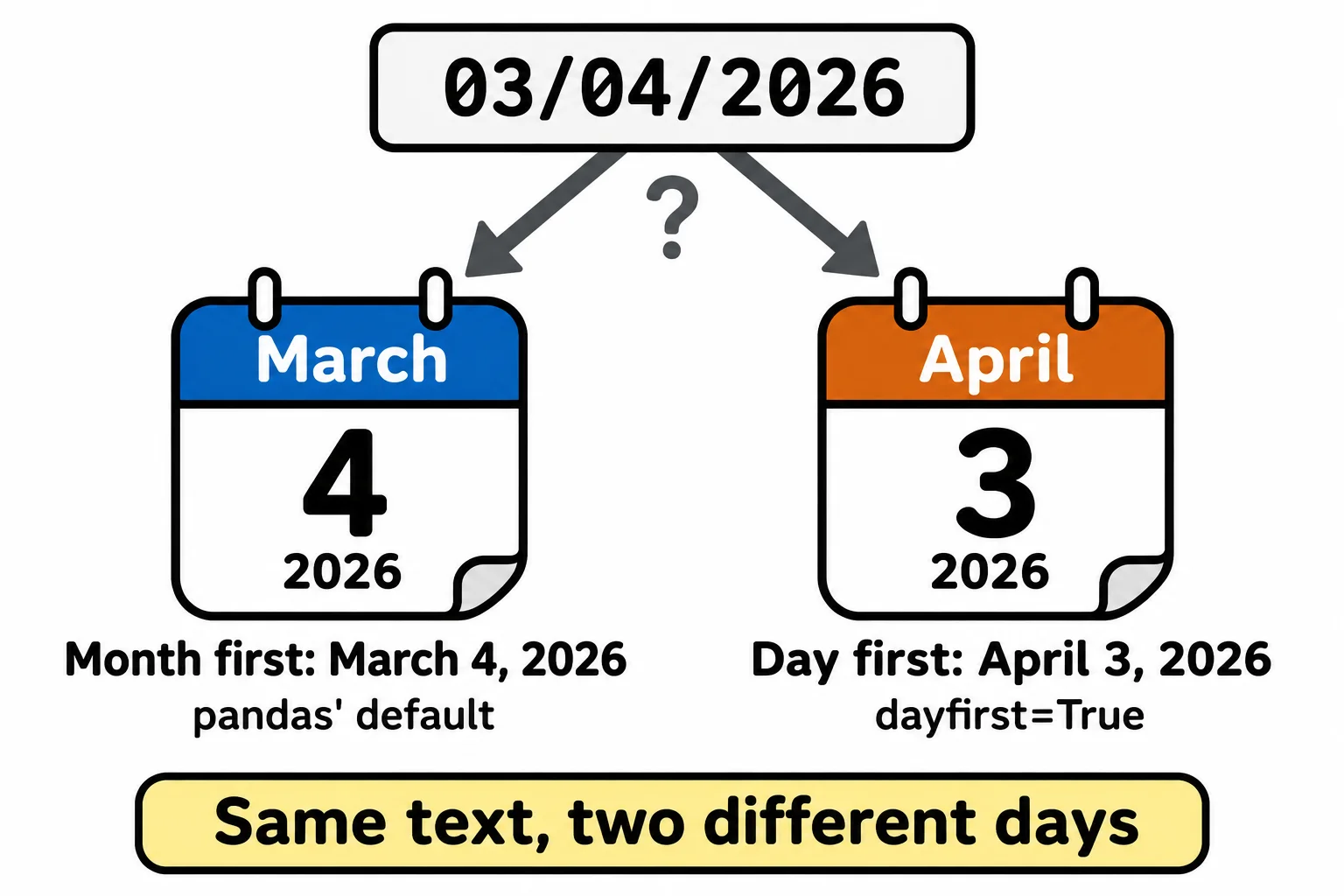
No code can tell which one a person meant. Find out where the file came from, then say so with format= ("%m/%d/%Y" or "%d/%m/%Y"). A date written year first, such as 2026-03-04, is never ambiguous, which is why files meant for computers use it.
Parsing while loading: parse_dates
registered_at is written year first, 2026-08-03 07:40, so pandas reads it without help. parse_dates= in read_csv turns the columns you name into dates as the file loads:
reg = pd.read_csv("registrations.csv", parse_dates=["registered_at"])
reg.dtypes
bib                       int64
runner_name                 str
email                       str
tshirt_size                 str
hometown                    str
birth_date                  str
registered_at    datetime64[us]
goal_time                   str
dtype: object
print("first registration:", reg["registered_at"].min())
print("last registration:", reg["registered_at"].max())
first registration: 2026-08-03 07:40:00
last registration: 2026-10-02 21:20:00
Registration opened on August 3 and the last runner signed up the evening before the race. Use parse_dates= for clean, year-first columns, and pd.to_datetime with format= and errors="coerce" for dates people typed.
Check yourself
2 questions to try on the lesson page.
So what
Dates in a file are text until pd.to_datetime makes them dates; saying the format=, coercing what can't be read and listing it is what turns a column of typed dates into one you can sort, compare and trust.