All of .NET at Your Fingertips
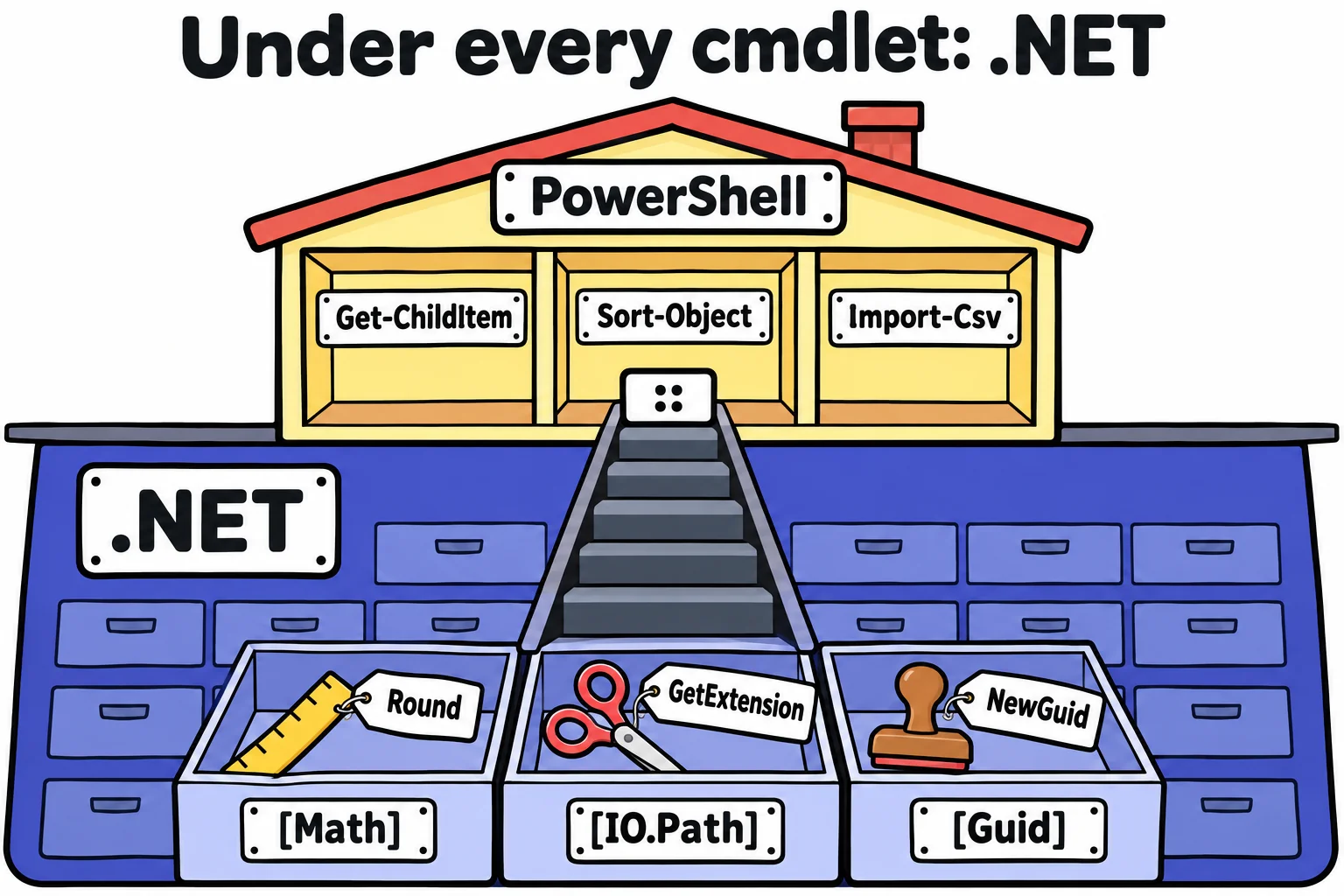
Under every cmdlet is .NET, a library of thousands of ready-made tools, and PowerShell reaches any of them directly: a type in square brackets and :: call its static members, such as [Math]::Round, [IO.Path]::GetExtension and [Guid]::NewGuid(), and Add-Type compiles a few lines of C# into tools of your own.
Freelancer · PowerShell · Updated
After this lesson you can
- Call .NET's static methods from PowerShell, such as [Math]::Round, [IO.Path]::GetExtension and [Guid]::NewGuid()
- Compile a few lines of C# into the session with Add-Type and call them from PowerShell
Key takeaways
- A type's name in square brackets, then
::(read "colon colon"), reaches a tool that belongs to the type itself:[Math]::Round(19.987, 2)gives 19.99. [Math]::Round(2.5)gives 2: .NET rounds a half to the even number. Add[MidpointRounding]::AwayFromZerofor the 3 a shop would charge.- Type a method's name without parentheses, such as
[Math]::Round, to see every way to call it. [IO.Path]takes file names apart as text, and[Guid]::NewGuid()makes an ID that no one else will ever make.Add-Type -TypeDefinitioncompiles C# into this window. A type can be added once a window, so a changed version needs a new window.
You need the extension of 300 photo names, a name for a test folder that can't clash with any other, or a price rounded the way a shop rounds it. No cmdlet does exactly that, and installing a module for one line feels like buying a toolbox for one screw. You already own the toolbox. Since Columns You Make Yourself: Calculated Properties you've been rounding with [math]::Round, a tool from .NET, the library PowerShell is built on. It holds thousands more, and every one of them works at the prompt. .NET developers try out a line of their app this way before they write it, and administrators reach for it when no cmdlet fits.
A toolbox under every cmdlet: `[Math]`
A type is a kind of thing .NET knows about: a number, a date, a file. Its name goes in square brackets, as [int] and [datetime] did in Numbers, Dates and Types. Some types are toolboxes: [Math] holds math, and :: (read "colon colon") takes a tool out of it. Those tools are static members: they belong to the type itself, so you don't need an object first. A method takes values in parentheses; a property, such as PI, takes none:
[Math]::Round(19.987, 2)
[Math]::Max(42, 17)
[Math]::Pow(2, 10)
[Math]::PI
19.99
42
1024
3.14159265358979
[Math] is short for [System.Math]: PowerShell adds System. for you, and capital letters don't matter, so [math] is the same toolbox.
One surprise is worth knowing before you round money:
[Math]::Round(2.5)
[Math]::Round(3.5)
[Math]::Round(2.5, [MidpointRounding]::AwayFromZero)
2
4
3
A number exactly halfway goes to the even neighbor, so 2.5 becomes 2. Banks use this so halves don't always push totals up. A shop's till rounds a half up, and [MidpointRounding]::AwayFromZero does that.
Ask a type what it can do
Type a method's name without the parentheses, and PowerShell lists every way to call it:
[Math]::Round
OverloadDefinitions
-------------------
static decimal Round(decimal d)
static decimal Round(decimal d, int decimals)
static decimal Round(decimal d, System.MidpointRounding mode)
static decimal Round(decimal d, int decimals, System.MidpointRounding mode)
static double Round(double a)
static double Round(double value, int digits)
static double Round(double value, System.MidpointRounding mode)
static double Round(double value, int digits, System.MidpointRounding mode)
Each line is one way: a number alone, a number and how many digits, or either one with a rounding mode. [Math] | Get-Member -Static lists everything in the toolbox, the same way Get-Member showed an object's properties in What an Object Is: Get-Member. Microsoft's .NET documentation has a page for every type, with examples in C# that read almost like PowerShell.
File names and IDs: `[IO.Path]` and `[Guid]`
[IO.Path] takes file names apart. It works on the text alone, so the file doesn't have to exist:
[IO.Path]::GetExtension('beach-day.JPG')
[IO.Path]::GetFileNameWithoutExtension('beach-day.JPG')
[IO.Path]::ChangeExtension('notes.txt', '.md')
.JPG
beach-day
notes.md
A GUID (globally unique identifier, said "goo-id") is a random number so large that no two computers will ever make the same one. Windows labels drives and apps with them, and this course's exercise checks name their throwaway folders with them, so two runs never collide:
"report-$([Guid]::NewGuid()).txt"
report-87fdc681-1519-4bb4-b34f-ff9d2afa08b1.txt
Yours will be different, and different again each time. The cmdlet New-Guid makes the same kind of ID.
A few lines of C#: `Add-Type`
Sometimes the tool you need isn't in .NET either, or a colleague hands you a few lines of C#, the language most of .NET is written in. Add-Type -TypeDefinition turns C# into a new type in this window. The C# goes in a here-string, from Text: Quotes and $( ):
Add-Type -TypeDefinition @'
public static class Kitchen
{
    public static double ToCelsius(double fahrenheit)
    {
        return (fahrenheit - 32) * 5 / 9;
    }
}
'@
[Kitchen]::ToCelsius(350)
[Math]::Round([Kitchen]::ToCelsius(350))
176.666666666667
177
Kitchen is now a type like [Math], and a recipe's 350 °F oven is 177 °C. Two things behave differently from PowerShell. C# is compiled, checked as a whole before anything runs, so a missing ; stops it with the line and column of the mistake: (5,41): error CS1002: ; expected. And a type can be added only once a window: change Kitchen and run it again, and PowerShell says Cannot add type. The type name 'Kitchen' already exists. Open a new window to try the new version.
Windows PowerShell 5.1 compiles only older C#, so a snippet written for today's C# may not work there. On a Mac or Linux, all of this works the same, and [IO.Path] follows the system's /.
Check yourself
2 questions to try on the lesson page.
So what
When no cmdlet does the job, the answer is usually one line of .NET away, and when even .NET falls short, a few lines of C# make the tool you need.