Bikes, repairs and rentals since 1998.
Repairs', '' Set-Content -Path "$HOME\terminal-practice\bike-shop-site\src\repairs.html" -Value '', '', 'A flat tire fixed while you wait: $12.
Home', '' Set-Content -Path "$HOME\terminal-practice\bike-shop-site\src\style.css" -Value 'body { font-family: sans-serif; margin: 2rem; }', 'h1 { color: darkgreen; }' Set-Content -Path "$HOME\terminal-practice\bike-shop-site\README.md" -Value '# Maple Street Bikes website', '', 'Build the site with: .\build.ps1 -Task build' Set-Location "$HOME\terminal-practice\bike-shop-site" ``` The README already promises a `build.ps1`. Time to write it. ## One script, many tasks Think of a coffee machine with a few buttons: one machine, and you press the drink you want. `build.ps1` works the same way. Each job, called a **task**, is a function, and one parameter, `-Task`, is the button. Save this as `build.ps1` in the `bike-shop-site` folder, with `code build.ps1` or `edit build.ps1`: ```powershell # build.ps1: the jobs for the Maple Street Bikes website. # Run one task: .\build.ps1 -Task build param( [ValidateSet('build', 'clean')] [string] $Task = 'build' ) $ErrorActionPreference = 'Stop' $src = Join-Path $PSScriptRoot 'src' $dist = Join-Path $PSScriptRoot 'dist' function Invoke-BuildTask { if (Test-Path $dist) { Remove-Item $dist -Recurse } Copy-Item -Path $src -Destination $dist -Recurse Write-Output "Built $((Get-ChildItem $dist -File).Count) files into dist" } function Invoke-CleanTask { if (Test-Path $dist) { Remove-Item $dist -Recurse } Write-Output 'Removed dist' } switch ($Task) { 'build' { Invoke-BuildTask } 'clean' { Invoke-CleanTask } } ``` Read it from the bottom up. The `switch` (*Many Choices: `switch`*) runs the one function the task names. `[ValidateSet('build', 'clean')]` (*Checking Input: Validation Attributes*) is the list of buttons: PowerShell refuses any other name, and Tab offers these two after `-Task`. `= 'build'` makes building what happens when you don't say. The build deletes the old `dist` (short for *distribution*, the finished site) and copies `src` into a fresh one. Every path starts at `$PSScriptRoot`, the script's own folder, so the script works from any folder (*Run It from Anywhere*). Run it: ```powershell .\build.ps1 -Task build Get-ChildItem dist -Name ``` ```text Built 3 files into dist index.html repairs.html style.css ``` A name that isn't on the list stops before anything runs: ```powershell .\build.ps1 -Task deploy ``` ```text build.ps1: Cannot validate argument on parameter 'Task'. The argument "deploy" does not belong to the set "build,clean" specified by the ValidateSet attribute. Supply an argument that is in the set and then try the command again. ``` Most projects use the same few names: `build`, `test`, `package`, `publish` and `clean`. A new task is a new function, a new name in the `ValidateSet` and a new line in the `switch`. ## Is the tool installed? \`Get-Command\` The site's history will live in Git, so this project needs `git`, and `pwsh`, PowerShell 7. A teammate without them should hear so at once, not halfway through a build. `Get-Command` (*Finding a Command: `Get-Command`*) finds programs as well as cmdlets: ```powershell Get-Command git ``` ```text CommandType Name Version Source ----------- ---- ------- ------ Application git.exe 2.51.1.1 C:\Program Files\Git\cmd\git.exe ``` `Application` means a program, and `Source` is where it lives. (Your version may differ.) For a tool that isn't installed, `Get-Command` writes an error. With `-ErrorAction SilentlyContinue` it gives back nothing at all instead, so `if (-not (Get-Command ...))` reads "if this tool is missing". Add a `check` task: put this function above `Invoke-BuildTask`, add `'check'` to the `ValidateSet` list, and add `'check' { Invoke-CheckTask }` to the `switch`: ```powershell function Invoke-CheckTask { foreach ($tool in 'git', 'pwsh') { if (-not (Get-Command $tool -ErrorAction SilentlyContinue)) { throw "Install $tool first: this project needs it." } Write-Output "Found $tool" } } ``` `throw` (read "throw") stops the script with an error that says your message. Run the check: ```powershell .\build.ps1 -Task check ``` ```text Found git Found pwsh ``` On a computer without Git, the same check stops at once and says what to do: ```text Exception: C:\Users\Sam\terminal-practice\bike-shop-site\build.ps1:15 Line | 15 | throw "Install $tool first: this project needs it." | ~~~~~~~~~~~~~~~~~~~~~~~~~~~~~~~~~~~~~~~~~~~~~~~~~~~ | Install git first: this project needs it. ``` 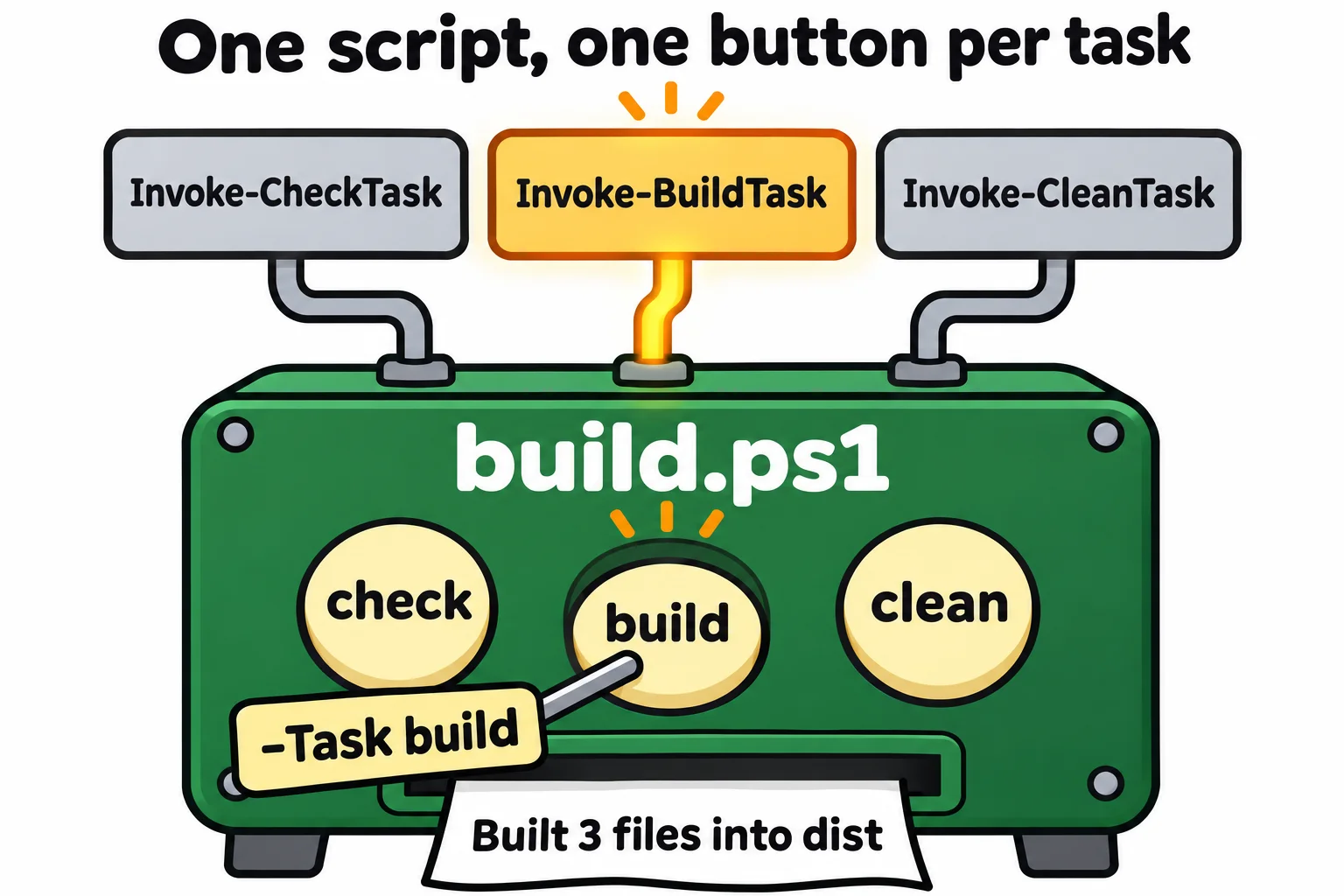 ## Stop at the first problem One line near the top hasn't been explained yet: `$ErrorActionPreference = 'Stop'`. **`$ErrorActionPreference`** is a **preference variable**: it sets `-ErrorAction` (*Reading Errors, and `-ErrorAction`*) for every command in the script at once, and `Stop` turns every error into a full stop. To see why a build wants that, put a `#` in front of the line, save, hide the `src` folder for a moment and build: ```powershell Rename-Item src src-away .\build.ps1 -Task build ``` ```text Copy-Item: C:\Users\Sam\terminal-practice\bike-shop-site\build.ps1:23 Line | 23 | Copy-Item -Path $src -Destination $dist -Recurse | ~~~~~~~~~~~~~~~~~~~~~~~~~~~~~~~~~~~~~~~~~~~~~~~~ | Cannot find path | 'C:\Users\Sam\terminal-practice\bike-shop-site\src' because it does not exist. Get-ChildItem: C:\Users\Sam\terminal-practice\bike-shop-site\build.ps1:24 Line | 24 | Write-Output "Built $((Get-ChildItem $dist -File).Count) files in … | ~~~~~~~~~~~~~~~~~~~~~~~~~ | Cannot find path | 'C:\Users\Sam\terminal-practice\bike-shop-site\dist' because it does not exist. Built 0 files into dist ``` Two errors, and then a cheerful last line. A build server reading that last line, or a tired person, would carry on and publish an empty site. Take the `#` out again, save, and run it once more: now the first error, on line 23, is the last thing the script does. Then put the folder back with `Rename-Item src-away src`. Everything here works the same in Windows PowerShell 5.1, and on a Mac or Linux, where you run `./build.ps1`. ## Check yourself 2 questions to try on the lesson page. ## So what A project's chores, written down once in `build.ps1`, run the same way for you, for the next person and for a build server, and stop the moment something is wrong. ## Key terms - [Build Script](https://www.ask-codey.com/glossary/build-script) - [Get-Command](https://www.ask-codey.com/glossary/get-command) - [$ErrorActionPreference](https://www.ask-codey.com/glossary/erroractionpreference) - [throw](https://www.ask-codey.com/glossary/throw-powershell) - [ValidateSet](https://www.ask-codey.com/glossary/validateset) ## Cheat sheets - [The Scripts Every Project Has](https://www.ask-codey.com/cheat-sheets/powershell-project-scripts-cheat-sheet) ## Related - [Calling Other Programs](https://www.ask-codey.com/lessons/powershell-native-commands) - [Secrets Out of Scripts](https://www.ask-codey.com/lessons/powershell-secrets) - [Parameters: \`param()\`](https://www.ask-codey.com/lessons/powershell-param) - [Many Choices: \`switch\`](https://www.ask-codey.com/lessons/powershell-switch) - [Reading Errors, and \`-ErrorAction\`](https://www.ask-codey.com/lessons/powershell-errors) Source: https://www.ask-codey.com/lessons/powershell-project-scripts