Verb-Noun: Names That Explain Themselves
Every PowerShell command is named with a verb, a dash and a noun, such as Get-Process, so once you know the pattern you can guess a command's name before you look it up, and Get-Verb lists the verbs.
Novice · PowerShell · Updated
After this lesson you can
- Guess a command's name from its verb and noun, such as Get-Process for the programs that are running
- Use Get-Verb to see the approved verbs, and tell a verb that only looks from one that changes something
Key takeaways
- A PowerShell command's name is a verb, a dash and a noun (what to do, then what to do it to), as in
Get-Process. - The noun is singular (
Get-Process, notGet-Processes), and capital letters don't matter. Get-Verblists the approved verbs.Getonly looks, while verbs such asStop,SetandRemovechange something.- A wrong guess does no harm. PowerShell says it doesn't know the name, and you try again.
Your laptop's fan is suddenly loud and everything feels slow. Something is working hard, but what? With the mouse you'd open Task Manager and scroll. PowerShell can tell you too, and here is the surprise: you don't need to have memorized the command. PowerShell names its commands so plainly that you can guess them. This lesson is the idea the rest of the course leans on, and it's why an IT help-desk tech can work out a command they've never used in the middle of a phone call.
A verb, a dash, a noun
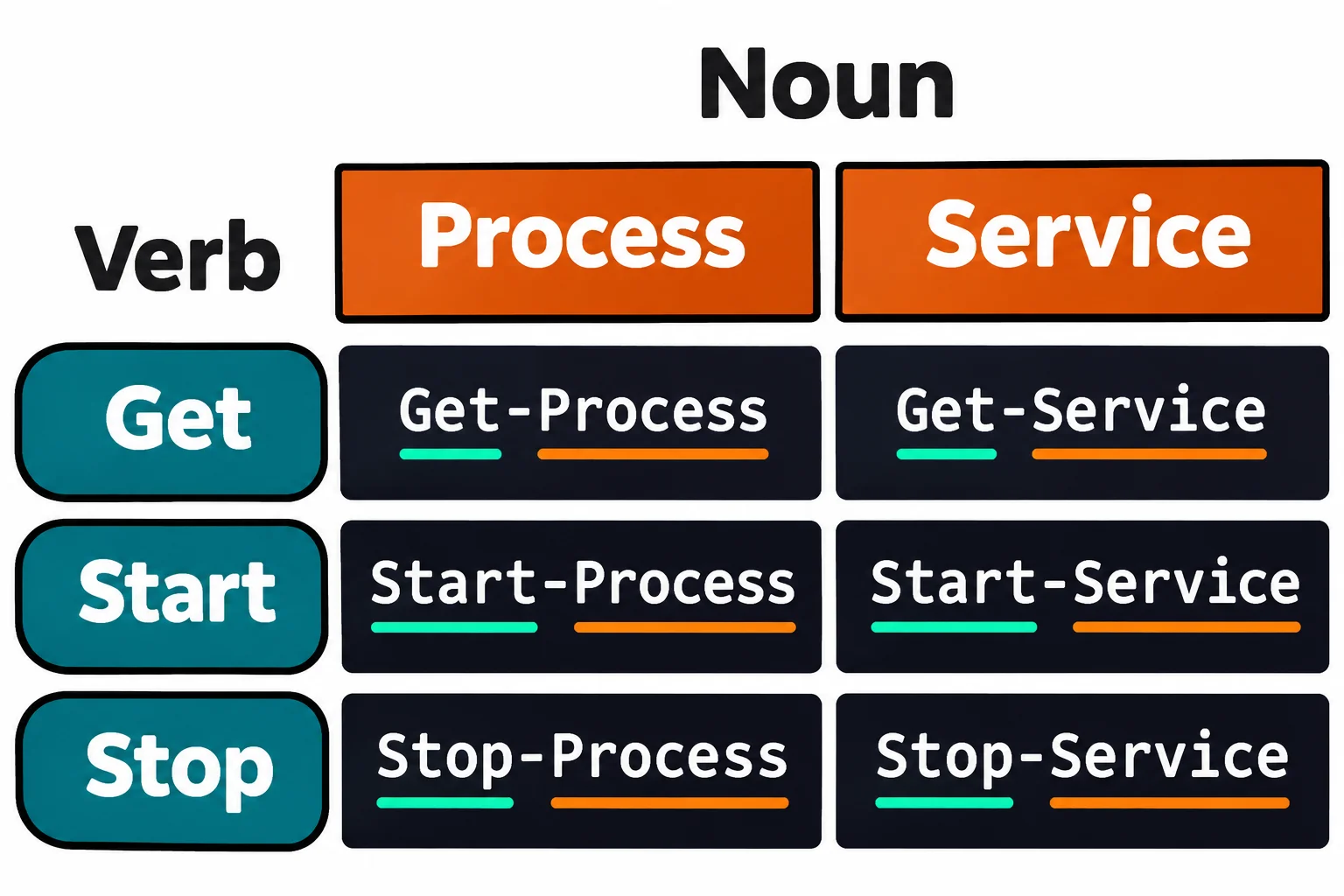
Think of a to-do list on the fridge: buy milk, walk dog, call grandma. Each item is a verb, what to do, and a noun, what to do it to. PowerShell names its commands the same way, with a dash between the two:
Get-Process: get the processes (the programs that are running)Stop-Process: stop a processGet-Service,Start-Service,New-Item,Remove-Item
Read the dash as a space: Get-Process is read "get process". This is verb-noun naming, and nearly every command that comes with PowerShell follows it. Most of those commands are cmdlets (read "command-lets"): small commands built into PowerShell, each doing one job.
Two rules make guessing work:
- The noun is singular. It's
Get-Process, even though you get many processes. - Capital letters don't matter.
get-processruns the same command. The capitals are there to make it easier to read.
Guess, then check
Back to the loud fan. You want to get the processes, so the guess is Get-Process. Run it, and PowerShell lists every program that's running, sorted by name: usually hundreds of rows. Add a program's name after it to see only that one. explorer is File Explorer, which also draws your desktop and taskbar:
Get-Process explorer
 NPM(K)    PM(M)      WS(M)     CPU(s)      Id  SI ProcessName
 ------    -----      -----     ------      --  -- -----------
    226 2,422.68     534.78   5,092.39    7404   1 explorer
    113   204.14     205.43   5,639.41   61600   1 explorer
    106   172.10     185.25     287.06   87772   1 explorer
There's one row for each copy that's running, so you may see one row or several. WS(M) is how much memory it's using, in megabytes, and CPU(s) how many seconds of the processor's time it has used so far: a big number there is a program that's been working hard. Your numbers will be different. The word after the command is a parameter value, the subject of the next lesson.
Now guess again. Windows runs dozens of programs in the background with no window: one sends documents to the printer, one plays sound, one installs updates. Windows calls them services. To get them:
Get-Service Spooler
Status   Name               DisplayName
------   ----               -----------
Running  Spooler            Print Spooler
The Print Spooler is the service that sends your documents to the printer, and it's running. One more: to get today's date, the guess is Get-Date.
Get-Date
Monday, November 9, 2026 3:22:23 AM
Yours shows the moment you run it. On a Mac or Linux, Get-Process and Get-Date work the same, but there are no Windows services, so there's no Get-Service. Windows PowerShell 5.1 uses the same names.
When a guess is wrong
Say you guess Get-Processes, plural:
Get-Processes
Get-Processes: The term 'Get-Processes' is not recognized as a name of a cmdlet, function, script file, or executable program.
Check the spelling of the name, or if a path was included, verify that the path is correct and try again.
"Not recognized" means no command has that name. Nothing ran and nothing broke. Check the spelling and make the noun singular. Finding a Command: Get-Command shows how to check a guess before you run it.
The verbs: Get-Verb
PowerShell keeps a list of approved verbs, 100 of them, so commands that do the same kind of job use the same word. A command that deletes is always Remove-, never Delete- or Erase-. Get-Verb shows the list. Here it is asked about six of the most common ones:
Get-Verb Get, Set, New, Remove, Start, Stop
Verb   AliasPrefix Group     Description
----   ----------- -----     -----------
Get    g           Common    Specifies an action that retrieves a resource
New    n           Common    Creates a resource
Remove r           Common    Deletes a resource from a container
Set    s           Common    Replaces data on an existing resource or creates a resource that contains some data
Start  sa          Lifecycle Initiates an operation
Stop   sp          Lifecycle Discontinues an activity
The verb tells you what a command will do before you run it, and that matters most of all:
Getonly looks. It reads and shows, and changes nothing, so aGet-command is always safe to try. Every command you run in this chapter is aGet.Set,New,Remove,StartandStopchange something.Stop-Processcloses a program, unsaved work and all. Before you run a command with one of these verbs, read its help first (Reading Help: Get-Help).
Try it. Copy a sentence from anywhere, then guess the command that gets what's on your clipboard, and run it.
Check yourself
2 questions to try on the lesson page.
So what
You no longer need to remember every command: think of what you want to do and what you want to do it to, put a dash between them, and you have a good guess. The verb even warns you whether the command looks or changes.