GET
Handle a GET request in Spring Boot with @GetMapping, return the categories as JSON, and check it from Insomnia.
Journeyman · Spring Boot · REST API · Updated
Requesting data from a REST API is done through a GET request.
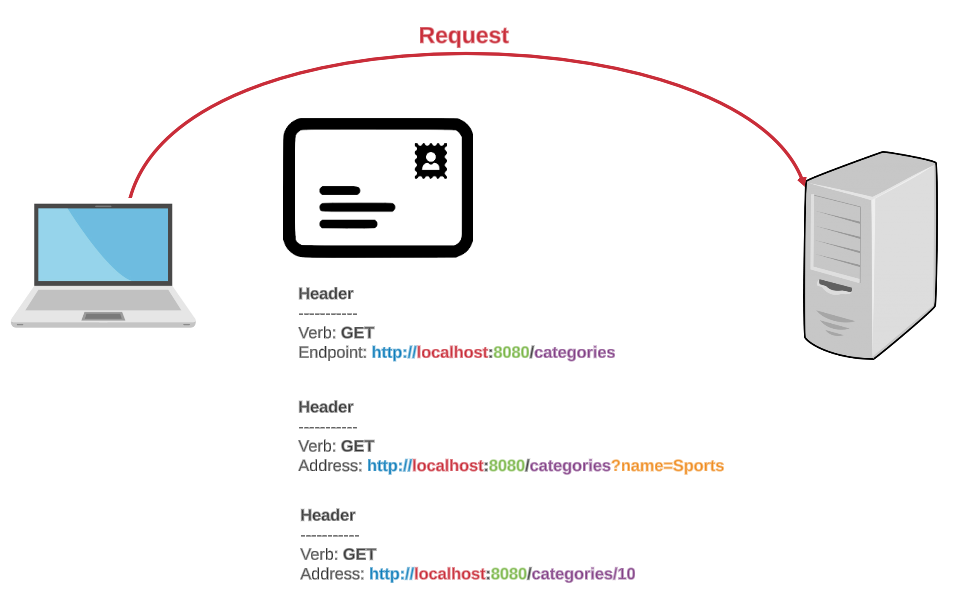
The server retrieves and returns the data.
GET Request - Client
In Insomnia, this is your All categories request from Insomnia: GET:
GET {{ _.base_url }}/api/categories
GET Request - Server
When a client makes a request, the server directs it to a controller. The method that handles the request must be marked with the @GetMapping annotation. Add this method to your CategoriesController:
@GetMapping(path="/api/categories")
public List<Category> getAllCategories ()
{
  //use the DAO to get all categories
  return categoryDao.getAllCategories();
}
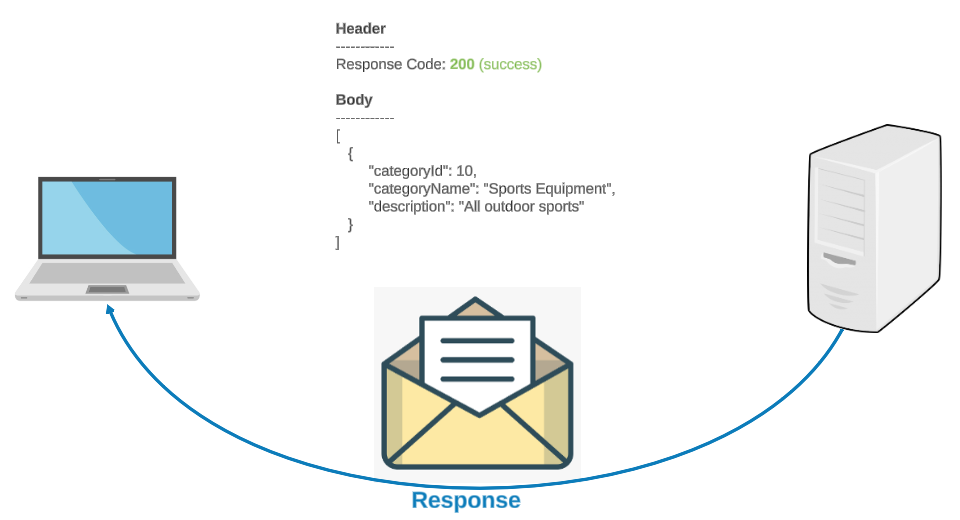
GET Response - Client
Run the app again in IntelliJ, and send All categories from Insomnia. The 404 Not Found from Insomnia: GET is now 200 OK, with every category as a JSON array: the answer you wrote down.