Environment Variables: export and env
Programs you start can't see your shell variables, only environment variables, so export shares a variable with them, env and printenv show what they'll see, and NAME=value in front of a command sets one for that command alone.
Apprentice · Unix · Linux · Updated
After this lesson you can
- Share a variable with the programs you run using export, and check it with env or printenv
- Set an environment variable for one command only with NAME=value command
Key takeaways
- A program you start can read environment variables, but not the plain shell variables you made.
- export NAME turns a shell variable into an environment variable, and export NAME=value makes and shares it in one step.
- env lists every environment variable, and printenv NAME prints one value.
- NAME=value command sets a variable for that one command only, and the shell itself doesn't keep it.
- Environment variables have names in capitals by habit, such as HOME, PATH and API keys.
A tutorial for a weather app says: "Set WEATHER_API_KEY to your key, then run the app." An API key is a password that lets a program use an online service, and programs read it from a setting you hand them when they start. The same goes for a website on your laptop that needs to know it's in "development" mode, or a tool that asks which text editor you like. These settings are environment variables, and handing one to a program is something developers do every day.
This lesson uses the workshop from Variables in the Shell. Go into it with cd ~/terminal-practice/workshop.
The kettle-bot can't see your variable
Ada's kettle-bot is a small program. Read it before you run it; it's a good habit with any program you didn't write:
cat kettle-bot
#!/usr/bin/env bash
# KETTLE-BOT 3000, by Ada Wren. Needs POWER set to on.
if [ "$POWER" = "on" ]; then echo "Pouring tea..."; else echo "NO POWER"; fi
The last line says: if POWER is on, pour tea; otherwise print NO POWER. bash kettle-bot runs it: bash reads the file and does what it says. Set POWER the way Variables in the Shell showed, and try:
POWER=on
echo $POWER
bash kettle-bot
on
NO POWER
Your shell knows POWER is on, and the kettle-bot still says NO POWER. A program you start is a separate program with its own memory, and it doesn't get your shell variables.
Think of the workshop's notice board. A shell variable is a sticky note on your own desk: only you can read it. An environment variable is a notice pinned on the board, and every machine you switch on reads the board when it starts.
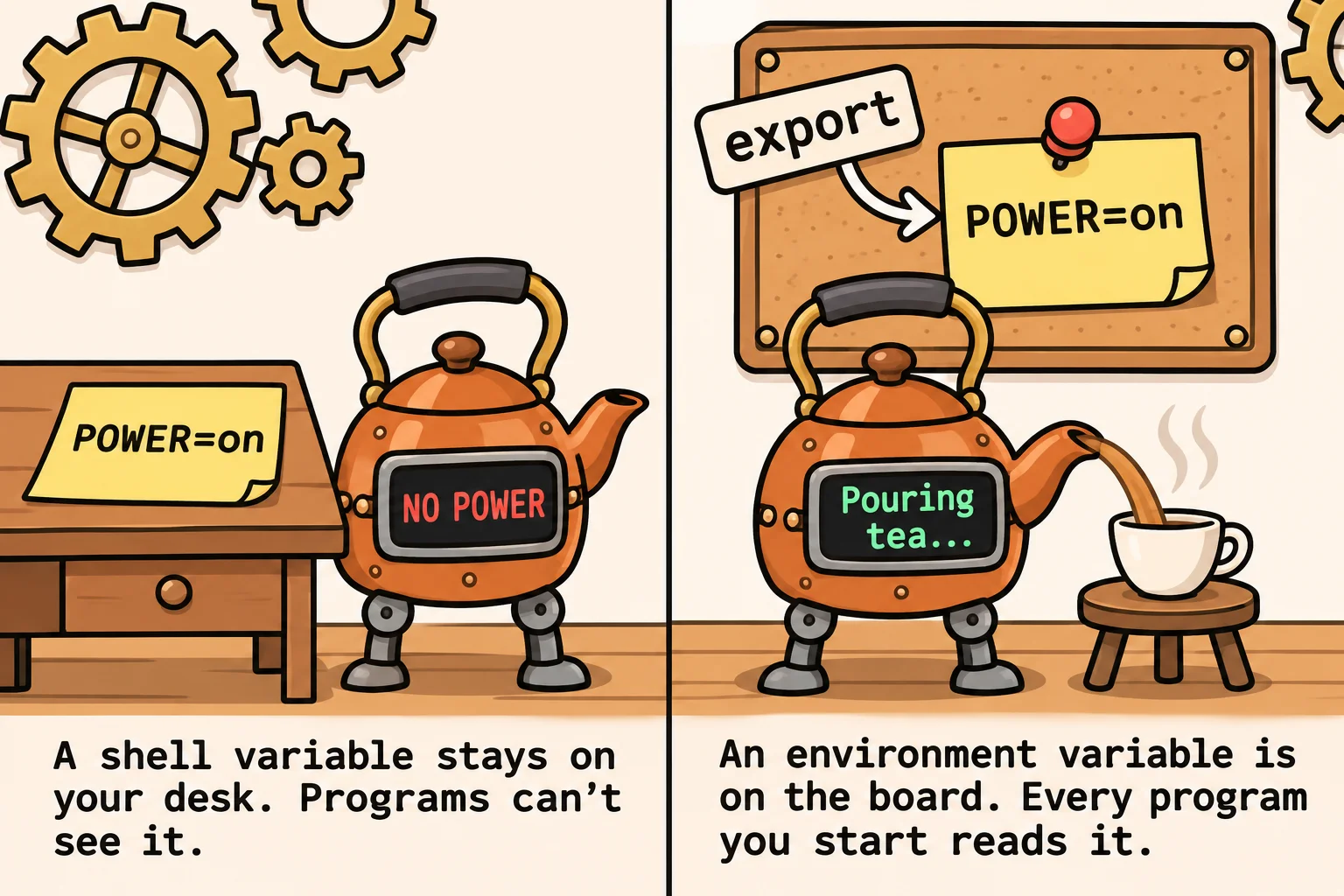
export: pin it on the board
export turns a shell variable into an environment variable:
export POWER
bash kettle-bot
Pouring tea...
You can make and export a variable in one step, export POWER=on, and that's how you'll usually see it written. An exported variable is passed to every program you start from this shell from now on, and, like any variable, it's gone when you close the window.
env and printenv: read the board
env lists every environment variable, one NAME=value a line. There are a few dozen, so pick out the one you want with grep, from Finding Text: grep:
env | grep POWER
POWER=on
printenv prints the value of the ones you name, with no NAME= in front:
printenv HOME USER SHELL
/home/sam
sam
/bin/bash
These three were on the board before you did anything: your home folder, your user name and your shell. Every program can read them. Environment variables are written in capitals by habit, which sets them apart from your own variables in lowercase.
NAME=value command: for one command only
Sometimes a setting is for one run, not for the rest of the session. Put NAME=value in front of the command, on the same line. First take POWER off the board with unset POWER, which deletes a variable:
unset POWER
POWER=on bash kettle-bot
echo "POWER is now: $POWER"
Pouring tea...
POWER is now:
The kettle-bot saw POWER, and your shell didn't keep it. It's a note handed to one machine, never pinned on the board. It works with any program. date reads a variable called TZ (time zone), so this shows the time in Tokyo, where it's already evening, and leaves your own clock alone:
TZ=Asia/Tokyo date
Mon Nov 9 21:27:04 JST 2026
Yours shows the time you run it. The weather tutorial works the same way: WEATHER_API_KEY=your-key in front of the command hands the key to that one run.
Keep API keys and passwords out of files you share. A key typed this way stays in your shell's history, and in Startup Files: .bashrc, .zshrc and source you'll see where settings that should last are kept.
Try it in the terminal
Terminal Quest: The Clockwork Workshop, goal 3: played right on the lesson page.
In the game, the kettle-bot already has permission to run, so you run it with ./kettle-bot (read "dot slash kettle-bot": the program right here). Permissions: Read, Write and Run explains the ./. Give it POWER the way programs can see it.
Check yourself
2 questions to try on the lesson page.
So what
A program sees only what's on the board. export pins a setting there, env and printenv read it, and NAME=value command hands a setting to one run, which is how API keys, modes and preferences reach the programs you use.