Cascade Layers with @layer
Cascade layers sort your rules into ranked groups such as reset, base, components and utilities, so a rule in a later layer wins whatever its selector, and specificity fights and !important stop being the way styles get settled.
Journeyman · CSS · Updated
After this lesson you can
- Set a layer order with @layer and put each rule in a layer such as reset, base, components or utilities
- Predict which rule wins when the rules sit in different layers or outside any layer
- Roll a property back to the layers below with revert-layer, and put a stylesheet you didn't write in a low layer
Key takeaways
- A cascade layer is a named group of rules. One line, @layer reset, base, components, utilities;, sets their order, from weakest to strongest.
- A rule in a later layer beats a rule in an earlier one, whatever their specificity. Specificity and source order only decide between rules in the same layer.
- Styles outside every layer beat all layered styles, so a rule you forget to put in a layer wins everything.
- revert-layer rolls a property back to what the layers below give it. revert goes further, back to the browser's default.
- Import a stylesheet you didn't write, such as a framework, into a low layer, and every rule of yours beats it without a fight.
Meeple, a board game café, marks a game that's out on loan with a small helper class, .is-hidden, so its card disappears from the list. It doesn't disappear: the card rule, .game-list .game-card, has a stronger selector and wins. So someone writes display: none !important, and it works, until the next fix needs an !important of its own. Every growing stylesheet reaches this point, at work, in a team project, and on any site that loads a framework like Bootstrap next to its own CSS. Cascade layers settle it before the fight starts: you decide once which group of rules wins, and the selectors stop mattering between groups.
Drawers in a dresser
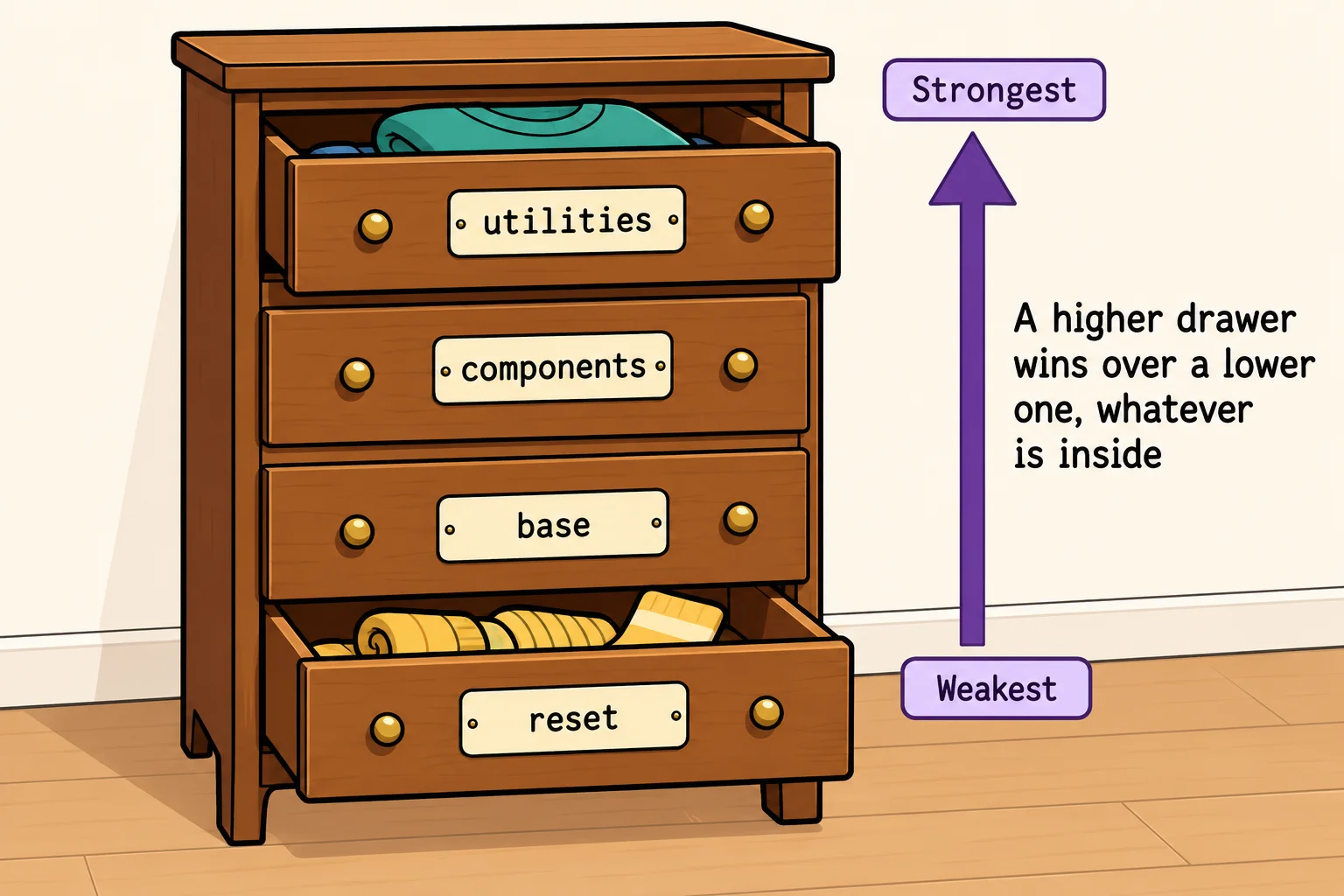
Think of a dresser with four drawers, ranked from the bottom up: whatever is in a higher drawer wins over anything in a lower one, however fancy it is. Socks go in the bottom drawer, the outfit for tonight in the top one, and when two things disagree, the higher drawer decides without anyone comparing them.
In CSS, each drawer is a cascade layer: a named group of rules with a rank. Layers are round 3 of the cascade, the round The Cascade: How the Browser Picks a Winner promised: after where a rule came from and !important, but before specificity and source order. So a layer can beat a more specific selector, which is the whole point.
Naming the order, then filling the drawers
@layer, read "at layer", is an at-rule: a rule that starts with @, read "at", and gives the browser an instruction instead of styling elements. Written with a list and a semicolon, it sets the order of the layers. Written with a name and curly braces, it puts rules into one:
@layer reset, base, components, utilities;

@layer base {
  a {
    color: #5b2a86;
  }
}

@layer components {
  .site-nav a {
    color: #fdf6ec;
  }
}
- The order line comes first. It names every layer, from the weakest to the strongest:
resetloses to everything,utilitiesbeats everything. This one line is the plan for the whole stylesheet. - Each block fills a drawer. The blocks can come in any order in the file, and a layer's name can be used again further down to add more rules to the same drawer. The order line decides the ranking, not where the blocks sit.
A common set of four, and the one this course uses:
- reset: the small reset from Browser Defaults and a Small Reset;
- base: plain elements, with no classes: the body, headings, links;
- components: the parts of the site, each with its class: the header, the cards, the buttons;
- utilities: small helpers with one job, such as
.text-centeror.is-hidden, that should always win.
A later layer wins, whatever the specificity
Back to Meeple's hidden card. Here is the HTML, and the two rules in their layers:
<ul class="game-list">
  <li class="game-card">Azul</li>
  <li class="game-card is-hidden">Wingspan</li>
</ul>
@layer reset, base, components, utilities;

@layer components {
  .game-list .game-card {
    display: block;
  }
}

@layer utilities {
  .is-hidden {
    display: none;
  }
}
.game-list .game-card scores (0, 2, 0) and .is-hidden only (0, 1, 0), so without layers the card would stay on the page. With layers, round 3 settles it before specificity is looked at: utilities is later than components, so the Wingspan card is hidden. No !important needed.
Specificity hasn't gone away. It still decides between two rules in the same layer, and source order after it, exactly as before. Layers add a round above them.
Try it. Put the HTML and the CSS above in a page. Wingspan is hidden. Now swap components and utilities in the order line and refresh: Wingspan comes back, although no rule changed.
Styles outside every layer
A rule that isn't in any layer is unlayered, and unlayered styles beat every layer. The browser treats them as one more layer, the last and strongest. That's on purpose: when you start adding layers to an old stylesheet, the rules you haven't moved yet keep winning as they did.
It's also the most common layers bug:
@layer utilities {
  .is-hidden {
    display: none;
  }
}

/* Added at the bottom later, outside every layer */
.game-card {
  display: block;
}
The .game-card rule scores (0, 1, 0), no more than the utility, but it sits outside the layers, so it beats the utility, and the hidden card is back. When a layered rule loses to a rule that looks weaker, check whether the winner is in a layer at all.
One more detail for the curious: !important turns the layer order upside down. An important declaration in an earlier layer beats an important one in a later layer, and important layered styles beat important unlayered ones. It's the same idea as the cascade's first round, where the reader's important settings beat yours: whoever goes first gets the last word when it's important.
revert-layer: back to the drawer below
Sometimes one element should ignore its own layer and look the way the layers below would make it. Meeple's game cards make their links look like plain text, but the "Read the rules" link should look like a normal link again:
@layer base {
  a {
    color: #5b2a86;
    text-decoration: underline;
  }
}

@layer components {
  .game-card a {
    color: inherit;
    text-decoration: none;
  }

  .game-card .rules-link {
    color: revert-layer;
    text-decoration: revert-layer;
  }
}
The keyword revert-layer means "use whatever the layers below this one give this property", as if this layer had said nothing about it. Here that's the base layer's plum color and underline. Compare revert, from Inheritance: What Children Get from Their Parents: it goes all the way back to the browser's default, the blue link. revert-layer stops one drawer down.
Someone else's stylesheet in a low layer
Frameworks such as Bootstrap come with thousands of rules. Load one the usual way, and every disagreement between its rules and yours is settled by specificity and source order, so you end up out-scoring it again and again. Import it into a low layer instead, and every rule of yours wins:
@layer vendor, base, components, utilities;

@import url("https://cdn.jsdelivr.net/npm/bootstrap@5.3.8/dist/css/bootstrap.min.css") layer(vendor);

@layer components {
  .btn {
    border-radius: 2rem;
  }
}
@import loads another stylesheet into this one, and layer(vendor) puts all of it in the vendor layer, the first and weakest. "Vendor" is a common name for code that comes from someone else. Bootstrap's own .btn rule now loses to yours, whatever its selectors. An @import has to come before every other rule in the file, with only @layer order lines allowed above it. And because of the upside-down rule for !important, Bootstrap's own important declarations still beat your normal ones.
Will it work in every browser?
Cascade layers work in every current major browser: Chrome and Edge since version 99, Firefox since 97 and Safari since 15.4, all from early 2022. They are Baseline widely available (since September 2024). In Chrome, Edge and Firefox, the developer tools' Styles pane shows each rule's layer name above it, so you can see which drawer a rule came from.
Check yourself
2 questions to try on the lesson page.
So what
Layers turn "which rule is more specific?" into "which group should win?", a question you answer once, in one line at the top of the stylesheet. Put every rule in its drawer, and fights over specificity and !important mostly stop.