Embedding: Keeping Related Data Together
Embedding puts related data inside the document that uses it, like an order's line items and shipping address, so one read gets everything and one write saves it all at once, within a 16 MB limit per document.
Apprentice · MongoDB · NoSQL · Updated
After this lesson you can
- Embed related data in one document, such as an order's line items and shipping address, and read it back with one query
- Explain what embedding costs, from the 16 MB document limit and arrays that never stop growing to copies that must be kept up to date
Key takeaways
- Embedding puts related data inside the document that owns it, such as an order's items and its shipping address.
- One read gets the whole order, and one write saves it, all of it or none of it.
- An embedded copy keeps the value it had when it was saved. That suits a receipt, and it means more work when a copy must stay current.
- A document can be at most 16 MB, so an array that keeps growing forever doesn't belong inside one.
A shopping cart turning into an order, a blog post with its tags, a recipe with its ingredients, a user with their settings: whenever two pieces of data are always shown and saved together, you'll reach for embedding. It's the most common choice in MongoDB, and knowing what it costs keeps it from becoming the most common mistake.
The examples use Riverbend's store from Model for the Questions Your App Asks. If you changed it in an earlier lesson, load("riverbend-store.js") puts it back as it started.
An order in pieces
Imagine Riverbend kept each line of an order in a collection of its own, orderLines, with an orderId on each line saying which order it belongs to. Showing order 5002 then takes two queries: one for the order, one for its three lines. Placing an order takes several writes: the order, then each line. And if the shop's server stops between the second and third write, the database holds an order with two of its three lines. Nobody asked for that order, and nothing in the data says it's wrong.
The lines of an order are never shown without their order, and an order is never placed without its lines. Data that close belongs in one place.
The receipt model
Think of a paper receipt. Everything about the sale is printed on one slip: what was bought, what each item cost, the total. You never need a second piece of paper to make sense of it. Embedding builds documents the same way: related data goes inside the document that owns it, as an embedded document in braces or an array of them in square brackets. Riverbend's orders hold their items and their shipping address:
db.orders.findOne({ _id: 5003 })
{
  _id: 5003,
  customerId: 1,
  orderedAt: ISODate('2026-11-02T00:00:00.000Z'),
  shipTo: { street: '12 Alder Street', city: 'Riverbend', zip: '97401' },
  items: [
    { productId: 106, name: 'Beacon Rear Light', price: 25, quantity: 2 }
  ],
  total: 50
}
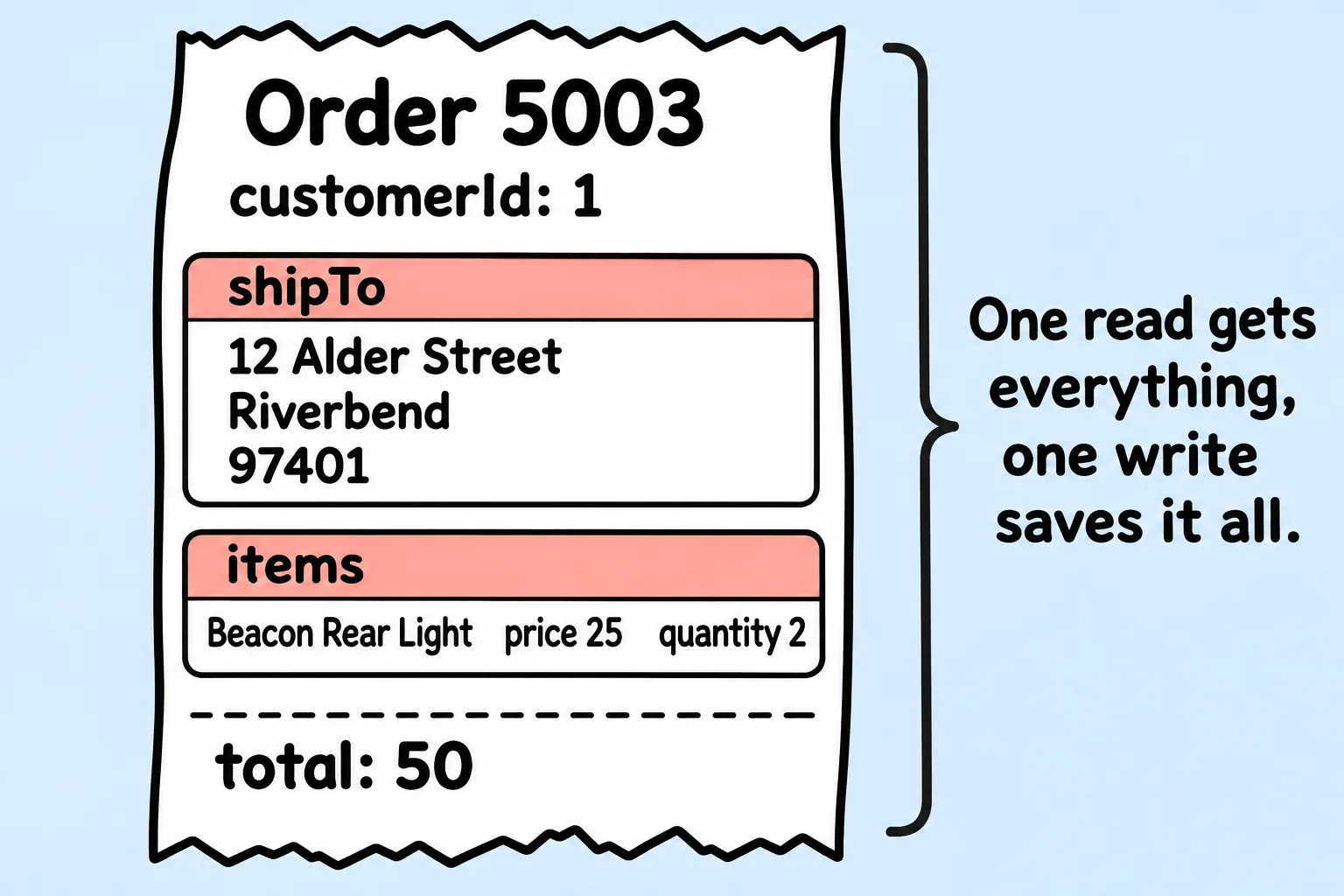
One query, one document, the whole order. The items are an array of embedded documents, and shipTo is an embedded document. To ask about something inside them, use dot notation, as Arrays of Documents and $elemMatch showed. Here are the orders that include the Beacon Rear Light, product 106:
db.orders.find({ "items.productId": 106 }, { total: 1 })
[ { _id: 5003, total: 50 }, { _id: 5004, total: 60 } ]
One write saves it all
Checkout saves a new order the same way it's read: in one piece. Here is Priya's second order:
db.orders.insertOne({
  _id: 5005,
  customerId: 3,
  orderedAt: ISODate("2026-11-15"),
  shipTo: { street: "7 Heron Court", city: "Lakeside", zip: "97410" },
  items: [
    { productId: 104, name: "Summit Helmet", price: 89, quantity: 1 },
    { productId: 105, name: "Beacon Front Light", price: 35, quantity: 1 }
  ],
  total: 124
})
{ acknowledged: true, insertedId: 5005 }
A write to one document is all-or-nothing: MongoDB saves the whole order with both items, or none of it. In a database class this is called an atomic write, "atomic" meaning it can't be split. The half-saved order from the first section can't happen.
Look at what each item holds: the product's name and the price paid, not only its id. Like a receipt, an order should say what the customer paid that day, even if the price changes next week. That's a copy on purpose, and Copying a Few Fields: the Extended Reference Pattern looks closer at it.
What embedding costs
Embedding isn't free, and three costs decide when to stop.
A size limit. One document can be at most 16 MB, the document size limit. mongosh's bsonsize() shows how many bytes a document takes:
bsonsize(db.orders.findOne({ _id: 5002 }))
368
An order of 368 bytes is nowhere near 16 MB (16,777,216 bytes), so line items are safe inside an order. The danger is an array that never stops growing. Put every order a customer ever places inside the customer document, and a loyal customer's document grows with each purchase: every read of her name drags her whole history along, and one day, years later, a write fails because the document would pass 16 MB.
Copies to keep up to date. The shipping address is copied into each order. That's right for an order: if Alex moves, her old orders should still say where they went. But a copy that must always match, such as a product's current price shown on a product page, would have to be changed everywhere it was copied.
Bigger reads. Everything embedded comes along with each read, unless a projection leaves it out. A document stuffed with data the screen doesn't show makes every read slower.
Check yourself
2 questions to try on the lesson page.
So what
When data is always read and saved together, embedding gives you one read, one all-or-nothing write and no puzzle to put back together. Keep each embedded list small and bounded, and decide on purpose which copies may grow old.