Model for the Questions Your App Asks
Before deciding what goes in each document, list the app's screens and the question each one asks the database, then shape the documents so each common question is one short query.
Apprentice · MongoDB · NoSQL · Updated
After this lesson you can
- List an app's screens and the questions each one asks, before deciding the shape of its documents
- Explain why data the app reads together belongs together in one document
Key takeaways
- Start a model from the app, not from the data. List the screens, then the question each screen asks, then the documents.
- Data the app reads together belongs together in one document, so one query can answer one screen.
- The same facts can be shaped many ways. The best shape answers the app's most frequent questions with the least work.
- Write the questions down, with how often each one is asked, before you write any document.
Riverbend Bike Shop is opening an online store. Before anyone saves a single order, someone has to decide what each document holds: does a customer's list of orders live inside the customer? Does an order hold its products, or only point at them? You'll make this decision every time you start an app or add a big feature to one, and in MongoDB the shape of the documents decides how fast and how correct the app is more than anything else.
Two first tries, and where they break
Coming from a spreadsheet, the first instinct is one tab for each kind of thing: customers, products, orders, the lines of each order, addresses. In MongoDB that makes five collections. Then the page that shows one order needs four queries: the order, its lines, the products on those lines, and the address it's going to. Every screen becomes a puzzle to put back together each time it opens.
The opposite instinct is one big document per customer, holding the customer, every order they've ever placed and every product in those orders. "My orders" is then one read. But the product page has nowhere to look: the Canal City Bike would be copied into every customer who bought one, and changing its price would mean finding every copy.
Both tries start from the data. Neither asks what the app needs from it.
Screens first, then questions
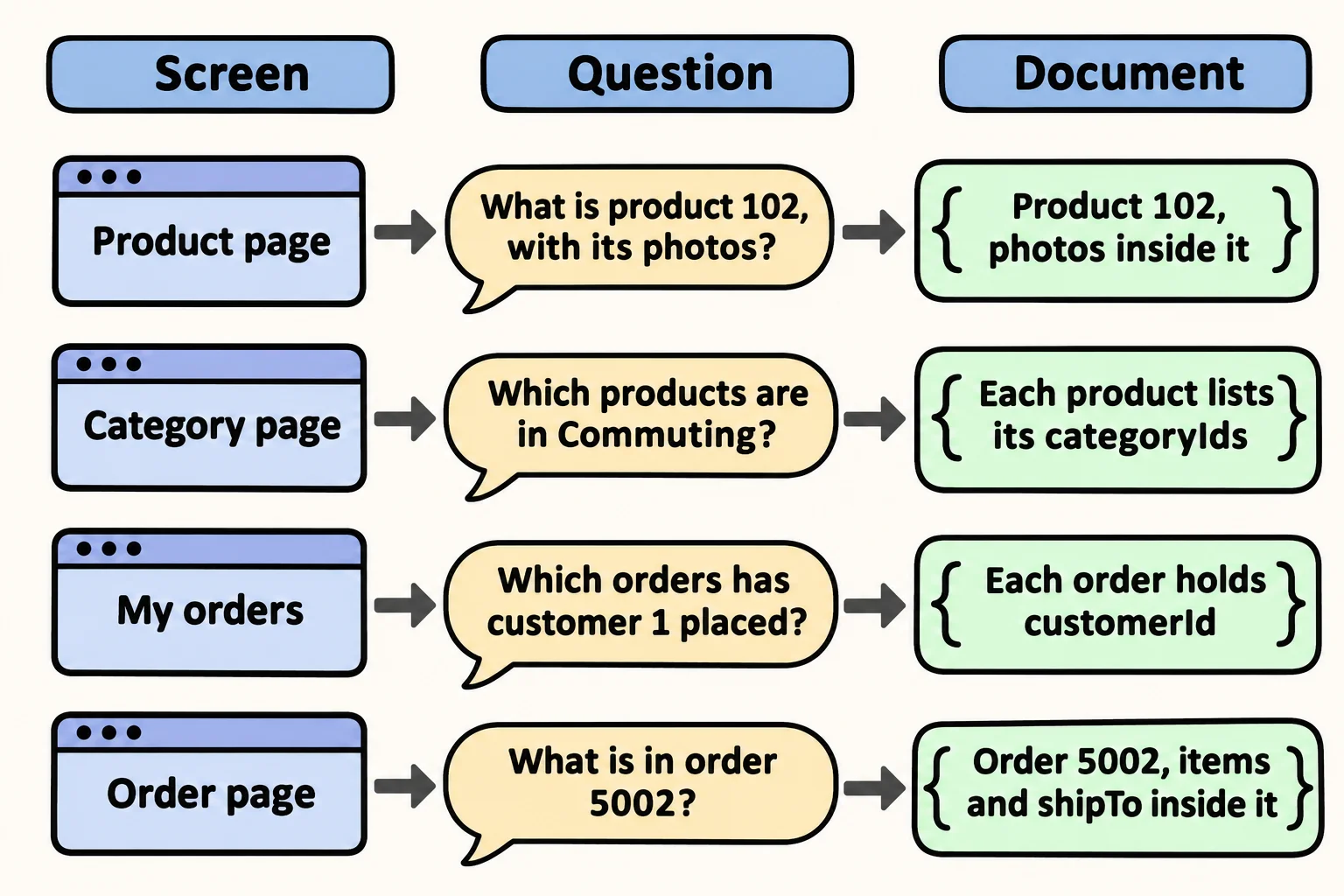
A good restaurant lays out its kitchen around the menu: what's cooked together is kept within arm's reach. Data works the same way. Before drawing any document, list the app's screens, and next to each one write the question it asks the database and how often it's asked:
| Screen | The question it asks the database | How often |
|---|---|---|
| Product page | What is product 102: its name, price and photos? | Every time someone views a product |
| Category page | Which products are in the Commuting category? | Every time someone opens a category |
| My orders | Which orders has customer 1 placed, newest first? | Each time a customer checks |
| Order page | What is in order 5002, and where is it going? | Each time an order is opened |
| Checkout | Save this new order, with its items and its address | Once for each sale |
Each line is an access pattern: one way the app reads or writes its data. Designing documents from that list is called access pattern design, and it's the heart of data modeling in MongoDB. In a database class, data modeling is often called schema design; it's the same job. A relational database starts from the facts and tidies them into tables. A document database starts from the questions, because the shape you choose decides how much work each question takes.
The "how often" column matters: a product page is opened thousands of times for every order placed, so its question gets the cheapest answer.
Data read together stays together
The order page shows the order, its items and its shipping address, all at once. They're read together, so they go in one document: one findOne answers the whole screen. (You'll load the store at the end of this lesson, and can run it then.)
db.orders.findOne({ _id: 5002 })
{
  _id: 5002,
  customerId: 2,
  orderedAt: ISODate('2026-10-12T00:00:00.000Z'),
  shipTo: { street: '48 Mill Road', city: 'Riverbend', zip: '97402' },
  items: [
    { productId: 102, name: 'Canal City Bike', price: 649, quantity: 1 },
    { productId: 103, name: 'Harbor Helmet', price: 59, quantity: 1 },
    { productId: 105, name: 'Beacon Front Light', price: 35, quantity: 1 }
  ],
  total: 743
}
The items sit inside the order in square brackets, and the address in its own braces, the way Arrays and Documents Inside Documents showed. The customer's name and email aren't on this screen, so the order keeps only customerId: 2, a pointer to the customer.
Read the rest of the table with the same rule. The product page reads one product with its photos, so the photos go inside the product. The category page reads many products at once, so each product lists the categories it's in. "My orders" reads many orders for one customer, so each order holds its customer's id. Embedding: Keeping Related Data Together and Referencing: Linking Documents by _id explain each of these choices.
Try the shape: Riverbend's store
Here is the whole store, shaped for the questions above. In VS Code, make a new file in your mongodb-course folder named riverbend-store.js, and copy this into it:
// Riverbend Bike Shop's online store. Load it in mongosh with: load("riverbend-store.js")
// It drops each collection first, so running this file twice is safe.
db.customers.drop();
db.categories.drop();
db.products.drop();
db.orders.drop();
db.customers.insertMany([
  { _id: 1, name: "Alex", email: "alex@example.com", address: { street: "12 Alder Street", city: "Riverbend", zip: "97401" } },
  { _id: 2, name: "Jordan", email: "jordan@example.com", address: { street: "48 Mill Road", city: "Riverbend", zip: "97402" } },
  { _id: 3, name: "Priya", email: "priya@example.com", address: { street: "7 Heron Court", city: "Lakeside", zip: "97410" } }
]);
db.categories.insertMany([
  { _id: "road-bikes", name: "Road Bikes" },
  { _id: "city-bikes", name: "City Bikes" },
  { _id: "helmets", name: "Helmets" },
  { _id: "lights", name: "Lights" },
  { _id: "commuting", name: "Commuting" }
]);
db.products.insertMany([
  { _id: 101, name: "Riverbend Road 2", price: 1199, categoryIds: ["road-bikes"], photos: ["road-2-side.jpg", "road-2-front.jpg"] },
  { _id: 102, name: "Canal City Bike", price: 649, categoryIds: ["city-bikes", "commuting"], photos: ["canal-side.jpg", "canal-basket.jpg"] },
  { _id: 103, name: "Harbor Helmet", price: 59, categoryIds: ["helmets", "commuting"], photos: ["harbor-helmet.jpg"] },
  { _id: 104, name: "Summit Helmet", price: 89, categoryIds: ["helmets"], photos: ["summit-helmet.jpg"] },
  { _id: 105, name: "Beacon Front Light", price: 35, categoryIds: ["lights", "commuting"], photos: ["beacon-front.jpg"] },
  { _id: 106, name: "Beacon Rear Light", price: 25, categoryIds: ["lights", "commuting"], photos: ["beacon-rear.jpg"] }
]);
db.orders.insertMany([
  { _id: 5001, customerId: 1, orderedAt: ISODate("2026-09-03"), shipTo: { street: "12 Alder Street", city: "Riverbend", zip: "97401" },
    items: [
      { productId: 101, name: "Riverbend Road 2", price: 1199, quantity: 1 },
      { productId: 104, name: "Summit Helmet", price: 89, quantity: 1 }
    ], total: 1288 },
  { _id: 5002, customerId: 2, orderedAt: ISODate("2026-10-12"), shipTo: { street: "48 Mill Road", city: "Riverbend", zip: "97402" },
    items: [
      { productId: 102, name: "Canal City Bike", price: 649, quantity: 1 },
      { productId: 103, name: "Harbor Helmet", price: 59, quantity: 1 },
      { productId: 105, name: "Beacon Front Light", price: 35, quantity: 1 }
    ], total: 743 },
  { _id: 5003, customerId: 1, orderedAt: ISODate("2026-11-02"), shipTo: { street: "12 Alder Street", city: "Riverbend", zip: "97401" },
    items: [
      { productId: 106, name: "Beacon Rear Light", price: 25, quantity: 2 }
    ], total: 50 },
  { _id: 5004, customerId: 3, orderedAt: ISODate("2026-11-10"), shipTo: { street: "7 Heron Court", city: "Lakeside", zip: "97410" },
    items: [
      { productId: 105, name: "Beacon Front Light", price: 35, quantity: 1 },
      { productId: 106, name: "Beacon Rear Light", price: 25, quantity: 1 }
    ], total: 60 }
]);
Save it. In VS Code's terminal, in your mongodb-course folder, start mongosh, type use riverbend, then load the file:
load("riverbend-store.js")
true
Now ask two of the table's questions. "My orders" for Alex, customer 1, newest first, with only the date and the total:
db.orders.find({ customerId: 1 }, { orderedAt: 1, total: 1 }).sort({ orderedAt: -1 })
[
  {
    _id: 5003,
    orderedAt: ISODate('2026-11-02T00:00:00.000Z'),
    total: 50
  },
  {
    _id: 5001,
    orderedAt: ISODate('2026-09-03T00:00:00.000Z'),
    total: 1288
  }
]
And the Commuting category page:
db.products.find({ categoryIds: "commuting" }, { name: 1, price: 1 })
[
  { _id: 102, name: 'Canal City Bike', price: 649 },
  { _id: 103, name: 'Harbor Helmet', price: 59 },
  { _id: 105, name: 'Beacon Front Light', price: 35 },
  { _id: 106, name: 'Beacon Rear Light', price: 25 }
]
Each screen's question is one short query, because the documents were shaped for it. Every lesson in this chapter uses this store, and loading the file again puts it back as it started.
Check yourself
2 questions to try on the lesson page.
So what
A model that starts from the app's questions answers each screen with one short query. List the screens and their questions first, and the documents almost design themselves.