Comparing C# LINQ and Java Streams: 5 common uses
The same five jobs in C# and Java, side by side, with the same store's products. The ideas match, the names don't, and three differences trip up people who switch.
By Gregor Dzierzon ·
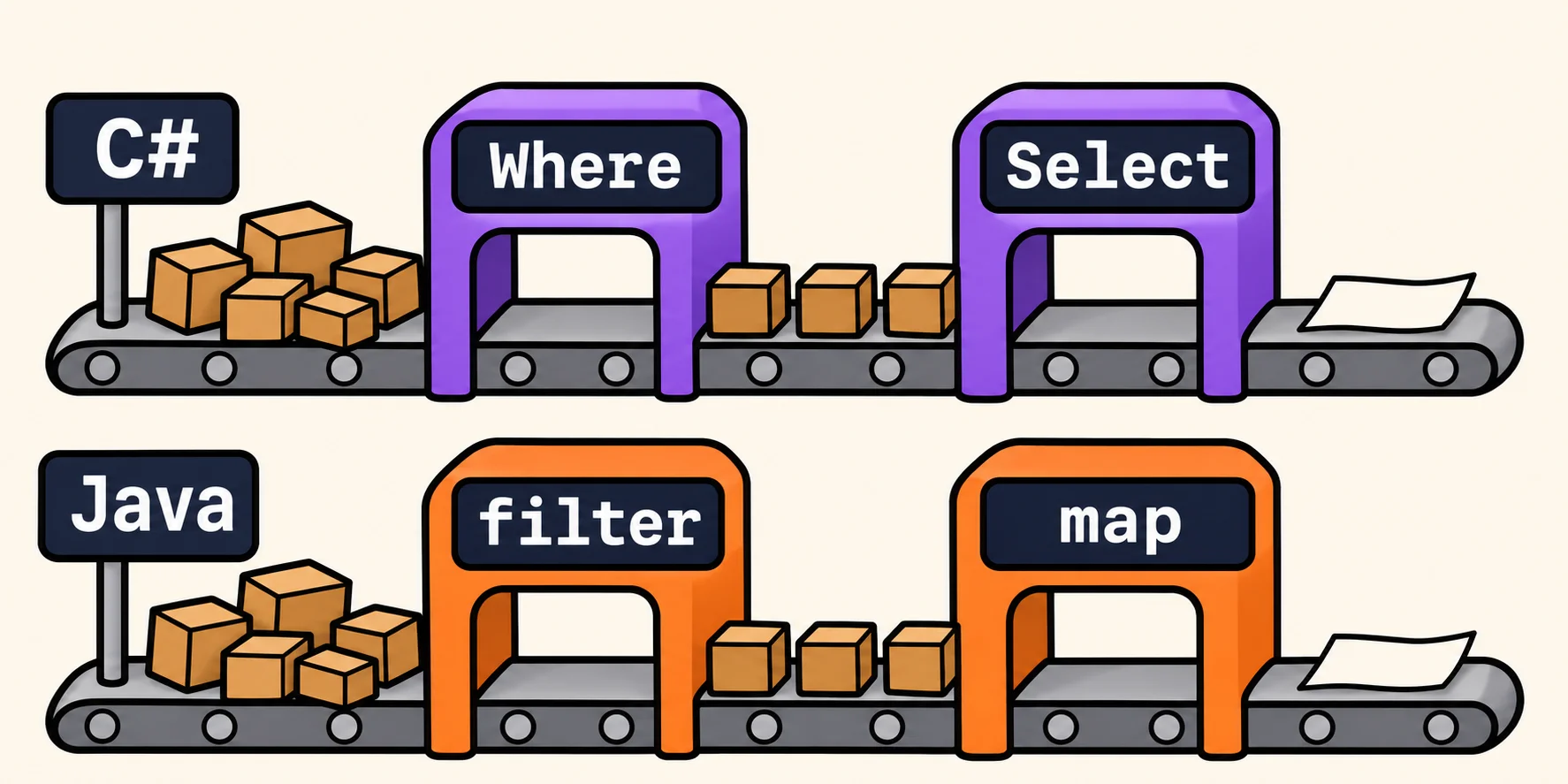
Learn one and you're most of the way to the other. LINQ in C# and streams in Java answer the same question: how do I filter, sort, reshape and total a collection without writing the loop myself? The ideas match. The names, and a few of the rules, don't.
This post takes the five jobs from Java streams beyond filter and map and 5 LINQ methods you should know and puts each pair side by side. Both use the same store's eight products, each with a name, a category, a price and the units in stock. Then come the three differences that catch people who switch languages.
The five jobs at a glance
| The job | C# LINQ | Java streams |
|---|---|---|
| The top three by price | OrderByDescending(...) then Take(3) |
sorted(...) then limit(3) |
| Is anything out of stock? | Any(...) |
anyMatch(...) |
| The first one, or a fallback | FirstOrDefault("None") |
findFirst().orElse("None") |
| Names in one line | string.Join(", ", ...) |
collect(Collectors.joining(", ")) |
| How many in each category | GroupBy(...) then Count() |
groupingBy(..., counting()) |
The everyday steps have different names too:
| The step | C# LINQ | Java streams |
|---|---|---|
| Keep the items that match | Where |
filter |
| Turn each item into something else | Select |
map |
| A list of lists into one list | SelectMany |
flatMap |
| Combine every item into one value | Aggregate |
reduce |
| Skip, count, remove duplicates | Skip, Count, Distinct |
skip, count, distinct |
1. The top three by price
//C#
List<string> premiumPicks = products
    .OrderByDescending(product => product.UnitPrice)
    .Take(3)
    .Select(product => product.ProductName)
    .ToList();
//java
var premiumPicks = products.stream()
        .sorted(Comparator.comparing(Product::getUnitPrice).reversed())
        .limit(3)
        .map(Product::getProductName)
        .toList();
Both give Alice Mutton, Ikura and Tofu.
The difference: C# has a method for each direction, OrderBy and OrderByDescending, and you hand it the field to
sort by. Java's sorted takes a Comparator, a rule for comparing two products: Comparator.comparing builds one from
the field, and .reversed() flips it
(Comparator).
2. Is anything out of stock?
//C#
bool anyOutOfStock = products.Any(product => product.UnitsInStock == 0);
//java
boolean anyOutOfStock = products.stream()
        .anyMatch(product -> product.getUnitsInStock() == 0);
Both are true, and both stop at the first match
(Enumerable.Any,
Stream.anyMatch).
The difference: Java has all three questions, anyMatch, allMatch and noneMatch. C# has Any and All; for
"does no item match?", you write !products.Any(...).
3. The first one, or a fallback
//C#
string firstSeafood = products
    .Where(product => product.CategoryName == "Seafood")
    .Select(product => product.ProductName)
    .FirstOrDefault("Nothing in this category");
//java
String firstSeafood = products.stream()
        .filter(product -> product.getCategoryName().equals("Seafood"))
        .map(Product::getProductName)
        .findFirst()
        .orElse("Nothing in this category");
Both give Ikura.
The difference: Java's findFirst always hands back an Optional, a box that might be empty
(Stream.findFirst).
You can't use the box as a String, so the compiler makes you decide what happens when it's empty. C#'s
FirstOrDefault hands back the item itself. Leave out the fallback and it still compiles, giving null when nothing
matches (Enumerable.FirstOrDefault),
so in C# remembering the fallback is up to you.
4. Names in one line
//C#
string outOfStock = string.Join(", ", products
    .Where(product => product.UnitsInStock == 0)
    .Select(product => product.ProductName));
//java
String outOfStock = products.stream()
        .filter(product -> product.getUnitsInStock() == 0)
        .map(Product::getProductName)
        .collect(Collectors.joining(", "));
Both give "Chef Anton's Gumbo Mix, Alice Mutton", with no comma after the last name.
The difference: in Java, joining is the last step of the stream, a collector
(Collectors.joining).
In C#, string.Join isn't part of LINQ; it wraps around the chain from the outside
(String.Join).
5. How many in each category
//C#
Dictionary<string, int> countByCategory = products
    .GroupBy(product => product.CategoryName)
    .ToDictionary(group => group.Key, group => group.Count());
//java
Map<String, Long> countByCategory = products.stream()
        .collect(Collectors.groupingBy(Product::getCategoryName, Collectors.counting()));
Both count Beverages 2, Condiments 2, Seafood 2, Produce 1 and Meat/Poultry 1.
The difference: C#'s GroupBy hands back the groups themselves, so you count them in a second step; on .NET 9 and
later, CountBy does both at once
(What's new in .NET 9 libraries). Java's
groupingBy builds the map in one step. Watch the order, too: GroupBy promises the groups in the order each category
first appears (Enumerable.GroupBy), and
groupingBy promises no order at all
(Collectors). Our run
printed Produce first. When you need the categories in alphabetical order, ask for a TreeMap:
Collectors.groupingBy(Product::getCategoryName, TreeMap::new, Collectors.counting()).
Three differences that trip up people who switch
Java starts with .stream()
In Java, the stream functions belong to a Stream, so every chain starts by asking the list for one: products.stream().
In C#, the LINQ methods work on the list itself, and on anything else you can loop over with foreach. Coming from
Java, you'll go looking for a .stream() that C# doesn't need.
A Java stream works once; a LINQ query runs again every time
Neither one does any work until you ask for a result (Java's stream package, deferred execution in LINQ). What happens when you ask twice is different:
//java
Stream<Product> inStock = products.stream()
        .filter(product -> product.getUnitsInStock() > 0);
long first = inStock.count();   // 6
long second = inStock.count();  // IllegalStateException: stream has already been operated upon or closed
//C#
IEnumerable<Product> inStock = products.Where(product => product.UnitsInStock > 0);
int first = inStock.Count();    // 6
products.Add(new Product("Pavlova", "Confections", 17.45m, 29));
int second = inStock.Count();   // 7: the query ran again and found Pavlova
A Java stream is used up after one result
(Stream), so you start a
new one from the list each time. A LINQ query is a recipe that runs again each time you use it, and sees any change to
the list. End the chain with ToList() when you want to keep the results as they are now.
=> and properties, -> and getters
C# lambdas use => and read properties: product => product.UnitPrice. Java lambdas use -> and call getters:
product -> product.getUnitPrice(). Java also has method references, Product::getUnitPrice, for a lambda that only
calls one method. C# can pass a method by its name, as in Select(int.Parse), but a property always needs a lambda.
Learn either one in depth
- C#: What is LINQ? and Common LINQ Methods.
- Java: Sorting, Cutting and Checking Streams and Counting, Collecting and Flattening Streams.
Each lesson ends with a Do It you solve right on the page. Pick the language you're learning, then read the other one's code: you'll find you can follow most of it already.
Sources
- Oracle, Comparator (Java SE 25 & JDK 25), the Java SE 25 API documentation:
comparingandreversed. - Oracle, Stream (Java SE 25 & JDK 25), the Java SE 25 API documentation:
anyMatchstops early,findFirstreturns anOptional, and a stream should be operated on only once. - Oracle, Collectors (Java SE 25 & JDK 25), the Java SE 25 API documentation:
joining, andgroupingBywith no guarantee on the type of the map it returns. - Oracle, java.util.stream (Java SE 25 & JDK 25), the Java SE 25 API documentation: intermediate operations are lazy, and nothing runs until the terminal operation.
- Microsoft, Enumerable.Any, the .NET API documentation: enumeration stops as soon as the result can be determined.
- Microsoft, Enumerable.FirstOrDefault, the .NET API documentation: returns the first element, or a default value if there are none.
- Microsoft, String.Join, the .NET API documentation: joins the members of a collection with the separator between each member.
- Microsoft, Enumerable.GroupBy, the .NET API documentation: groups come out in the order of the elements that produced each group's first key.
- Microsoft, What's new in .NET 9 libraries: the new
CountBymethod. - Microsoft, Deferred execution and lazy evaluation, .NET documentation: a LINQ query runs when its results are used.
Tags: c-sharp, java, linq, streams