5 LINQ methods you should know
You know Where and Select, and you still catch yourself writing loops with counters, flags and a comma too many. Five LINQ methods replace those loops.
By Gregor Dzierzon ·
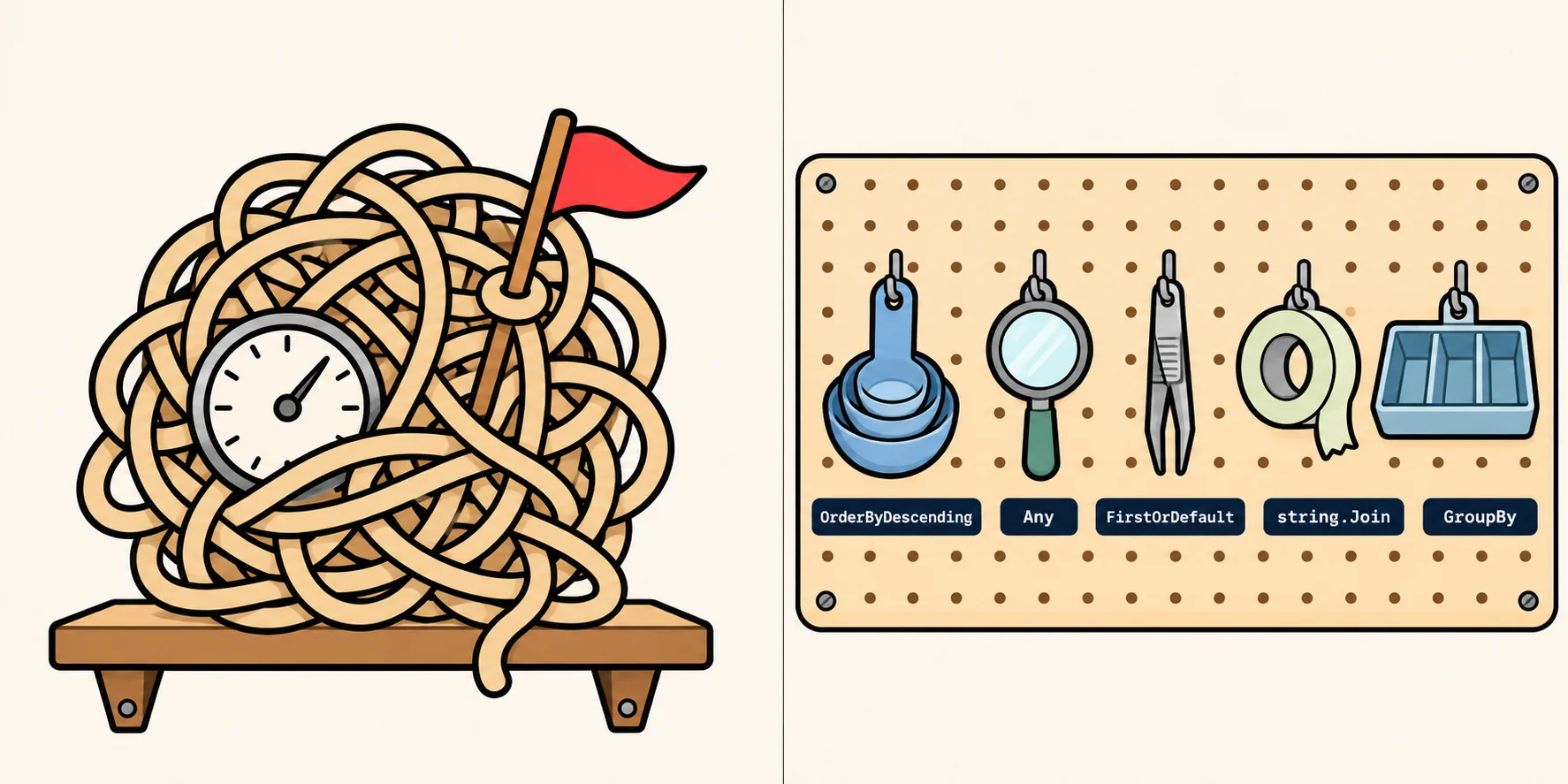
You've learned Where and Select, and LINQ finally makes sense. Then a real request comes in ("show the three most
expensive products", "is anything out of stock?") and you're back to writing a loop with a counter, a bool flag and a
break.
Those loops work. They're also where the out-of-range errors and the stray commas live. Here are five LINQ methods that replace them, each shown as the loop you'd write and the LINQ that does the same job.
Every example uses a store's List<Product>, where each product has a ProductName, a CategoryName, a UnitPrice
and its UnitsInStock:
| Product | Category | Price | Units in stock |
|---|---|---|---|
| Chai | Beverages | 18.00 | 39 |
| Chang | Beverages | 19.00 | 17 |
| Aniseed Syrup | Condiments | 10.00 | 13 |
| Chef Anton's Gumbo Mix | Condiments | 21.35 | 0 |
| Ikura | Seafood | 31.00 | 31 |
| Konbu | Seafood | 6.00 | 24 |
| Tofu | Produce | 23.25 | 35 |
| Alice Mutton | Meat/Poultry | 39.00 | 0 |
1. The top three by price: OrderByDescending and Take
Before: copy the list, sort the copy, then count to three.
List<Product> sorted = new List<Product>(products);
sorted.Sort((a, b) => b.UnitPrice.CompareTo(a.UnitPrice));

List<string> premiumPicks = new List<string>();
for (int i = 0; i < 3; i++)
{
    premiumPicks.Add(sorted[i].ProductName);
}
You need the copy because Sort reorders the list itself
(List.Sort), and the
rest of the page still wants the products in their original order. And on the day the store has only two products,
sorted[2] stops the page with an ArgumentOutOfRangeException.
After:
List<string> premiumPicks = products
    .OrderByDescending(product => product.UnitPrice)
    .Take(3)
    .Select(product => product.ProductName)
    .ToList();
// premiumPicks: Alice Mutton, Ikura, Tofu
OrderByDescending builds a new, sorted sequence and leaves products as it was
(Enumerable.OrderByDescending).
Take(3) gives up to three: when there are fewer, it gives all of them, with no exception
(Enumerable.Take).
2. A yes-or-no question: Any
Before:
bool anyOutOfStock = false;
foreach (Product product in products)
{
    if (product.UnitsInStock == 0)
    {
        anyOutOfStock = true;
        break;
    }
}
After:
bool anyOutOfStock = products.Any(product => product.UnitsInStock == 0);
// true
Like the break, Any stops at the first match
(Enumerable.Any). Its partner is All (does
every item match?). To ask "does no item match?", put a ! in front: !products.Any(...).
3. The first one, or a fallback: FirstOrDefault
Before: a string that starts as null, a loop, and a break. When nothing matches, the variable stays null, and
the page crashes later with a NullReferenceException.
After:
string firstSeafood = products
    .Where(product => product.CategoryName == "Seafood")
    .Select(product => product.ProductName)
    .FirstOrDefault("Nothing in this category");
// firstSeafood: Ikura
The value you pass is what you get back when nothing matches
(Enumerable.FirstOrDefault), so
the variable always holds a real string. Leave it out, and FirstOrDefault gives the type's default value instead:
null for a string, 0 for an int. Passing a fallback has worked since .NET 6
(What's new in .NET 6); in older code you'll see
FirstOrDefault() ?? "Nothing in this category", which does the same job.
4. One line of names, no comma too many: string.Join
Before:
string names = "";
foreach (Product product in products)
{
    if (product.UnitsInStock == 0)
    {
        names += product.ProductName + ", ";
    }
}
// names: "Chef Anton's Gumbo Mix, Alice Mutton, ": one comma too many
After:
string outOfStock = string.Join(", ", products
    .Where(product => product.UnitsInStock == 0)
    .Select(product => product.ProductName));
// outOfStock: "Chef Anton's Gumbo Mix, Alice Mutton"
string.Join puts the separator between the items, never after the last one
(String.Join). It isn't a LINQ method; it belongs to
string. But it takes any sequence of strings, so it's how a LINQ chain becomes one line of text.
5. Groups and counts: GroupBy
Before: a dictionary, a check whether each category is a key yet, and a + 1 in the right place.
After:
Dictionary<string, int> countByCategory = products
    .GroupBy(product => product.CategoryName)
    .ToDictionary(group => group.Key, group => group.Count());
// Beverages 2, Condiments 2, Seafood 2, Produce 1, Meat/Poultry 1
GroupBy sorts the products into groups. Each group has a Key, the category its products share, and is itself a
collection you can count, total or list. The groups come out in the order their first product appears
(Enumerable.GroupBy).
When a count is all you need, .NET 9 added a shortcut: products.CountBy(product => product.CategoryName) gives the
same category-and-count pairs without building the groups
(What's new in .NET 9 libraries).
The rest, in the lessons
These five cover the requests you'll hear most often. Two lessons go further, and each ends with a Do It you solve right on the page:
- What is LINQ? shows how a chain goes from a collection, through each method, to a result, and why a query runs when you use its results, not when you write it.
- Common LINQ Methods teaches methods 1, 2, 3
and 5 in depth, plus
ThenByfor breaking ties,Count,Sum,Average,MinandMax,Firstand when it throws,Skipfor pages of results, andDistinct.
Writing Java too? Java streams beyond filter and map does the same five jobs with Java streams.
Next time you start typing bool found = false;, stop and ask which LINQ method already does it.
Sources
- Microsoft, List.Sort, the .NET API documentation:
Sortsorts the elements of the list itself. - Microsoft, Enumerable.OrderByDescending, the .NET API documentation: sorts the elements of a sequence in descending order.
- Microsoft, Enumerable.Take, the .NET API documentation: if the count is more than the number of elements, all of them are returned.
- Microsoft, Enumerable.Any, the .NET API documentation: enumeration stops as soon as the result can be determined.
- Microsoft, Enumerable.FirstOrDefault, the .NET API documentation: returns the first element, or a specified default value if there are none.
- Microsoft, What's new in .NET 6: the
FirstOrDefaultoverloads that take a default value. - Microsoft, String.Join, the .NET API documentation: joins the members of a collection with the separator between each member.
- Microsoft, Enumerable.GroupBy, the .NET API documentation: groups come out in the order of the elements that produced each group's first key.
- Microsoft, What's new in .NET 9 libraries: the new
CountBymethod.