Vibe coding vs. software engineering with AI
Telling an AI agent to build an app is fun, and great for a prototype. Building something people rely on takes engineering, with you making the decisions and AI doing the typing.
By Gregor Dzierzon ·
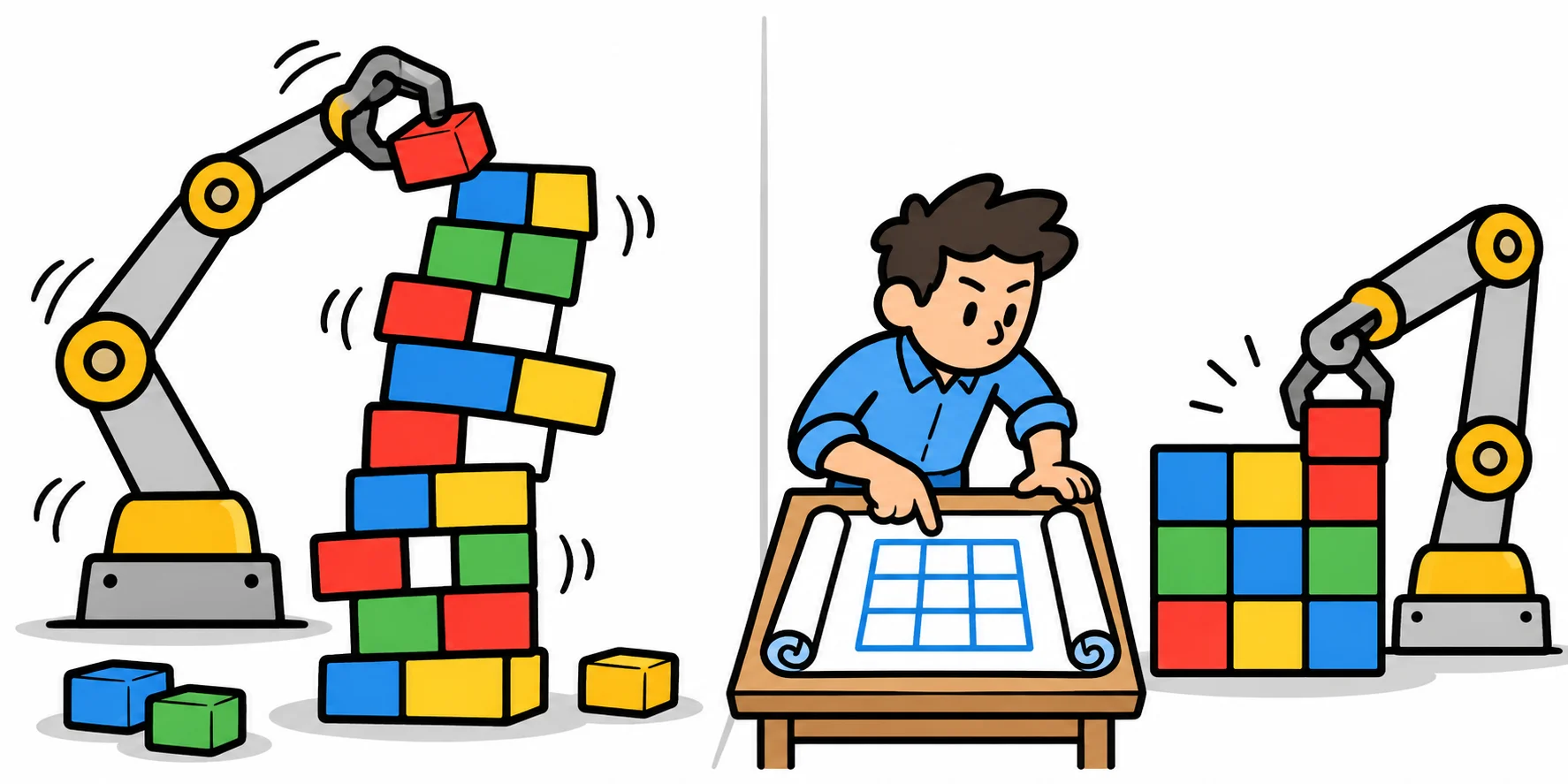
Telling an AI agent "build me an app" and watching it go is fun, and for a quick prototype it's genuinely useful. But building software that people rely on is a different job. In that job, you make the decisions and the AI does the typing. This post is about the difference, and about exactly how I work with AI on this site.
The temptation
You open an AI coding agent and type: "Build me a website where students can take quizzes." You hit Enter and watch. Files appear. A database appears. An hour later there's a login page and a working quiz. It feels like magic.
Andrej Karpathy gave this a name in early 2025: vibe coding, where you "fully give in to the vibes", accept whatever the AI writes, and stop reading the code. For a weekend experiment or a quick demo, that's fine. Plenty of developers have tried it, and some of what comes out is impressive.
Here's the catch. In that hour, hundreds of decisions were made: how passwords are stored, who can see whose scores, what happens when two people save at once, how the data is shaped, what it will cost to run. You didn't make any of them. The AI guessed. Some guesses are good. Some are quietly wrong, and you won't find out which until a real user does.
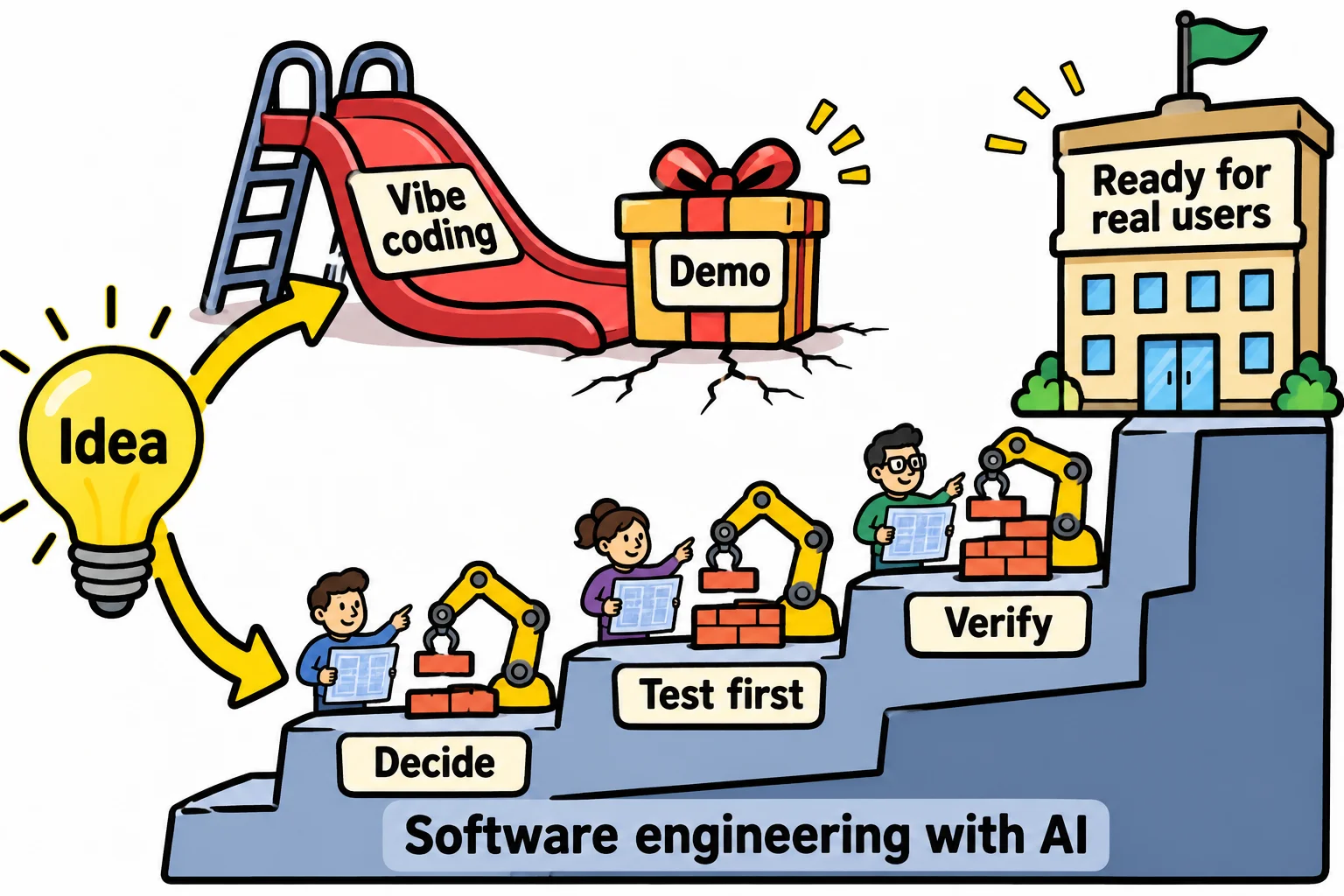
Vibe coding vs. software engineering with AI
| Vibe coding | Software engineering with AI | |
|---|---|---|
| Who decides | The AI, by guessing | You, on purpose, written down |
| The plan | "Build me an app" | Architecture, rules and a list of small pieces |
| Tests | Maybe, if the AI thought of them | Written first, every time |
| When it breaks | Ask the AI to fix it and hope | You can read the code and find out why |
| Good for | Demos, experiments, learning what you want | Anything people will rely on |
Neither one is "bad." They're tools for different jobs. The mistake is shipping the first one as if it were the second.
How I work on this site
Ask Codey is built with an AI coding agent writing much of the code. Here's the process, step by step.
1. Prototype with AI first. Before writing a line of the real site, I used AI to build a quick prototype. A prototype answers "what do I actually want?" much faster than a document does. Then I set it aside. It became the requirements, not the code.
2. Decide the architecture myself. One application, or several small services? I chose small services, one per area of the site, each with its own database, because each part changes on its own schedule and has to stay cheap to run. That's my decision, written down with its reasons. (For most new projects, one application is the better place to start.)
3. Write down the rules and the context. The agent starts every session by reading a project rules file: the stack, the folder layout, how tests are written, what it may and may not do. Every decision that affects more than one part of the site gets its own short decision record. There are 76 of them so far. When the agent wonders "why is it done this way?", the answer is written down, so it doesn't have to guess.
4. Tests first, always. The agent writes a failing test, shows me it fails for the right reason, writes just enough code to pass, and shows me it passes. A test that fails is never weakened to make it pass. Tests are how I trust code I didn't type.
5. Document as you go. Every change that alters how something works updates its documentation in the same commit. I've learned that docs that I plan to write "later" will never get written.
6. A board for the work. Every piece of work is a card on a Kanban board, small enough to finish and check on its own. The agent moves a card to In progress and In review. Only I move it to Done.
7. Propose, then wait. For anything that changes a rule, a decision or the design, the agent gives me the options and a recommendation, then waits for my answer. It doesn't get to decide by doing.
8. I verify it myself. "The tests pass" isn't proof I accept. Every feature comes with a set of steps I can run by hand, and I run them.
9. Small commits, and nothing goes live without me. Each change is its own small commit, so any one can be undone. The agent never publishes or deploys on its own.
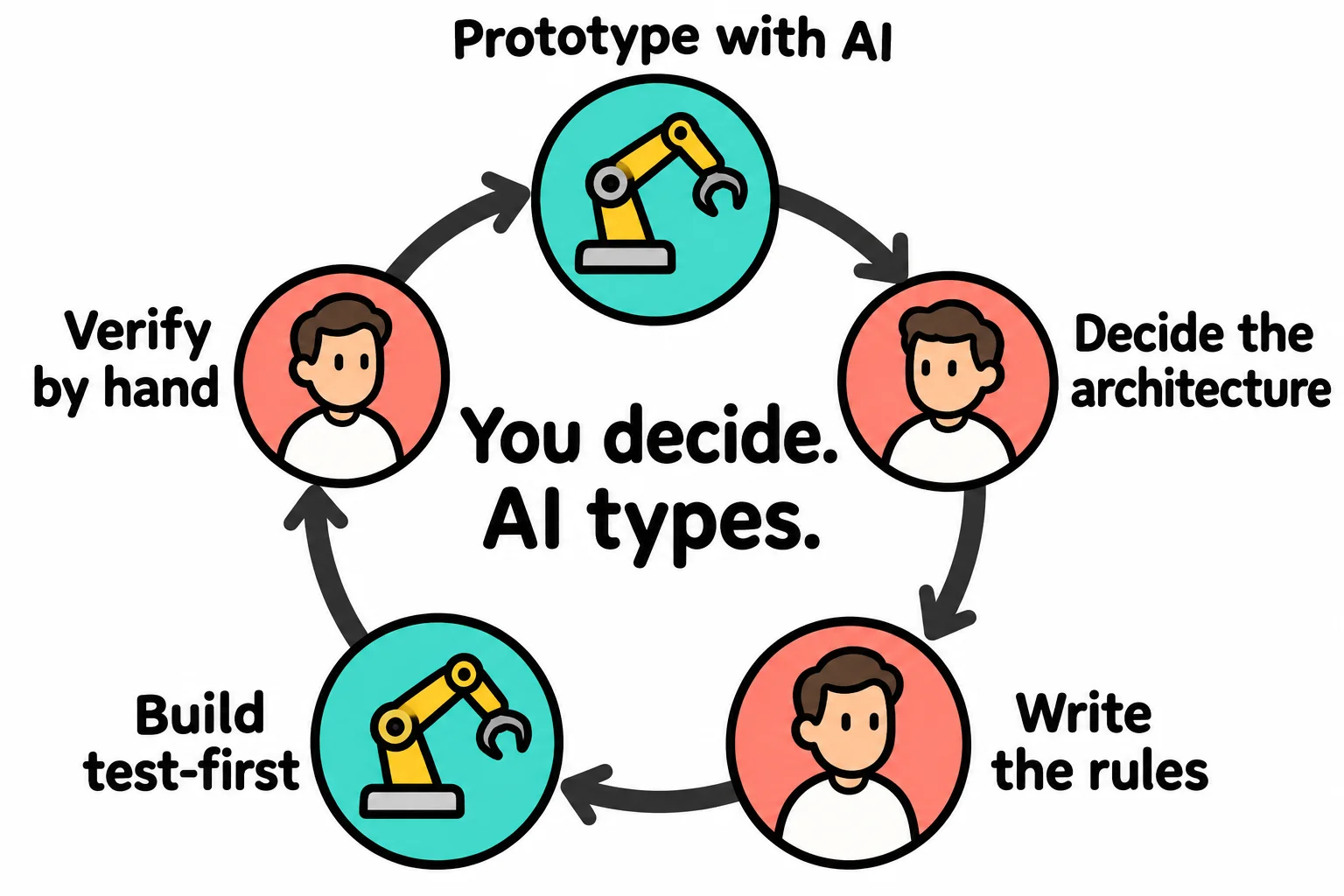
Keeping the decisions in your hands
Written rules are a good start. Rules that are enforced are better, because an agent, like a person, can misread or forget. Here's what I recommend, and where this site is heading:
- Branches and pull requests. The agent works on a branch, and its changes reach the main code only through a pull request you approve. The main branch is protected, so nothing skips the review.
- Required checks. The tests run on every pull request, and a red build can't be merged.
- Owners for the important files. The rules file, the decision records and the infrastructure need your approval to change, every time.
- Permissions, not promises. Agent tools let you block or require approval for actions like deleting files, pushing code or changing cloud resources. A blocked action can't happen by mistake.
- Cost and secrets guardrails. Spending alerts on your cloud account, and secrets kept out of the code entirely.
- Contract tests. Each service checks its API against a saved copy, so a change that would break another part of the system fails loudly instead of silently.
Teaching every new session the rules
An AI agent doesn't remember yesterday's conversation. Every session starts fresh, so the rules have to live where every session reads them:
This is critical for consistency
- One rules file is read at the start of every session! It is kept short and defines the rules and key details of the project (including the current state, all decisions, and the definition of done).
- ERRORS WILL HAPPEN! I correct them and record them. When I correct the agent, the correction goes into the rules or its notes right away, so the next session doesn't make the same mistake.
- All rule changes are proposed and must be approved, like code. The agent can suggest a new rule; If I accept it, it gets recorded and becomes law.
- One source for every agent. I use multiple AI tools and agents. Each one has its own rules file with specific instructions for that engine, and they all point to the shared rules, so no agent works from an old copy.
- Review often and prune. Rules that no longer apply get removed, so the ones that matter don't get lost in a messy document.
What this means if you're learning
You can only make these decisions if you understand the consequences of your decisions. Choosing an architecture, reading a test, spotting a wrong guess in a pull request: all of that takes real software engineering knowledge. AI makes a skilled developer faster. It doesn't make the skill optional.
That's why I still teach the fundamentals first. Learn to build it yourself, and then you'll know how to direct the tools that build it with you. (More on that in Coding is alive and well.)
Sources
- Andrej Karpathy, the post that named "vibe coding", X, February 2, 2025.
- Ars Technica, Will the future of software development run on vibes?, March 2025: what vibe coding is, and where it helps and hurts.
Tags: ai, careers, software-engineering