Secrets and .env Files
A secret such as a token or an API key never goes in a script: it goes in a .env file beside the project, which the script loads with set -a and source, which Git is told to ignore, and which chmod 600 keeps private to you.
Journeyman · Unix · Linux · Updated
After this lesson you can
- Keep a script's secrets in a .env file, load it with set -a and source, and stop with a clear message when a value is missing
- Keep a .env file out of Git with .gitignore and a .env.example, and private to you with chmod 600
Key takeaways
- A key written in a script travels everywhere the script does: into Git, onto GitHub and to everyone you share it with.
- A .env file holds one NAME=value line per setting, and stays on your computer only.
- set -a, source .env, set +a loads the file and exports every value, so the programs your script starts can see them too.
- .env goes in .gitignore. A .env.example with the names and empty values is committed instead, so others know what to fill in.
- chmod 600 .env lets only you read it. A key that was ever committed or shared needs replacing, not only deleting.
The bakery's web host gives you a deploy token: a long string of letters that proves to the host that an upload is really from you, like a password for scripts. The quickest place to put it is right in deploy.sh, and that's where the trouble starts. The script goes into Git, Git goes to GitHub, and now everyone who can see the project can upload to your site. Programs scan public GitHub projects for keys like this all day, so a pushed key can be misused within minutes. Every developer who works with a payment service, a mail service or a cloud account handles keys like this, and the habit in this lesson is how most of them keep theirs safe.
A key in a script is a key under the doormat
A secret is any value that lets someone act as you: a password, a token, an API key (the key a web service gives you to use it). Three things go wrong when a script holds one:
- It goes everywhere the script goes: into every copy, every commit and every screenshot of your editor.
- Everyone who works on the project has to use the same key.
- Replacing the key means changing the script.
The fix is to keep the script and its secrets apart. The script says what to do; a file that never leaves your computer says with which key.
A .env file, and loading it
That file is called .env (read "dot env"): one NAME=value line per setting, beside the project. Many tools read this format, Docker and Node.js among them. Make the bakery's in ~/terminal-practice/bakery-site, the project from The Scripts Every Project Has. The token is made up:
printf '# Settings for this computer only. Never commit this file.\nDEPLOY_TARGET=../bakery-live\nHOST_TOKEN=hx-7c41-demo-not-a-real-token\n' > .env
cat .env
# Settings for this computer only. Never commit this file.
DEPLOY_TARGET=../bakery-live
HOST_TOKEN=hx-7c41-demo-not-a-real-token
source .env runs those lines, so they set shell variables. But a shell variable stays in the shell (Environment Variables: export and env), and the host's upload tool, a separate program, would never see the token. set -a (read "set, dash a") fixes that: from then on, every variable that's set is exported too, until set +a turns it off. Compare the two:
source .env; env | grep DEPLOY_TARGET; echo "exit code: $?"
set -a; source .env; set +a; env | grep DEPLOY_TARGET
exit code: 1
DEPLOY_TARGET=../bakery-live
Here's scripts/deploy.sh, which loads the file and refuses to go on without it. In this practice version it copies the site to a folder beside the project; a real host's upload tool would read HOST_TOKEN from the environment.
#!/usr/bin/env bash
# deploy.sh: copies the site to the place .env names.
set -euo pipefail
cd "$(dirname "${BASH_SOURCE[0]}")/.."

if [[ ! -f .env ]]; then
  echo "There's no .env file. Copy .env.example to .env and fill it in." >&2
  exit 1
fi
set -a
source .env
set +a

if [[ -z ${HOST_TOKEN:-} ]]; then
  echo "HOST_TOKEN is empty. Put the token your web host gave you in .env." >&2
  exit 1
fi

rsync -a --delete site/ "$DEPLOY_TARGET/"
echo "Deployed to $DEPLOY_TARGET"
chmod +x scripts/deploy.sh
./scripts/deploy.sh; echo "exit code: $?"
Deployed to ../bakery-live
exit code: 0
With an empty HOST_TOKEN= line, it stops instead, with HOST_TOKEN is empty. Put the token your web host gave you in .env. and exit code 1. Notice what it never does: print the token. Keep it that way, and remember that bash -x (Debugging Scripts: bash -x) prints every line with its values filled in, secrets included.
Out of Git: .gitignore and .env.example
If you use Git, tell it never to offer .env for a commit: a line in the project's .gitignore file does that. Then commit a .env.example instead, with the names and no values, so the next person knows what to fill in:
printf '.env\n' > .gitignore
printf '# Copy this file to .env, then fill in the values.\nDEPLOY_TARGET=\nHOST_TOKEN=\n' > .env.example
git init -b main
git status --short
Initialized empty Git repository in /home/sam/terminal-practice/bakery-site/.git/
?? .env.example
?? .gitignore
?? scripts/
?? site/
?? means "new, not committed yet", and .env isn't on the list.
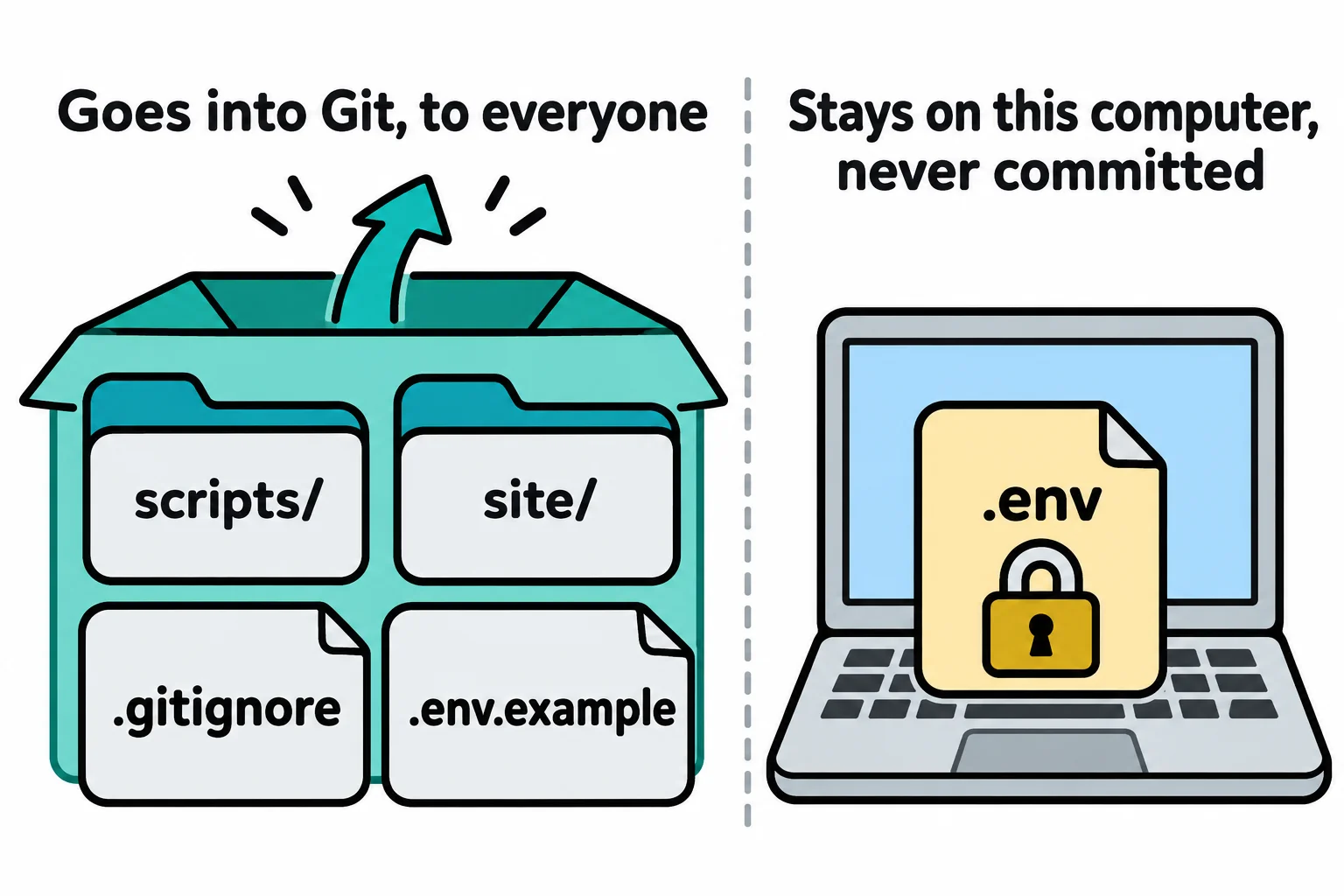
If a key ever does reach a commit, deleting the file later isn't enough, because every old commit still holds it. Ask the service for a new key and cancel the old one.
Private on your computer: chmod 600
On a shared computer, such as a school lab or a server several people log in to, the others can read your files unless you say no. ls -l shows that a new file is readable by everyone (Permissions: Read, Write and Run):
ls -l .env .env.example
chmod 600 .env
ls -l .env .env.example
-rw-r--r-- 1 sam sam 129 Nov  9 08:12 .env
-rw-r--r-- 1 sam sam  78 Nov  9 08:12 .env.example
-rw------- 1 sam sam 129 Nov  9 08:12 .env
-rw-r--r-- 1 sam sam  78 Nov  9 08:12 .env.example
Your dates will differ. 600 means read and write for you, and nothing for anyone else. A good setup.sh copies .env.example to .env and runs chmod 600 on it for you.
Check yourself
2 questions to try on the lesson page.
So what
Scripts say what to do, .env says with which keys, and keeping the two apart means you can share every script you write without ever sharing a key.