The Start and End of a File: head and tail
head prints the first lines of a file and tail the last, ten unless -n says how many, and tail -f keeps watching a file and prints each new line as it's added.
Apprentice · Unix · Linux · Updated
After this lesson you can
- Show the first or last lines of a file with head and tail, choosing how many with -n
- Watch a log file grow with tail -f, and stop watching with Ctrl+C
Key takeaways
- head shows a file's first 10 lines and tail its last 10. Add -n and a number to see that many instead.
- The start of a file is often its title or headings. The end of a log is what happened most recently.
- tail -f prints the end of a file, then keeps watching it and prints each new line as it's written. Ctrl+C stops it.
The movers' packing list runs to 44 lines, and you want two things from it: the header at the top, and the note they left on the very last line. cat prints all 44 lines and the top scrolls away; less makes you page to the end. And when a program is running, the newest news is always at the bottom of its log. head and tail show the start and the end of a file and nothing else. A web developer testing a website, or an IT tech checking why a backup failed, reaches for them many times a day.
Set up the practice folder
These lines add a packing list and a delivery log to the apartment from Deleting Safely: rm and rmdir, then count the list's lines. The for line writes the 40 box lines; For Every File: for Loops, in Module 5, teaches loops. They're safe to run again.
mkdir -p ~/terminal-practice/apartment && cd ~/terminal-practice/apartment
printf 'PACKING LIST: MOVING DAY\nPacked by Sam, carried by Maya and Diego\n========================================\n' > packing-list.txt
for n in $(seq 1 40); do printf 'box %s of 40: packed and taped\n' "$n" >> packing-list.txt; done
printf 'Last note: the kettle is in box 40, so open that one first!\n' >> packing-list.txt
printf '08:00 Truck loaded: 40 boxes\n08:15 Truck left the old place\n' > delivery.log
wc -l packing-list.txt
44 packing-list.txt
The last line counts the file's lines: 44. (wc gets its own lesson in Module 3, Count, Sort, Remove Duplicates: wc, sort and uniq.)
head: the top of a file
head prints the first 10 lines of a file:
head packing-list.txt
PACKING LIST: MOVING DAY
Packed by Sam, carried by Maya and Diego
========================================
box 1 of 40: packed and taped
box 2 of 40: packed and taped
box 3 of 40: packed and taped
box 4 of 40: packed and taped
box 5 of 40: packed and taped
box 6 of 40: packed and taped
box 7 of 40: packed and taped
Ten lines is a guess at "enough to see what this is". To choose, add -n (for number) and how many lines you want. The header is three lines:
head -n 3 packing-list.txt
PACKING LIST: MOVING DAY
Packed by Sam, carried by Maya and Diego
========================================
You'll also see the older short form, head -3, in other people's commands. It does the same.
tail: the end of a file
tail is the other end: the last 10 lines, or as many as -n says. The movers' note is the very last line:
tail -n 1 packing-list.txt
Last note: the kettle is in box 40, so open that one first!
Ask for three lines, and you get the last three, in the file's own order:
tail -n 3 packing-list.txt
box 39 of 40: packed and taped
box 40 of 40: packed and taped
Last note: the kettle is in box 40, so open that one first!
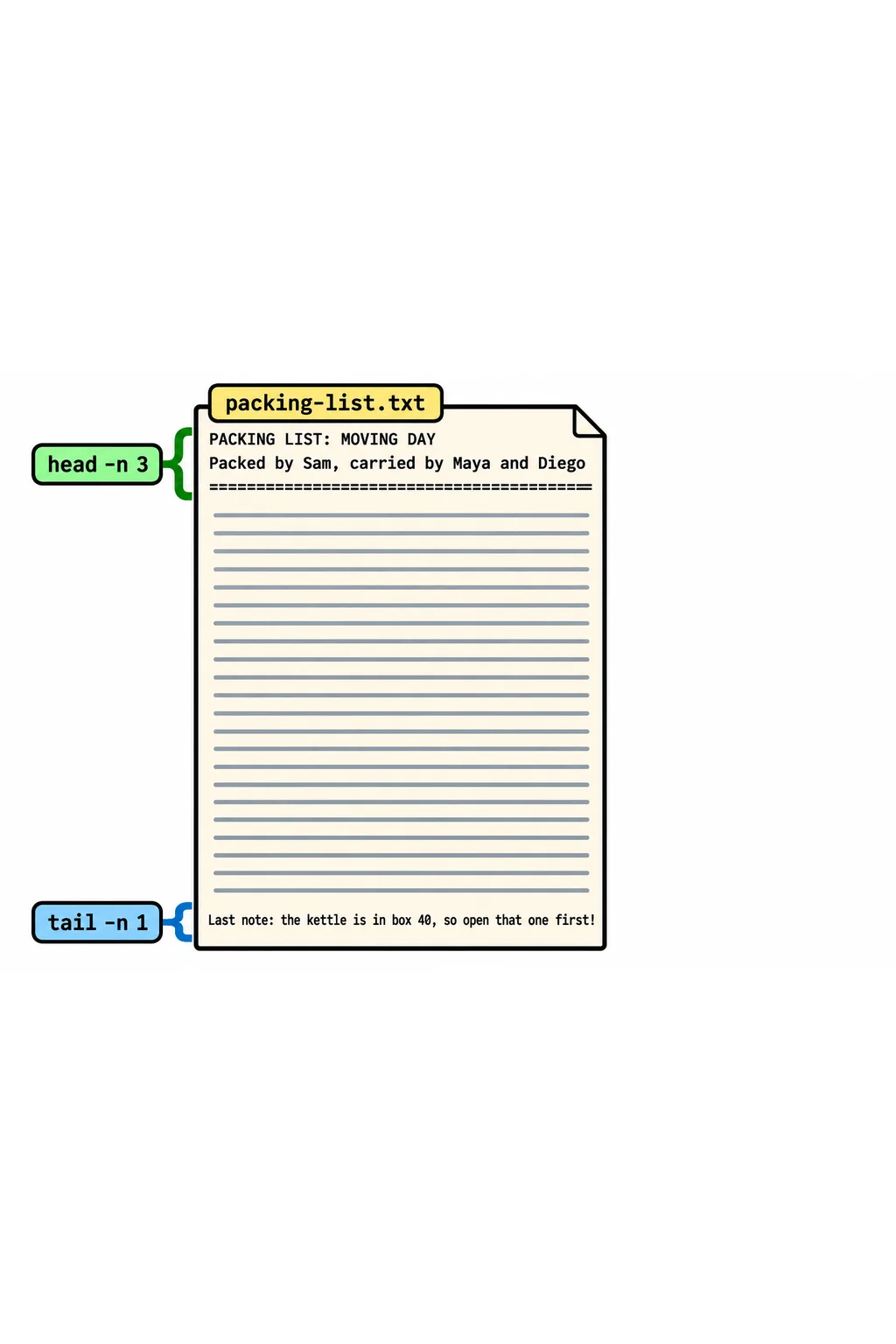
Like cat and less, head and tail only read. They never change the file.
tail -f: watch a file grow
Programs that run for a while, such as a website's server, a backup or an installer, write what they're doing into a log file, one line at a time, newest at the bottom. tail -f (for follow) prints the end of a file, then keeps watching it: each new line appears the moment it's written, like a live scoreboard.
Try it with the delivery log. Since there's no real program writing to it, you'll play the program yourself, from a second window. In your first terminal window, start watching:
tail -f delivery.log
08:00 Truck loaded: 40 boxes
08:15 Truck left the old place
There's no prompt: tail is waiting. Now open a second terminal window (or a new tab), go to the same folder, and add two lines with >> from Writing to Files: echo, > and >>:
cd ~/terminal-practice/apartment
echo "08:50 Truck parked outside" >> delivery.log
echo "09:05 First box is upstairs" >> delivery.log
The second window prints nothing, but look at the first one. Each line appeared there as you added it:
08:00 Truck loaded: 40 boxes
08:15 Truck left the old place
08:50 Truck parked outside
09:05 First box is upstairs
tail -f never stops by itself. To stop watching, go back to the first window and press Ctrl+C, the key that stops a running command; your prompt comes back, and the log is untouched.
Try it in the terminal
Terminal Quest: Moving Day, goal 1: played right on the lesson page.
It's moving day, and your friend Jo left you a very long packing list. Read only the top of it.
Check yourself
2 questions to try on the lesson page.
So what
head and tail answer the two questions people ask most about a long file: what is this, and what happened last? tail -f is how developers and IT techs watch a program's log while they test a change.