A Script Is an Application
Every application takes something in, does some work and gives something back, and a bash script does the same from a text file of commands you can read, which makes it a quick-run application of your own, best at jobs made of files, folders and other programs.
Novice · Unix · Linux · Updated
After this lesson you can
- Describe a script as an application, with the input it takes, the work it does and the output it gives, in a file you can read
- Choose jobs a bash script does well, and jobs better suited to another kind of program
Key takeaways
- Every application, from a weather app to a bank's website, takes input, does work and gives output. A script has the same three parts.
- A script is an application written as a text file of commands. You can read it with cat, change it in an editor and run it by name.
- Your computer already runs many scripts. file tells a script (text) from a compiled program (machine code you can't read).
- Bash scripts are best at jobs made of files, folders and other programs. Windows and buttons, decimals and very large programs suit another language better.
Every morning you sit down at your computer and do the same four things: check the date, read your to-do list, make sure the disk isn't full, and then start work. Four small jobs, every day, forever. You may think a program that does them for you would take a software team and a year of study. It takes one text file of about a dozen lines, and by the end of this chapter you'll have written it. This module is about that idea: a bash script is an application, a small one you write yourself and run whenever you need it.
Input, work, output
Think of any app you use. A weather app takes input (where you are), does some work (looks up the forecast) and gives output (a sun icon and 21 degrees). A calculator takes two numbers, adds them and shows the total. A bank's website takes your password, checks it and shows your balance. Big or small, every application has those three parts.
A script has them too. In What You Can Build with Bash, tidy-photos took a folder of photos named IMG_4001.jpg and so on (input), renamed each one (work) and printed Renamed 200 photos. (output). The script this chapter builds, morning, works the same way:
- Input: today's date from the computer's clock, your to-do list from a file, and the disk it checks.
- Work: a dozen commands you already know (
echo,date,catanddf), run in order. - Output: a greeting, the date, your list and the free disk space, on your screen.
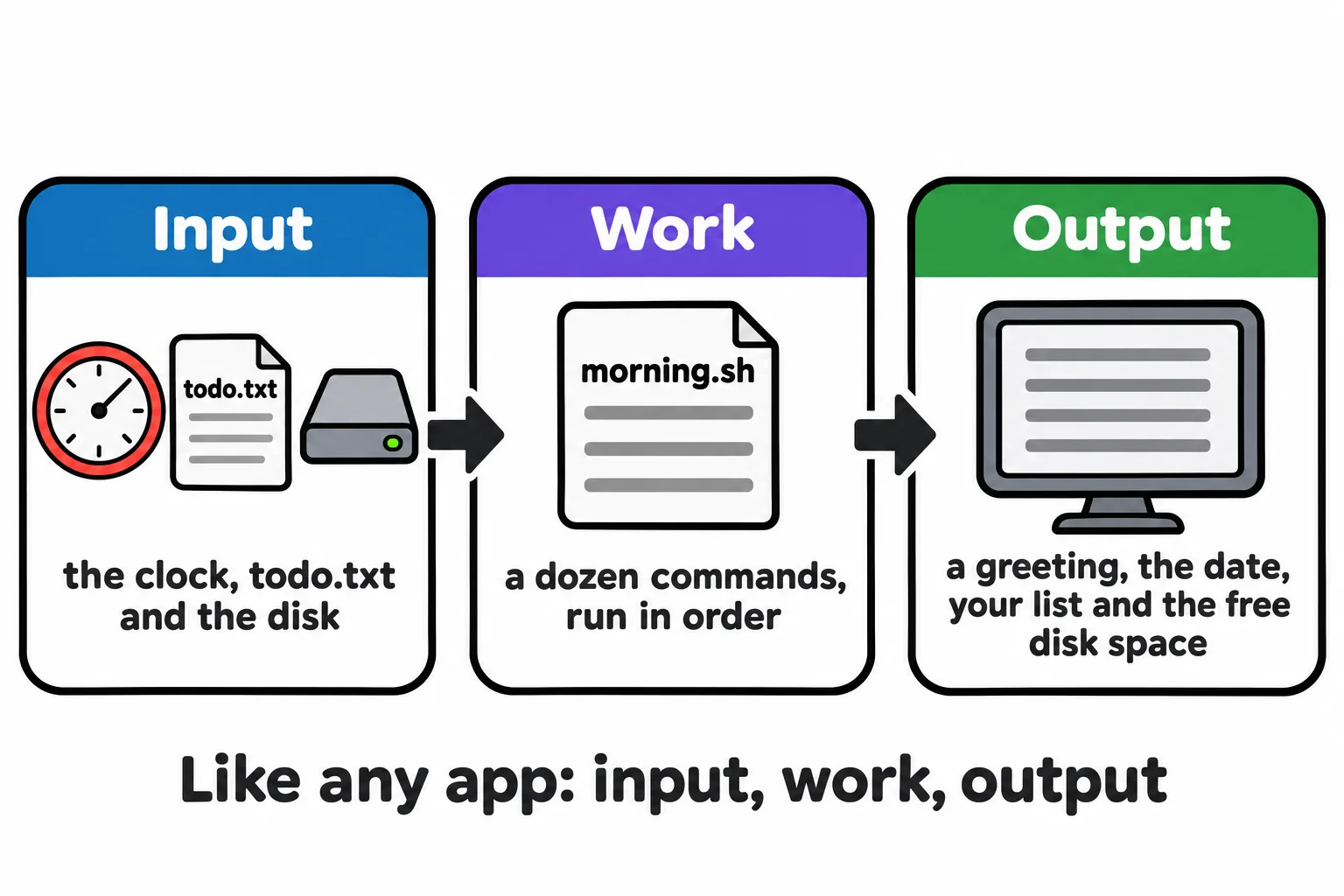
What makes it an application and not a list of notes is that you run it by name, and it does the whole job each time, the same way, in a second.
An application you can read
In Module 4, Ada's oil can ran by name from anywhere once its folder was on your PATH. It was a script all along:
cat ~/terminal-practice/workshop/tools/oilcan
#!/usr/bin/env bash
echo "Glug, glug. The gears are oiled."
Two lines. The first says "run me with bash" (the next lesson explains it), and the second is the work. Everything a script does is written in it as text, its source code, so you can read it, learn from it and change it.
Your computer has many scripts of its own. The file command looks inside a file and says what kind it is:
file /usr/bin/gunzip /usr/bin/ldd
/usr/bin/gunzip: POSIX shell script, ASCII text executable
/usr/bin/ldd:    Bourne-Again shell script, ASCII text executable
"Shell script, ASCII text" means it's a script, written in plain text. gunzip is the program that unpacks .gz files. Here are its first two lines:
head -n 2 /usr/bin/gunzip
#!/bin/sh
# Uncompress files.  This is the inverse of gzip.
gunzip is a 56-line script. "Bourne-Again shell" is bash's full name, so ldd is a bash script, and even which, from PATH: How a Command Is Found, is a short script on Ubuntu. Tutorials do the same when they say "run ./install.sh": that's a script that installs something, and you can read it before you run it.
Other programs, such as bash itself, are compiled: turned into machine code, numbers only the processor reads, before they're shipped. file tells them apart:
file /usr/bin/bash | cut -d, -f1
/usr/bin/bash: ELF 64-bit LSB pie executable
ELF is the format of Linux's compiled programs. Open one with cat and you get a screenful of symbols. A Mac has scripts too, and file works there the same way, though which programs are scripts differs.
What bash scripts are good at
Bash is the language of the terminal, so a bash script is at its best doing what you'd otherwise type:
- Jobs made of files and folders: renaming, sorting, copying, archiving, cleaning up.
- Running other programs in order: setting up a new laptop, building a website and copying it to a server.
- Jobs that repeat: a morning check, a nightly backup, a weekly report from a log.
- Gluing tools together:
grep,sort,awkand the rest, in a pipeline you never have to type again.
That's why web developers, IT administrators and data analysts all keep folders of scripts. By Module 6 you'll write spend, a complete expense tracker with commands, a help page and saved data, in bash alone.
And what they aren't
An honest list, so you pick the right tool:
- Windows and buttons. Bash runs in a terminal. A program with a screen to click needs another language.
- Decimals. Bash does arithmetic with whole numbers only. Money with cents needs a helper such as
awk. - Very large programs. Past a few hundred lines, with lots of data to juggle, a language such as Python is easier to keep tidy.
- Windows itself. Bash scripts run on Linux and Macs, and on Windows through WSL.
None of that makes bash less useful. It means a bash script is the quick-run application: the one you write in an afternoon to do a job by name, every time you ask.
Check yourself
2 questions to try on the lesson page.
So what
A script is an application you can read: input, work and output in a text file. Everything the rest of this module teaches, from arguments to loops, makes those applications do more.