JSON: Data You Can Save and Send
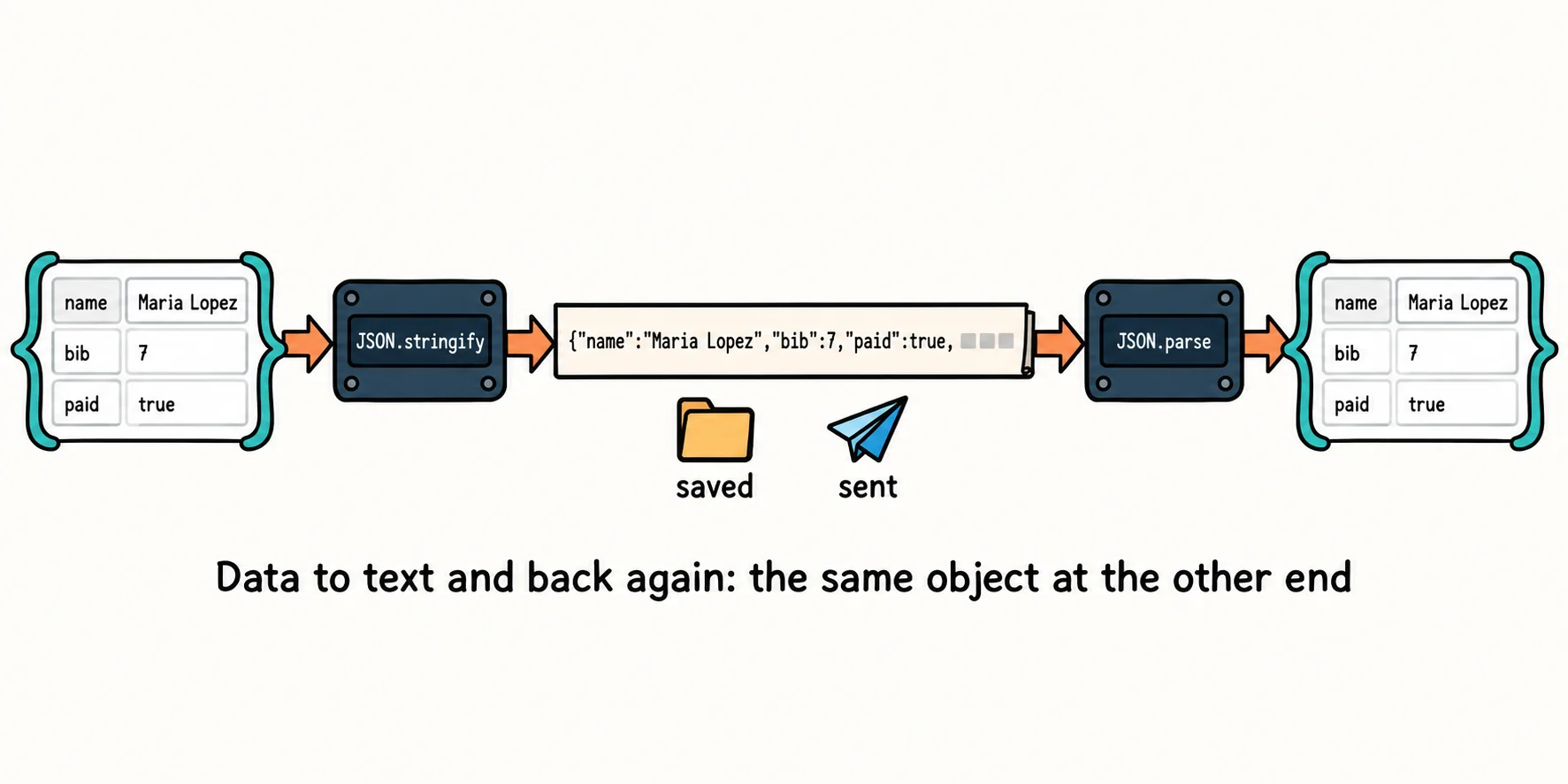
JSON is the text format the web uses to save and send data, and JSON.stringify and JSON.parse turn your objects and arrays into JSON text and back, as long as the text follows JSON's strict rules.
Apprentice · JavaScript · Updated
After this lesson you can
- Turn JavaScript data into JSON text with JSON.stringify and back into data with JSON.parse
- Spot text that breaks JSON's rules, and catch the error JSON.parse throws on it
Key takeaways
- JSON is text that looks like JavaScript objects and arrays. Web APIs, settings files and saved data use it, because any program in any language can read it.
- JSON.stringify turns a value into JSON text, and JSON.parse turns JSON text back into a value you can work with.
- JSON is stricter than JavaScript. Keys and strings need double quotes, and it has no trailing commas, no comments, no functions and no undefined.
- JSON.parse throws a SyntaxError when the text breaks a rule. Wrap it in try and catch when the text comes from outside your program.
Every time a weather app shows the forecast, a music app loads your playlists or a game saves your progress, data travels as text. Most of the time that text is JSON. You'll use it the first time you load data from a web API, save a list in the browser, or open a project's package.json file. The Riverside 5K needs it too: the volunteers' program saves the sign-up list to a file, sends it to the timing company, and reads the race results the timing company sends back. This lesson shows how to turn your data into JSON and back, and what to do when the text is broken.
What JSON is
Think of a shipping label. Every delivery company in the world can read one, because the address is always written the same way. JSON (said "JAY-son") is a shipping label for data: one agreed way to write it as text, so a program in any language, on any computer, can read it. Its name stands for JavaScript Object Notation, because it looks like the objects and arrays you already know:
{
  "name": "Maria Lopez",
  "bib": 7,
  "paid": true,
  "shirtSize": "M",
  "emergencyContact": { "name": "Ana Lopez", "phone": "555-555-0142" },
  "events": ["5K", "Kids' Dash cheer squad"]
}
A JSON value is one of six things: a string in double quotes, a number, true or false, null, an object in { }, or an array in [ ]. Objects and arrays can hold each other, as deep as you need.
From data to text: JSON.stringify
JSON.stringify(value) (read "JSON dot stringify": it makes a string) turns a JavaScript value into JSON text. The result is a plain string, ready to save in a file or send across the internet:
const maria = {
  name: "Maria Lopez",
  bib: 7,
  paid: true,
  emergencyContact: { name: "Ana Lopez", phone: "555-555-0142" },
};

const text = JSON.stringify(maria);
console.log(text);
console.log(typeof text);
{"name":"Maria Lopez","bib":7,"paid":true,"emergencyContact":{"name":"Ana Lopez","phone":"555-555-0142"}}
string
That's built for programs, not people. To make it readable, add two more arguments: JSON.stringify(maria, null, 2) puts each property on its own line, indented by 2 spaces. (The null in the middle says "no changes to the data"; it's there so the 2 can come third.)
From text to data: JSON.parse
JSON.parse(text) goes the other way: it reads JSON text and builds the real objects, arrays and values it describes. After the race, the timing company sends each runner's result as JSON:
const fromTimingCompany = '{"bib": 7, "name": "Maria Lopez", "finishTime": "27:41", "place": 12}';

const result = JSON.parse(fromTimingCompany);

console.log(`${result.name} finished in ${result.finishTime}, place ${result.place}.`);
console.log(typeof fromTimingCompany, typeof result);
Maria Lopez finished in 27:41, place 12.
string object
Before JSON.parse, it's one long string, and fromTimingCompany.name would be undefined. After it, result is an object, and you read its properties with a dot. Notice the single quotes around the JSON text: JSON needs double quotes inside, so the JavaScript string around it uses single ones.
Try it. Make a file named round-trip.js. Build an object for yourself as a runner, turn it into text with JSON.stringify(you, null, 2), print it, then JSON.parse the text and print one property of the result.
JSON's rules are stricter than JavaScript's
JSON looks like JavaScript, but it's a stricter format, so that every program reads it the same way:
| In JavaScript you can write | In JSON you must write |
|---|---|
{ name: "Maria" } |
{ "name": "Maria" }: every key in double quotes |
'Maria' |
"Maria": strings in double quotes only |
["S", "M",] |
["S", "M"]: no comma after the last item |
// a comment |
nothing: JSON has no comments |
a function, or undefined |
nothing: JSON can't hold them |
JSON.stringify follows the last rule for you. It leaves out a property whose value is a function or undefined, and writes null for undefined in an array:
const sam = {
  name: "Sam Okafor",
  shirtSize: undefined,
  cheer() {
    return "Go, Sam!";
  },
  sizesTried: [undefined, "L"],
};

console.log(JSON.stringify(sam));
{"name":"Sam Okafor","sizesTried":[null,"L"]}
JSON holds data, never behavior. Save an object that has methods, and only its data comes back.
When JSON.parse says no
Text from outside your program, such as a file someone edited by hand or a reply from a server, can be broken. Then JSON.parse stops the program with a SyntaxError: an error that says the text doesn't follow the format's grammar. Its message points at the problem, such as Expected double-quoted property name in JSON at position 17 for a stray comma, or Unexpected end of JSON input for empty or cut-off text.
To keep going instead of stopping, put the risky line inside try { } and say what to do instead in catch (error) { }. If anything in try throws an error, JavaScript jumps to catch:
const savedText = '[{"name": "Maria Lopez", "bib": 7}, {"name": "Jamal Reed", "bib": 12},]';

try {
  const runners = JSON.parse(savedText);
  console.log(`Loaded ${runners.length} runners.`);
} catch (error) {
  console.log("That file isn't valid JSON.");
  console.log(error.name);
}
That file isn't valid JSON.
SyntaxError
The comma after the last runner breaks the rules, so catch runs. This is all you need for JSON; Handling Errors with try, catch and finally in Module 3 explains try and catch in full.
Check yourself
2 questions to try on the lesson page.
So what
JSON is how programs talk to each other: almost every web API you'll ever call sends it, and it's the usual way to save a list or a setting in the browser's storage. Stringify to save and send, parse to read, and expect bad text from outside.