Sharing Your Tool
A module is ready to share when it has a README that says what it does and how to install it, a version number that follows MAJOR.MINOR.PATCH, and a license that says what others may do with it; Publish-PSResource then packs it into a repository, a folder registered with Register-PSResourceRepository for practice, or the PowerShell Gallery.
Journeyman · PowerShell · Updated
After this lesson you can
- Get a module ready to share with a README, a license and a version number that follows MAJOR.MINOR.PATCH
- Publish a module to a folder repository with Register-PSResourceRepository and Publish-PSResource, and find it there
Key takeaways
- A README is a module's front page: what it does, how to install it, one example, and its license.
- A version number is MAJOR.MINOR.PATCH: a fix raises PATCH, a new command MINOR, and a change that can break someone's script MAJOR.
- Without a license, others have no permission to reuse your code. The MIT License lets anyone use it as long as your name stays on it.
- Register-PSResourceRepository makes a folder a repository, and Publish-PSResource packs the module into it as a .nupkg file.
- The PowerShell Gallery is public and keeps every version, so publish there only what you've tested. GitHub shares the code itself.
Your playlist module works, and a friend in your band wants it. At work, it's a teammate who saw your report tool. You could zip the folder and email it, but then come the questions: how do I install this, what does it do, is this the new copy or the one from March, am I allowed to change it? Every tool you've installed in this course answered those questions before you asked, with a front page, a version number and a license. Yours can too, and then one command publishes it. IT teams share modules this way on a network folder, and thousands of people share theirs on the PowerShell Gallery.
This lesson uses PlaylistTools as you left it after Testing with Pester: the module from Your Own Module, with Remove-DuplicateSong and the fix for songs over an hour long. Its manifest still says version 1.0.0. Go to its folder:
Set-Location "$HOME\terminal-practice\modules"
The front page: a README
A README is the file anyone opens first, named so it sorts near the top. On GitHub it's shown as the project's front page. Save this as README.md in the PlaylistTools folder. It's written in Markdown: # makes a heading, and a line indented by four spaces is shown as code:
# PlaylistTools

Tools for playlists saved as CSV files: read the songs, add up the minutes,
and take out songs that appear twice.

## Install

    Install-PSResource -Name PlaylistTools

## Example

    Get-Song -Path .\road-trip.csv | Measure-Playlist

## License

MIT. See the LICENSE file.
Four parts are enough: what it does, how to install it, one example to copy, and the license.
A version number: MAJOR.MINOR.PATCH
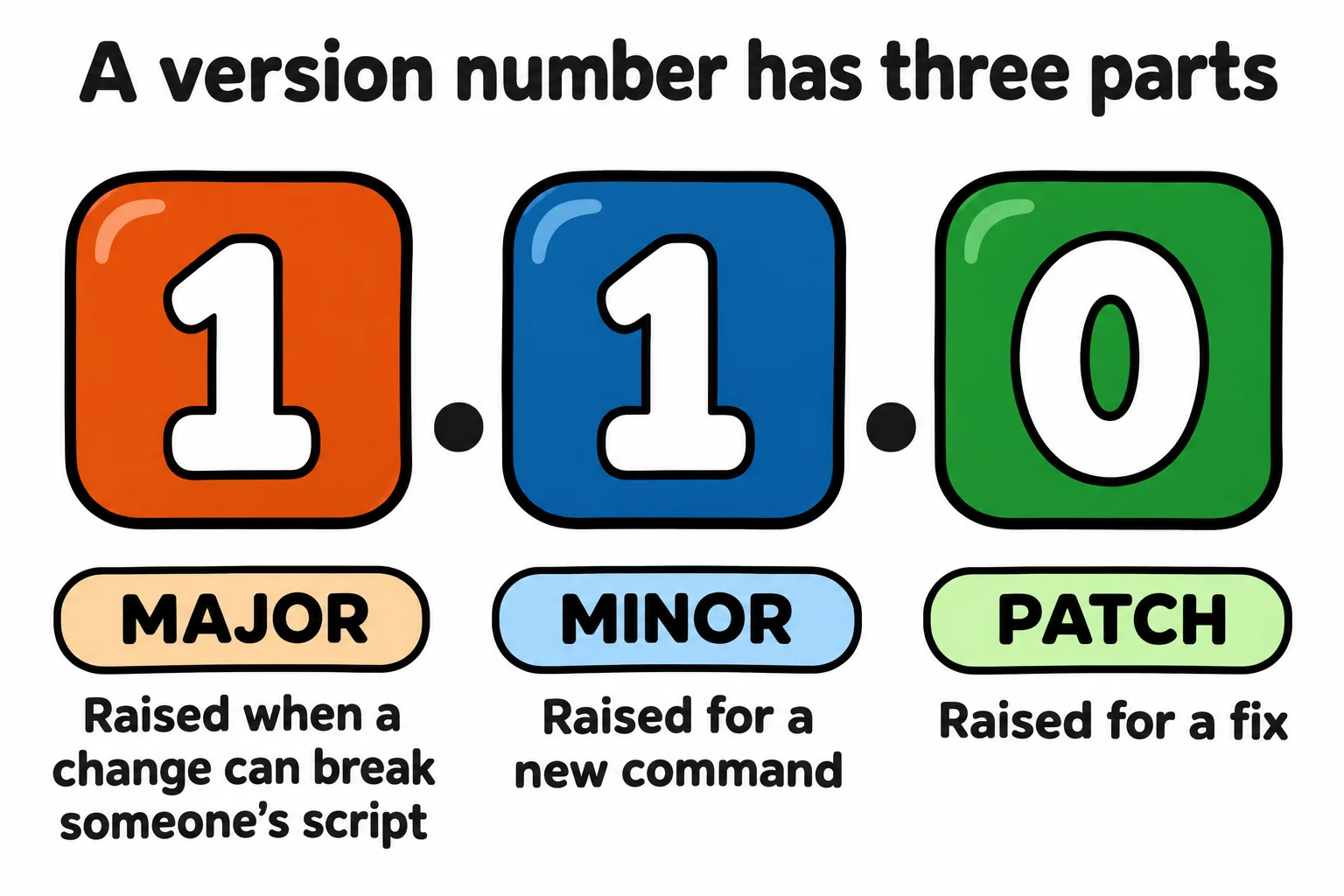
A version number such as 1.0.0 (read "one point oh point oh") has three parts, and semantic versioning gives each a meaning:
- PATCH, the last part, goes up for a fix: 1.0.1.
- MINOR, the middle, goes up for something new that leaves the old commands working: 1.1.0.
- MAJOR, the first, goes up for a change that can break someone's script, such as a renamed command: 2.0.0.
Raising one part sets the parts after it back to 0. Since 1.0.0 you fixed a bug and added a command. The biggest change wins, so this is 1.1.0. Update-PSModuleManifest changes the manifest, with a note on what's new:
Update-PSModuleManifest -Path .\PlaylistTools\PlaylistTools.psd1 -ModuleVersion 1.1.0 -ReleaseNotes 'Adds Remove-DuplicateSong. Fixes songs over an hour long.'
Test-ModuleManifest -Path .\PlaylistTools\PlaylistTools.psd1
ModuleType Version    PreRelease Name                                ExportedCommands
---------- -------    ---------- ----                                ----------------
Manifest   1.1.0                 PlaylistTools                       {Get-Song, Measure-Playlist, Remove-DuplicateSong}
Now a friend who says "I have 1.0.0" knows they're missing a command and a fix.
A license: what others may do
Code is yours by law the moment you write it. Without a license, others have no clear permission to copy, change or share it, even when they can download it. A license file gives that permission. The MIT License is one of the shortest and most used: anyone may use, change and share your code, even in paid work, as long as your copyright line stays with it, and you aren't responsible if it breaks something. choosealicense.com explains MIT and the other common ones.
Copy the MIT License from choosealicense.com word for word into a file named LICENSE in the PlaylistTools folder, with the year and your name in its copyright line. It starts like this:
MIT License

Copyright (c) 2026 Sam

Permission is hereby granted, free of charge, to any person obtaining a copy
A tool you write for your job usually belongs to your employer, so the company chooses its license, not you.
Publish to a practice repository
A repository, for modules, is a shelf to install from. The PowerShell Gallery is one, and a plain folder can be one too. Teams often use a shared network folder. Make a folder and register it under a name, with -Trusted, so installing from your own folder doesn't ask "are you sure?":
New-Item -ItemType Directory -Force -Path "$HOME\terminal-practice\practice-repo" | Out-Null
Register-PSResourceRepository -Name PracticeRepo -Uri "$HOME\terminal-practice\practice-repo" -Trusted
Get-PSResourceRepository
Name         Uri                                                  Trusted Priority IsAllowedByPolicy
----         ---                                                  ------- -------- -----------------
PracticeRepo file:///C:/Users/Sam/terminal-practice/practice-repo True    50       True
PSGallery    https://www.powershellgallery.com/api/v2             False   50       True
The registration is saved for your account, so every new window knows PracticeRepo. Register it a second time, and PowerShell says it already exists. Now publish:
Publish-PSResource -Path .\PlaylistTools -Repository PracticeRepo
Get-ChildItem "$HOME\terminal-practice\practice-repo"
Find-PSResource -Name PlaylistTools -Repository PracticeRepo
    Directory: C:\Users\Sam\terminal-practice\practice-repo

Mode                 LastWriteTime         Length Name
----                 -------------         ------ ----
-a---           11/9/2026 10:15 AM           5156 PlaylistTools.1.1.0.nupkg

Name          Version Prerelease Repository   Description
----          ------- ---------- ----------   -----------
PlaylistTools 1.1.0              PracticeRepo Tools for playlists saved as CSV files
PlaylistTools.1.1.0.nupkg is a package: a zip file holding the module's folder, README and LICENSE included, in the format the Gallery uses too. With the repository on a shared network folder, a teammate registers that folder and runs Install-PSResource -Name PlaylistTools -Repository PracticeRepo. When you're done practicing, remove the registration. The folder and the package stay:
Unregister-PSResourceRepository -Name PracticeRepo
The real shelves: the PowerShell Gallery and GitHub
Publishing to the PowerShell Gallery is the same command, with -Repository PSGallery and an API key, a password for publishing that you get with a free account at powershellgallery.com and keep out of your scripts, as Secrets Out of Scripts shows. Before you do, know that the whole world can install it, that the module's name must be one nobody has taken (Find-PSResource tells you), and that a version, once published, can be hidden but never deleted or published again. Test first.
GitHub shares the code itself: put the module's folder in a repository with its README and LICENSE, and people read, download or clone it, as you have with every exercise in this course. Many authors do both: the code on GitHub, the releases on the Gallery.
Windows PowerShell 5.1 has no PSResourceGet; there, Register-PSRepository, Publish-Module and Update-ModuleManifest do these jobs. On a Mac or Linux, the commands are the same, with / in the paths.
Check yourself
2 questions to try on the lesson page.
So what
A README, a version number and a license turn "a folder I emailed you" into a tool people can trust, and one command puts it on a shelf they can install from.