Testing with Pester
A Pester test file, named something.Tests.ps1, groups checks in Describe blocks, each It block runs your code and checks one answer with Should, and Invoke-Pester runs them all in seconds, marks each one passed or failed and says what it expected and what it got; TestDrive: gives every test a throwaway folder for its files.
Freelancer · PowerShell · Updated
After this lesson you can
- Write Pester tests with Describe, It and Should that import a module and check what its functions return
- Test a script and the files it writes in TestDrive:, and read Pester's report when a test fails
Key takeaways
- A test is a few lines that run your code and check the answer. Pester runs every test in a file whose name ends in .Tests.ps1.
- Describe groups the tests for one command, It is one thing it should do, and Should is the check, such as Should -Be 225.
- Invoke-Pester runs the tests and marks each [+] passed or [-] failed. A failure says what it expected, what it got and on which line.
- TestDrive: is an empty folder Pester makes for each Describe and deletes afterwards, so tests can make and change files without touching yours.
- A script is tested the same way: run it with & in an It block, then check its output or the file it wrote.
You changed PlaylistTools for the analyzer, renamed a function and edited both export lists. Does Get-Song still work? Checking by hand means importing the module, running each command on a playlist and reading the answers, and doing it again after every change, until one day you skip it. A test is a few lines that do the checking for you: they run your code, compare its answer with the right one, and shout when they differ. Pester, PowerShell's test tool, has checked every exercise in this course; now you write the tests. Developers run their tests before every change goes out, and IT teams test a module before it reaches a hundred PCs.
This lesson uses PlaylistTools from Your Own Module, as you left it in PSScriptAnalyzer: A Second Pair of Eyes. If you haven't done an exercise yet, install Pester once with Install-PSResource Pester.
Describe, It and Should
Tests live in a file whose name ends in .Tests.ps1, beside what they test. Save this as PlaylistTools.Tests.ps1 in the PlaylistTools folder:
BeforeAll {
    Import-Module "$PSScriptRoot\PlaylistTools.psd1" -Force
}

Describe 'Measure-Playlist' {
    It 'counts the songs and adds up their minutes' {
        $songs = [PSCustomObject]@{ Seconds = 240 }, [PSCustomObject]@{ Seconds = 150 }
        $total = $songs | Measure-Playlist
        $total.Songs | Should -Be 2
        $total.Minutes | Should -Be 6.5
    }
}
Read it like a sentence. BeforeAll runs once, first: it loads a fresh copy of the module, found through $PSScriptRoot, the test file's own folder. Describe groups the tests for one command. Each It is one thing the command should do, named so the report reads "It counts the songs and adds up their minutes". Inside, the test makes its own two pretend songs, 4 minutes and 2.5 minutes, so it always knows the right answer. Should is the check: $total.Songs | Should -Be 2 is read "songs should be 2". Run every test file in the folder:
Set-Location "$HOME\terminal-practice\modules\PlaylistTools"
Invoke-Pester -Output Detailed
Pester v6.2.0

Running tests from 1 files.

Running tests from 'C:\Users\Sam\terminal-practice\modules\PlaylistTools\PlaylistTools.Tests.ps1'
Describing Measure-Playlist
  [+] counts the songs and adds up their minutes 37ms
Tests completed in 124ms
Tests Passed: 1, Failed: 0, Skipped: 0, Inconclusive: 0, NotRun: 0
[+] is a pass. (Your times will differ.) Without -Output Detailed, Pester prints one line per file and the details of failures only. Should has a check for most jobs, and -Not in front turns any of them around (Should -Not -Be 0):
| Check | Passes when |
|---|---|
Should -Be 225 |
the value equals 225 |
Should -HaveCount 3 |
three things came down the pipeline |
Should -Contain 'Long Way Home' |
the list has that item |
Should -Match 'songs' |
the text matches the pattern |
Should -Exist |
there's a file or folder at this path |
{ ... } \| Should -Throw |
the code in the braces fails with an error |
Files for tests: `TestDrive:`
Get-Song reads a file, so its tests need one. Your real playlists change, and a test that writes a file could leave a mess. Instead, Pester gives each Describe an empty folder of its own, TestDrive:, in your temp folder, and deletes it when the Describe ends; $TestDrive holds its path. Add this to the test file. Its second song is a live recording, over an hour long:
Describe 'Get-Song' {
    BeforeAll {
        $csv = Join-Path $TestDrive 'test.csv'
        Set-Content -Path $csv -Value 'Title,Artist,Length', 'Golden Hour Drive,The Night Owls,3:45', 'Live at the Pier,Harbor Lights,1:02:30'
    }

    It 'reads every song in the file' {
        Get-Song -Path $csv | Should -HaveCount 2
    }

    It 'turns 3:45 into 225 seconds' {
        (Get-Song -Path $csv)[0].Seconds | Should -Be 225
    }

    It 'reads a track over an hour long' {
        (Get-Song -Path $csv)[1].Seconds | Should -Be 3750
    }
}
When a test fails
Run them again:
Invoke-Pester -Output Detailed
Pester v6.2.0

Running tests from 1 files.

Running tests from 'C:\Users\Sam\terminal-practice\modules\PlaylistTools\PlaylistTools.Tests.ps1'
Describing Measure-Playlist
  [+] counts the songs and adds up their minutes 80ms

Describing Get-Song
  [+] reads every song in the file 15ms
  [+] turns 3:45 into 225 seconds 5ms
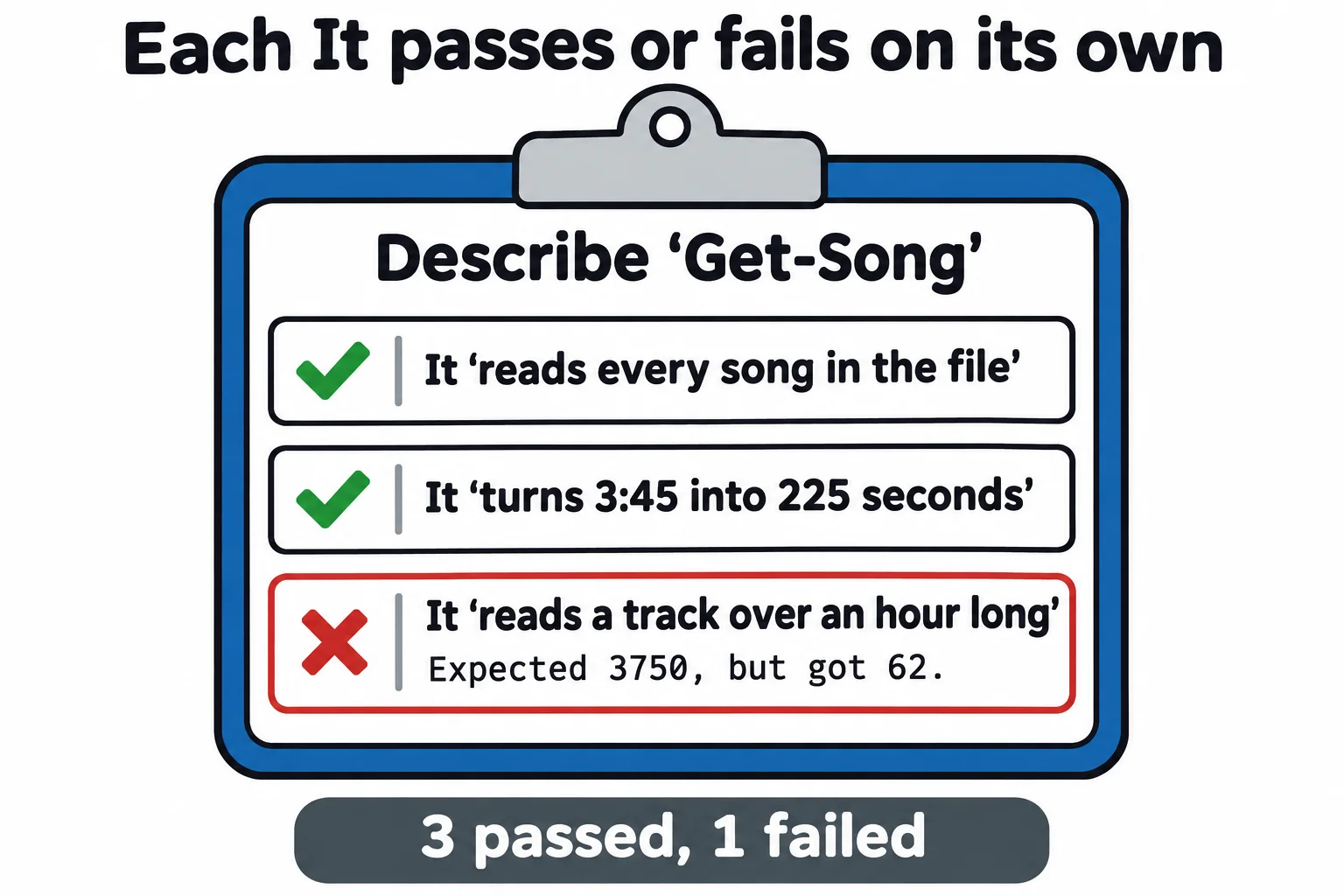
  [-] reads a track over an hour long 51ms
   Expected 3750, but got 62.
   at (Get-Song -Path $csv)[1].Seconds | Should -Be 3750, C:\Users\Sam\terminal-practice\modules\PlaylistTools\PlaylistTools.Tests.ps1:29
Tests completed in 716ms
Tests Passed: 3, Failed: 1, Skipped: 0, Inconclusive: 0, NotRun: 0
A [-] failure reads in three parts: which test, what it expected and what it got, and the line of the check. 62 seconds for a track of an hour? ConvertTo-Second only knows minutes and seconds, so it read 1:02:30 as 1 minute and 2 seconds and dropped the rest. The test found a bug in a helper you can't even call from the prompt. Fix it in PlaylistTools.psm1, so each part multiplies what came before by 60 and adds itself:
function ConvertTo-Second {
    param([string] $Length)
    $seconds = 0
    foreach ($part in $Length -split ':') {
        $seconds = $seconds * 60 + [int] $part
    }
    $seconds
}
Run Invoke-Pester -Output Detailed again, and all four pass: Tests Passed: 4, Failed: 0. From now on, that one command checks all four after every change, in under a second.
Testing a script
A script is tested the same way: run it with & inside an It, then check what it printed or the file it wrote. Save this as playlist-report.ps1 in $HOME\terminal-practice\playlists. It uses PlaylistTools by name, so run the $env:PSModulePath line from Your Own Module again if this is a new window:
# playlist-report.ps1: writes one line about a playlist into a text file.
param(
    [Parameter(Mandatory)] [string] $Path,
    [Parameter(Mandatory)] [string] $Destination
)
$total = Get-Song -Path $Path | Measure-Playlist
"$($total.Songs) songs, $($total.Minutes) minutes" | Set-Content -Path $Destination
Its test, playlist-report.Tests.ps1, beside it, makes a playlist and a report in TestDrive: and checks the report:
Describe 'playlist-report.ps1' {
    It 'writes the number of songs and minutes into the report' {
        $csv = Join-Path $TestDrive 'test.csv'
        Set-Content -Path $csv -Value 'Title,Artist,Length', 'Golden Hour Drive,The Night Owls,3:45', 'Rain on the Roof,Clara Moss,4:15'
        $report = Join-Path $TestDrive 'report.txt'

        & "$PSScriptRoot\playlist-report.ps1" -Path $csv -Destination $report

        $report | Should -Exist
        Get-Content -Path $report | Should -Be '2 songs, 8 minutes'
    }
}
Set-Location "$HOME\terminal-practice\playlists"
Invoke-Pester -Output Detailed
Pester v6.2.0

Running tests from 1 files.

Running tests from 'C:\Users\Sam\terminal-practice\playlists\playlist-report.Tests.ps1'
Describing playlist-report.ps1
  [+] writes the number of songs and minutes into the report 56ms
Tests completed in 142ms
Tests Passed: 1, Failed: 0, Skipped: 0, Inconclusive: 0, NotRun: 0
The playlists folder holds no test.csv or report.txt afterwards: they lived and died in TestDrive:. Pester works the same on a Mac or Linux. Windows PowerShell 5.1 comes with a very old Pester, 3.4, that can't run these tests, so run them in PowerShell 7.
Check yourself
2 questions to try on the lesson page.
So what
Tests turn "I think it still works" into a list of green checks in a second, so you can change your tools without being afraid of them.